
The GA4 Setup Guide That Walks You Through Every Click
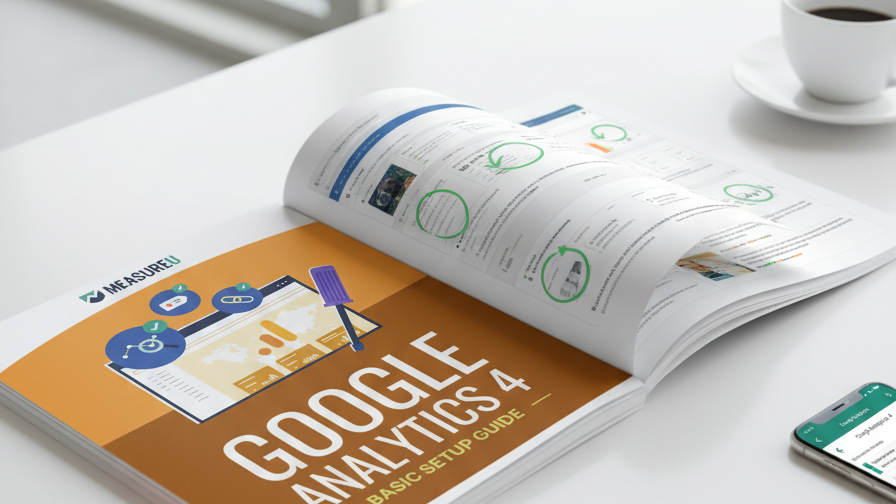
GA4 has dozens of settings buried across multiple menus. Miss one and your data has a gap you won't notice for months. This 41-page guide has a screenshot at every step — from creating your first property to setting up custom events and marking conversions.
MeasureU is trusted by 50,000+ digital marketers
41-page PDF — delivered instantly. No spam, ever.
MeasureU Has Been Featured In



 Google Ads
 What's Inside — 6 Steps, 41 Pages
Property Creation & Configuration
Activate your GA4 property, verify your config tag, customize data settings, reporting identity, and link Google Ads + Search Console — with screenshots showing exactly where to click.
Stream Customization
Set up cross-domain tracking, filter unwanted referrals, and adjust session timeout — the three stream settings most people skip that cause the most data problems later.
Events & Conversions
Create lead events, configure scroll tracking, mark events as conversions, and add event parameters as custom dimensions. This is where GA4 goes from "installed" to "actually useful."
Written for marketers and analysts. Every step has a screenshot — no guessing where to click.
Google's own GA4 documentation is written for developers. It assumes you already know what a "data stream" is and why your "reporting identity" matters. This guide doesn't assume any of that. It starts at "click Admin" and walks you through every screen you'll see along the way.
At 41 pages, it's more thorough than most paid GA4 courses. The reason it's free is simple: if you set up GA4 correctly, you'll eventually want to learn how to use it — and that's where MeasureU Academy picks up.
- ✓ Setting up GA4 for the first time? Step 1 walks through property creation from scratch — time zone, currency, business objectives, data stream. Takes about 10 minutes.
- ✓ Already have GA4 but not sure it's set up right? Step 4 covers the five property settings most people never touch — data retention, reporting identity, Google Ads linking, and Search Console connection.
- ✓ Confused about GA4 events? Step 6 is 12 pages on creating lead events, configuring scroll tracking, marking events as conversions, and registering custom dimensions. This is the part most people get wrong.
- ✓ Running multiple domains? Step 5 covers cross-domain setup, unwanted referral filtering, and session timeout adjustments — the stream settings that prevent data from splitting across properties.
- ✓ Every step has a screenshot with green arrows pointing to exactly what to click. No searching through menus wondering if you're in the right place.
Instant access. No credit card.
Written by the Team That's Been in GA Since Day One
Jeff Sauer was one of the first people to beta test Google Analytics back in 2005. His team at MeasureU has set up GA4 on hundreds of sites. This guide is the same setup process they follow every time — documented so you can do it yourself.
41 pages. Every click screenshotted. GA4 set up the way it should be.
Download the guide, open GA4 in another tab, and follow along. Most people finish the full setup in a single sitting.