
GA4's Built-In Scroll Tracking Only Fires at 90% — Here's How to See Where People Actually Leave
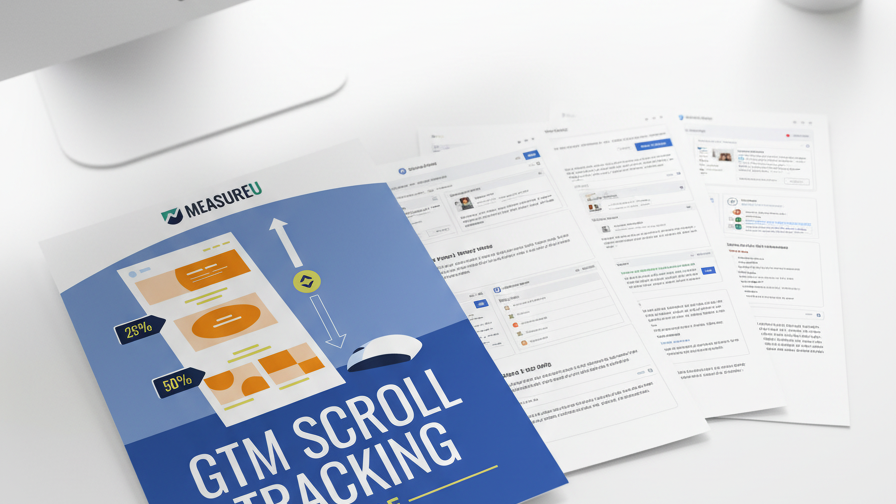
Knowing that someone scrolled 90% of the page is almost useless — they were already at the bottom. What you need is 25%, 50%, and 75% scroll depth so you can see where readers lose interest. This guide walks you through setting it up in GTM in 6 steps.
MeasureU is trusted by 50,000+ digital marketers
PDF download — delivered instantly. No spam, ever.
MeasureU Has Been Featured In



 Google Ads
 What's Inside
Granular Scroll Milestones
Track scroll depth at 25%, 50%, 75%, and 90% so you can pinpoint the exact section of a page where readers disengage.
Complete GTM Setup in 6 Steps
Enable built-in scroll variables, create the trigger, grab your Measurement ID, set up the Google tag, build the GA4 event tag, and publish.
Every Screen Shown
Screenshots of every GTM configuration screen — variable checkboxes, trigger settings, and tag setup — so you never have to guess.
Requires GA4 and GTM already set up. 11 pages with screenshots.
GA4 gives you a "scroll" event out of the box through enhanced measurement. The catch? It only fires when someone hits 90% of the page. By that point, they've already seen nearly everything. You have no idea if they bailed at the intro, the middle, or the second-to-last section.
This guide sets up scroll depth tracking at four thresholds: 25%, 50%, 75%, and 90%. Once it's live, you can open GA4 and see exactly which pages hold attention and which ones lose readers halfway through.
- ✓ Which scroll variables do you need to enable? Step 1 shows you the built-in scroll depth variables in GTM and which checkboxes to turn on so you have Scroll Depth Threshold and Scroll Direction available.
- ✓ How do you set the trigger thresholds? Step 2 walks through creating a Scroll Depth trigger configured for 25, 50, 75, and 90 percent — with the exact GTM trigger configuration screenshot.
- ✓ Where does your Measurement ID go? Steps 3 and 4 cover grabbing your GA4 Measurement ID and setting up the Google tag so the scroll events land in the right property.
- ✓ What does the GA4 event tag look like? Step 5 creates the event tag that sends scroll_depth as a custom event with the threshold percentage as a parameter.
- ✓ How do you test before going live? Step 6 walks through GTM preview mode and publishing the container so you can verify every threshold fires correctly.
Instant access. No credit card.
Built by a Team That Lives in Google Tag Manager
Jeff Sauer has been working in digital analytics since 2005 and has trained 50,000+ marketers through MeasureU. This guide is the same scroll tracking setup his team deploys on every client site — because knowing where people leave is the first step to keeping them.
Find out where readers lose interest — not just that they scrolled to the bottom
Download the guide, open GTM, and follow the 6 steps. You'll have granular scroll data in GA4 before lunch.