Every business has a process that only lives in one person's head.
And the second that person is unavailable—vacation, sick day, quits without notice—everything grinds to a halt.
I built a digital marketing agency to over 40 people. Made the Inc 5000 five times. Sold that business. And I watched this exact scenario play out constantly. Someone would leave, and suddenly a workflow nobody ever wrote down just… stopped working.
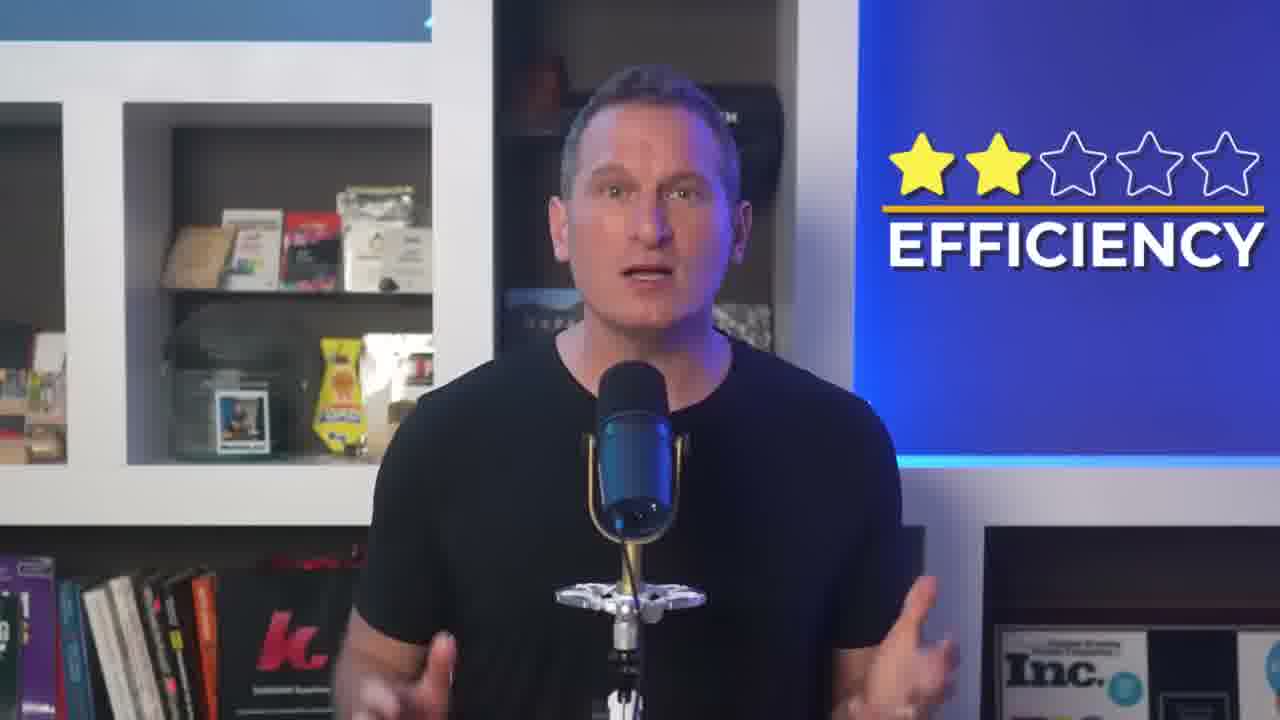
So when I tested a workflow automation platform called Scribe on my own YouTube production process last week, I expected validation. I've been running this SOP for years. Refined it multiple times.
Scribe scored it a 2 out of 5 for efficiency.
That's where this gets interesting. Not because the tool is harsh—but because it caught things I'd stopped seeing after doing the same process for so long.
Quick note before we go further: This post is sponsored by Scribe. I tested the platform on my actual workflow before agreeing to anything. What you're about to read isn't staged.
Watch How I Documented (And Got Humbled By) My Own SOP
In this video, I walk through my entire YouTube production SOP, document it with Scribe in real time, and react to the efficiency score it gave me. If you want the full walkthrough with screen recordings, hit play above.
Below, I'm breaking down the key lessons and what I'd recommend for anyone who manages repeatable processes.
What You'll Learn in This Post
- Automated SOP documentation captures your process by watching you work—no writing required
- The AI efficiency analysis found 3 specific improvements I'd overlooked for years
- Guide Me turns documentation into interactive walkthroughs inside your actual browser
- One edit in Scribe updates everywhere the doc is shared
Table of Contents
- The Real Problem with Process Documentation (And Why SOPs Fail)
- That's Where Workflow Automation Comes In
- I Documented My YouTube SOP in 4 Minutes (Then Got a Wake-Up Call)
- The 2/5 Efficiency Score (And the Three Things It Called Out)
- Guide Me: The Feature That Solves the “Nobody Reads the Docs” Problem
- Pricing and Getting Started
- What Process Would You Document First?
The Real Problem with Process Documentation (And Why SOPs Fail)
Let me tell you exactly how SOP documentation fails. Because everyone has good intentions when they start.
You record a Zoom walkthrough of your whole process. Two years later, that recording is sitting in a folder nobody has opened since the week you made it.
Or you spend a Sunday afternoon writing a detailed Google Doc. You're proud of it. You share it with the team. Three weeks later, someone taps you on the shoulder and asks how to do exactly what the document covers.

They never opened it.
And when a new person joins? Forget it. They ask you the same question three times before you think, “Okay, I need to walk them through this myself.” And then you do. In real time. Because the doc was buried three folder levels deep in a Drive nobody navigates.
I'm not just talking about small teams here. I watched this happen at my 40-person agency too. We had documented workflows that nobody kept up to date. Junior employees would find workarounds that were better than the official process—and the official process kept getting followed anyway, because it was official.
So the whole company was running on outdated instructions while the people who knew better just did it differently and never told anyone.
Here's the part that really gets me. Even when someone finds the doc, if the process changed six months ago, the doc still says what it used to say. So now you have knowledge management that actively misleads people.
That's somehow worse than having nothing at all.
The fix isn't writing better documents. The fix is removing the friction of creating and maintaining them.
That's Where Workflow Automation Comes In
The platform is called Scribe. And the concept is almost embarrassingly straightforward.
You install the browser extension. Hit Record. Do your process exactly the way you normally would. Hit Stop.
Scribe automatically turns what you did into a step-by-step guide with screenshots.
You don't write anything. You document something by doing it.
Once the guide is ready, sharing takes about ten seconds:
- Shareable link you can drop into Slack or a client email
- Embed directly in ClickUp, Notion—wherever your team already works
- PDF export if anyone needs it offline
- Collaborative editing with teammates
But here's the part I use most. Edit once in Scribe, and everyone who has the link sees the updated version immediately. No more asking which version is current. No more pushing the same update into five different places when something changes.
One edit. Done.
I Documented My YouTube SOP in 4 Minutes (Then Got a Wake-Up Call)
I didn't want to demo a fake workflow for this. So I used my actual YouTube video production process—the one my team runs every time we publish. We've been doing this for years. I manage it inside ClickUp.
Our task template has 15 steps. Starting from assigning the video idea all the way through final distribution. Script approval, recording, editing, thumbnail, SEO, publishing—the whole workflow.
I turned on the Scribe extension and went through the checklist. Every field I opened, every status I changed. All of it tracked. I wasn't doing anything differently than I normally would.
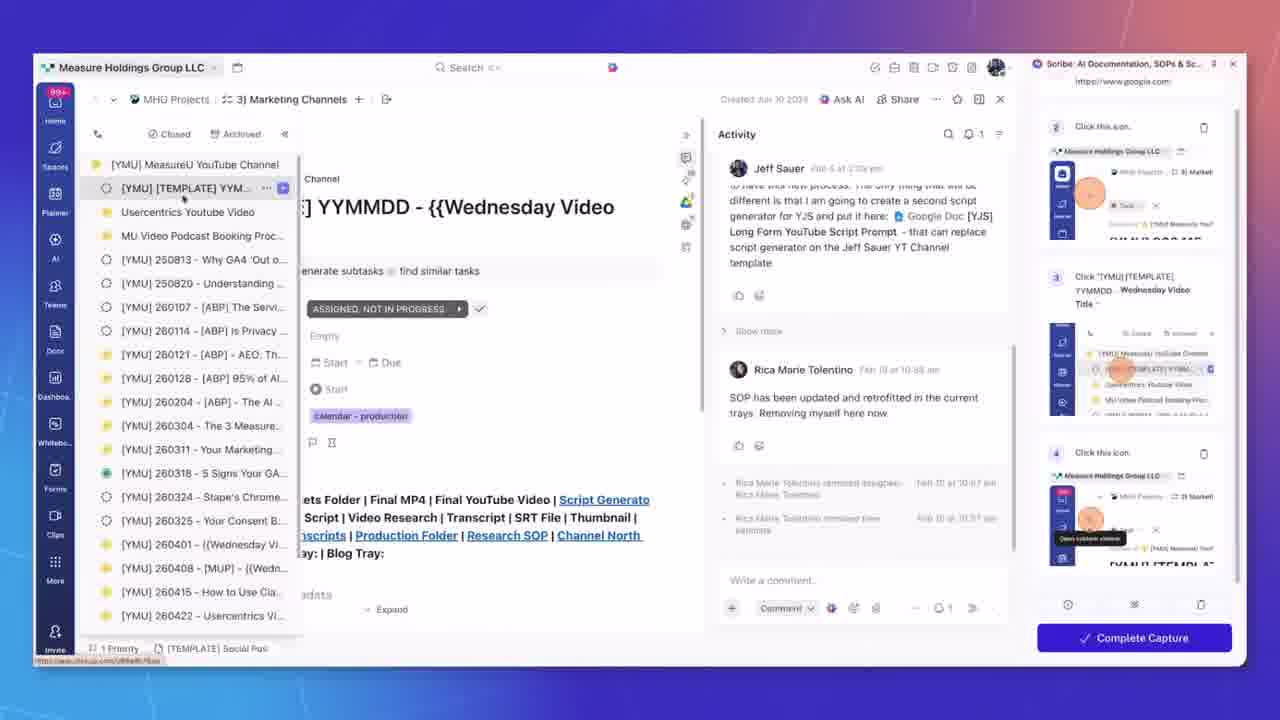
This took about three to four minutes. Hit Stop.
And it was just… there. The guide was built.
Look at what it captured. Every single step. Numbered list, and next to each step, a screenshot of exactly what the screen looked like when I took that action.
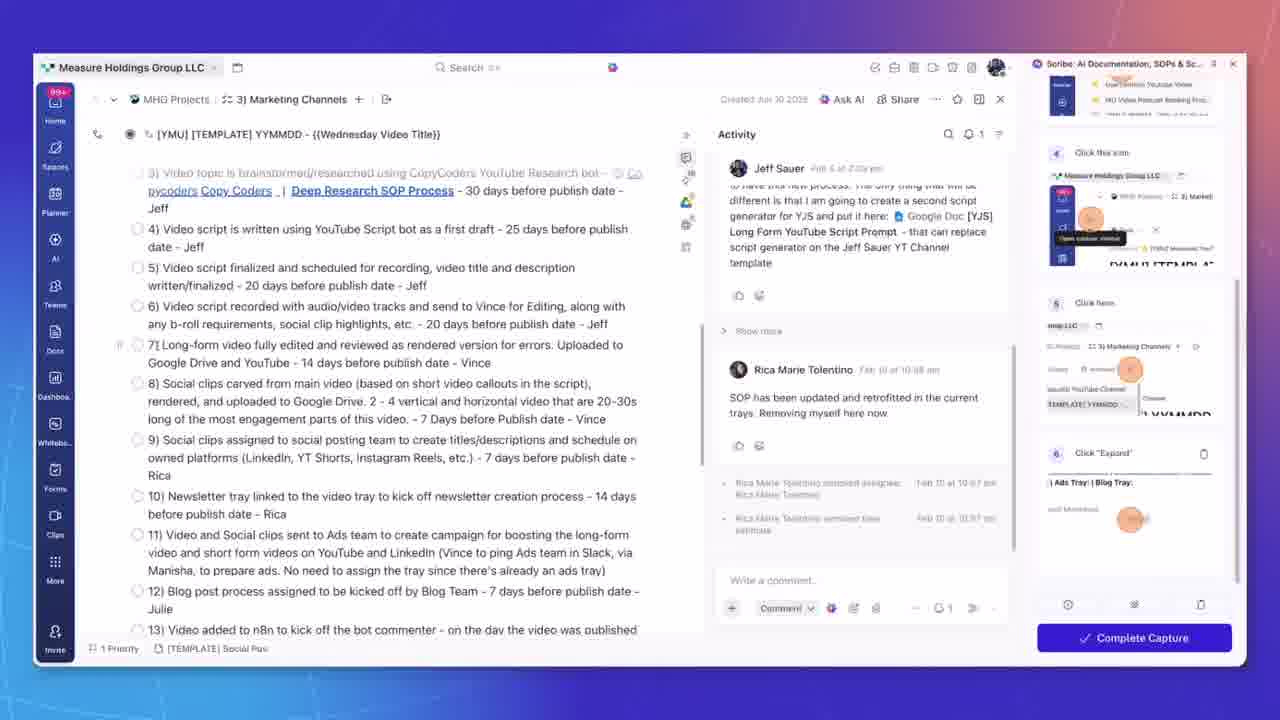
It even gets the field names right. Step 7 doesn't say “click the thing on the left.” It says “click the Custom Status dropdown and select In Review.” Because it read the label. It knows what I was clicking on.
You can edit any of this—crop screenshots, blur sensitive information, clarify step labels. But the first draft it generates is close to production-ready. Maybe five minutes of cleanup for a process your team runs regularly.
The 2/5 Efficiency Score (And the Three Things It Called Out)
Now here's the part I wasn't expecting.
I thought my YouTube production process was dialed in. We've been running it for years. I've refined it multiple times.
Scribe has a Pro feature called Improve Workflows. You run it after documenting your process and it analyzes what you captured.
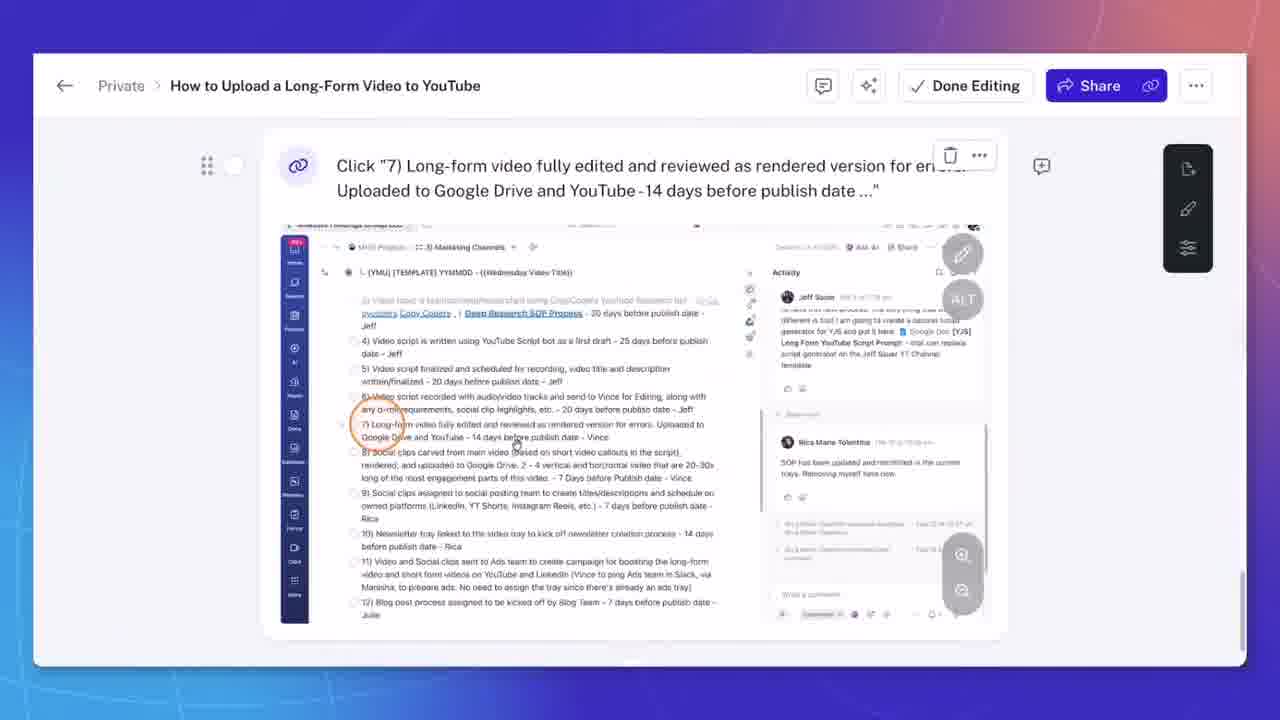
Here's what it said about mine.
Two out of five.
My process—the one I've been running for years—scored a 2 out of 5 for efficiency.
And the suggestions were specific. Not vague.
Finding #1: I wasn't using task templates for the recurring steps. So my team was rebuilding the same structure manually every single week. Just because we'd always done it that way.
Finding #2: My custom statuses weren't mapping clearly to progress. So someone looking at the board from the outside couldn't tell where a video actually was in the pipeline.
Finding #3: It suggested pinning key links and resources directly inside the relevant task steps. Instead of assuming people already know where to find them.
Three concrete things. And when I read through them, I couldn't argue with any of it.
Because these weren't things I'd never thought about. They were habits I'd stopped questioning. The kind of stuff you stop seeing after you've done it the same way for a few years.
A documentation tool caught what I was no longer able to catch on my own. That was not what I expected to get out of this.
Guide Me: The Feature That Solves the “Nobody Reads the Docs” Problem
One more thing. And this is probably my favorite feature in the whole product.
It's called Guide Me.
I've tried getting teams to use process docs before. The problem was always adoption. You can build the best guide in the world. And people will still tap you on the shoulder and ask how to do it.
Because the doc is somewhere else.
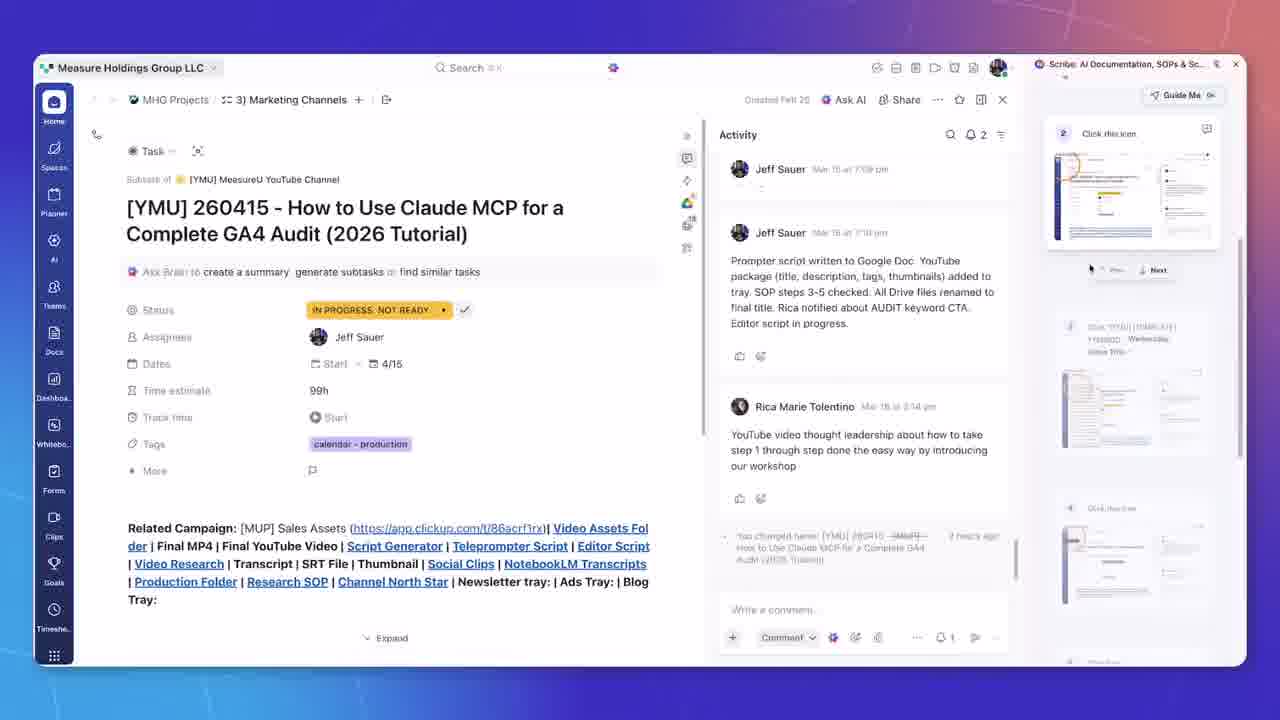
Guide Me fixes that by pulling the Scribe directly into the browser as an interactive overlay while they're working. So instead of someone opening a separate tab to hunt for instructions, the guide follows them step by step, right on the page they're already on.
It highlights what to click. It moves with them through the process. Think of it as a guided tour.
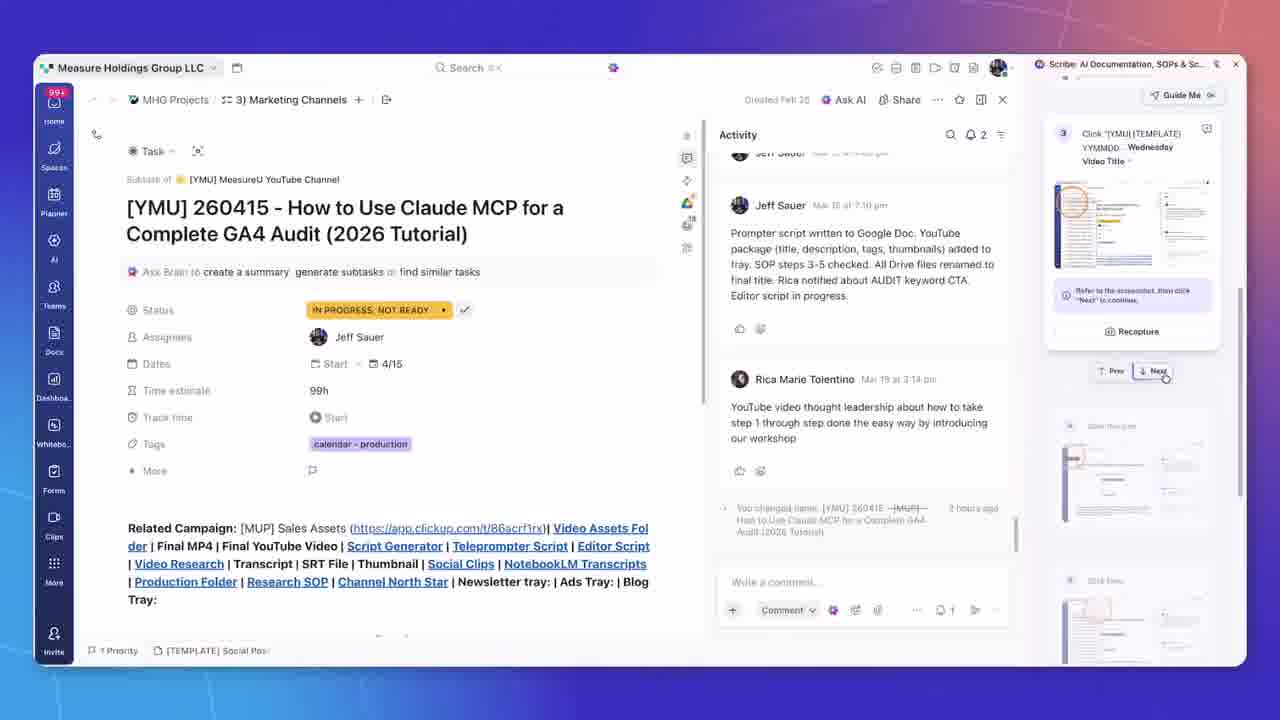
Here's what makes this click. Everything you did during the recording—every click, every step—becomes the walkthrough for somebody else the first time they run it.
You do the process once. Scribe captures it. And now that capture is the guide for the next person.
That's when documentation stops being something people are supposed to read and starts being something they use in the moment.
Pricing and Getting Started
Here's how the plans break down:
Basic (Free): Up to 10 guides. Good for testing the concept.
Pro ($13/person/month): Unlimited guides, plus features like Improve Workflows and desktop capture. This is where the efficiency scoring lives.
Enterprise: Built for larger teams. Includes auto-redaction, single sign-on, and admin controls for managing access across the organization.
To try Scribe for free, head to scribe.how/jeffsauer.
What Process Would You Document First?
I've tested a lot of tools that promised to take the pain out of documentation. Most of them just moved the friction around.
Scribe removes it. You do the work, it builds the guide. And when something changes, one edit reaches everyone.
But the part I keep thinking about—the part that surprised me—is that Scribe doesn't just capture what you do. It shows you where to improve your processes.
For a small team trying to punch above its weight, that's what knowledge management should actually do.
If you want to go deeper on building systems that scale your marketing operations, check out MeasureU Pro—where we help marketers build the workflows, dashboards, and processes that actually move the needle.
And if you want to try documenting your first SOP in under five minutes, give Scribe a spin.