Tired of feeling like your ad campaigns are underperforming when you know you're doing the work?
34 to 40 percent of your conversions are invisible right now. Your ad platforms can't see them. Meta doesn't know they happened. Google has no idea.
And when the algorithm can't see your conversions? It thinks your campaigns are failing. So it stops showing your ads to similar people. Your cost per acquisition goes up. Your ROAS tanks.
You're not getting worse at advertising. Your Google Tag Manager tracking is just blind.

Server-side tracking fixes this. You probably already know that. So why haven't you done it yet?
Watch the Full Breakdown
Because every tutorial you've watched jumps straight into the technical setup—the GTM containers, the tags, the server configuration. And that stuff IS complicated.
But here's the thing nobody's telling you: the reason most people fail at server-side tracking isn't the technical implementation. It's that they don't have what they need before they even open Google Tag Manager.
They get halfway through, realize they don't have DNS access. Or the right permissions. Or they're on a website platform that makes this ten times harder than it needs to be. And by the time they figure that out? The window's closed. The project gets shelved for “later.”
I've been in analytics for 20 years, and I lead a community of thousands of marketers. Server-side tracking is the number one thing our community asks about. And I'm not exaggerating.
Not just “how do I set it up” questions.
It's “I followed a tutorial on YouTube, did everything they said, and now my data's broken.”
“My conversions went DOWN after I implemented this.”
“I've been stuck for three weeks and I don't know what I'm missing.”

These people come to us after the tutorials fail. And almost every time, when we dig in? The issue started before they touched any of the technical stuff. They were missing something foundational.
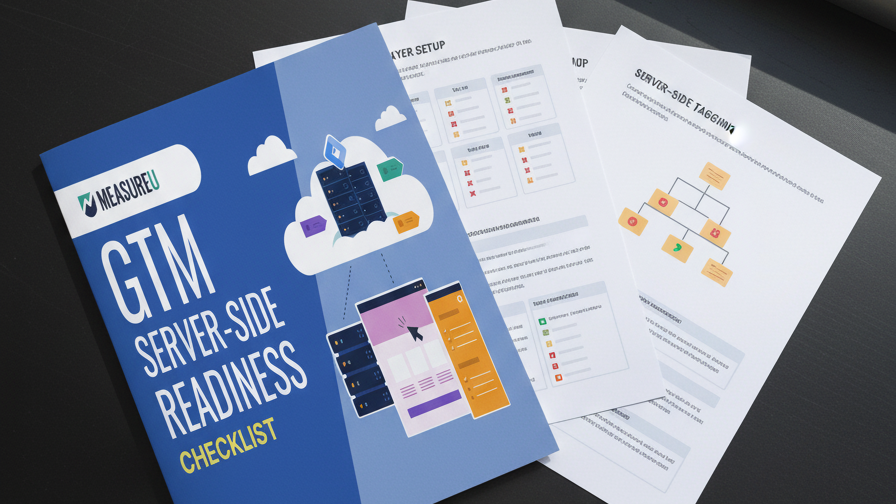
That's where the Pre-Flight Checklist comes in.
Same concept pilots use before takeoff. Same concept surgeons use before operations. Pilots don't try to remember every switch they need to flip. They don't wing it. They run through a checklist every single time.
Server-side tracking should work the same way.
Key Takeaways
- 34-40% of conversions are invisible to ad platforms without server-side tracking, directly impacting your campaign optimization
- Most server-side tracking projects fail not because of technical complexity, but because of missing foundational access and permissions
- Four core requirements must be in place before starting: website platform access, DNS access, GTM admin access, and GA4 admin access
- Three bonus items (clear conversion definitions, ad platform access, and hosting decision) will significantly smooth your implementation
Table of Contents
- Why Server-Side Tracking Implementations Fail Before You Even Start
- The 4 Non-Negotiables: Your Pre-Flight Checklist for GTM Server-Side Tracking
- 3 Bonus Items That Save Hours of Troubleshooting
- What to Do After You've Checked Every Box
Why Server-Side Tracking Implementations Fail Before You Even Start
Let's be honest about why this is so hard. And I don't mean the technical stuff. I mean why smart marketers—people who've figured out way harder things than this—keep getting stuck at the starting line.
The documentation is scattered
Google has information about server-side tagging spread across like twelve different support pages. None of them talk to each other. Some of them assume you already know things that… how would you know that?
The tutorials are outdated
Some guy made a great walkthrough in 2022. Problem is, GTM has changed since then. The interface looks different. Some of the options he's clicking on don't exist anymore. But that video still ranks on YouTube, so people keep following it and wondering why their setup doesn't match.
Then there's the dual-container complexity
If you've tried to wrap your head around server-side GTM, you know what I'm talking about. You've got your regular web container—the one you've been using for years. Now suddenly you need a server container too. And they have to talk to each other perfectly or nothing works.
You're managing two systems instead of one. And if the server URL is wrong, or the measurement ID doesn't match, or you forgot to configure the client… half your data goes to the server and half of it defaults back to the browser.
The worst part? Your dashboards might look fine. You won't even know it's broken until you dig into the numbers and realize something's off.

So if you've been feeling overwhelmed, or you started and stopped three times already, or you've been “meaning to get to this” for six months—that's not a character flaw. That's a normal response to a genuinely complicated problem with scattered documentation.
But here's the good news: the complexity is in the implementation. The PRE-flight part? Actually pretty simple.
It's just a handful of questions you need to answer before you start. And once you answer them, the whole thing gets way less scary.
The 4 Non-Negotiables: Your Pre-Flight Checklist for GTM Server-Side Tracking
Here's your Pre-Flight Checklist. Four core things you absolutely need before you start. If you can't check all four boxes, stop and get them before you do anything else.

#1 Website Platform Access
This sounds obvious but you'd be shocked how often it's the blocker.
Do you have admin access to your website? Can you edit the code? Can you add scripts to the header?
If you're on WordPress with full access, you're probably fine. If you're on Shopify, there are some limitations you need to know about. If you're on a custom-built site and the developer left the company two years ago… that's a conversation you need to have before you start this project.
And if you're working with a client, this is the first question you ask. Not “what's your measurement ID”—it's “can you actually let me change things on the website?”
#2 DNS Access (The Silent Project Killer)
This is the one that kills most implementations.
Server-side tracking works best when you set up a subdomain—something like s.yoursite.com or st.yoursite.com. That subdomain points to your server container.
To do that, you need access to DNS settings. That's usually wherever the domain is registered—GoDaddy, Cloudflare, Namecheap, wherever.
Here's the problem: a lot of marketers have never touched DNS in their lives. And a lot of business owners bought their domain eight years ago and have no idea what the login is anymore.
If you don't have DNS access, you need to get it. Or you need to find whoever does have it and loop them in early.

Do not wait until you're mid-implementation to figure this out. That's how projects die.
#3 Google Tag Manager Admin Permissions
You need admin access to your GTM account.
Not just viewer access. Not just “I can see the tags.” You need to be able to create containers, publish changes, and configure new tags.
If you've been running GTM for a while, you probably have this. But double-check your permission level before you start.
#4 Google Analytics 4 Access
You need admin access to GA4.
You're going to need to grab your Measurement ID, configure data streams, and verify that events are coming through correctly.
If you're working with a client and they only gave you read access… that's not going to cut it. Get admin or get someone who has it involved from day one.
3 Bonus Items That Save Hours of Troubleshooting
Those four are your non-negotiables. Now here are three bonus items that aren't strictly required, but will save you a ton of headaches:

Bonus #1: Clear Conversion Definitions
What counts as a conversion for you?
Is it a purchase? A lead form submission? A phone call? An add-to-cart? All of the above?
Know exactly what events you're trying to track before you start. Otherwise you'll get halfway through, realize you forgot about something important, and have to reconfigure everything.
Bonus #2: Ad Platform Access
If you're planning to send conversion tracking data to Meta, Google Ads, or any other ad platform—make sure you have admin access before you start.
The core Pre-Flight is focused on GA4, but if better ad tracking is your end goal (and let's be honest, that's probably why you're doing this), you'll need this access eventually. Better to confirm it now than discover you're locked out later.
Bonus #3: Know Your Hosting Decision
At some point you're going to need somewhere to host your server container. Whether that's Google Cloud, Stape, or something else—it helps to know which direction you're going before you start.
You don't need it set up yet. But having that decision made means one less thing to figure out mid-implementation.
Quick Reference: Your Complete Checklist
| Requirement | Type | Why It Matters |
|---|---|---|
| Website Platform Access | Core | Can't add tracking scripts without it |
| DNS Access | Core | Required for subdomain setup |
| GTM Admin Access | Core | Need to create server container |
| GA4 Admin Access | Core | Need to configure data streams |
| Conversion Definitions | Bonus | Prevents mid-project rework |
| Ad Platform Access | Bonus | Required if sending data to Meta/Google Ads |
| Hosting Decision | Bonus | Reduces decision fatigue during setup |
What to Do After You've Checked Every Box
So let's bring this back to where we started.
34 to 40 percent of your conversions are invisible right now. Your ad platforms can't see them. And that's costing you money every single day.
Server-side tracking fixes this. You know that.
The problem was never motivation. It was never that you didn't care enough or weren't smart enough to figure it out.
The problem was that you kept trying to start the implementation without having the pieces in place first.
Now you know exactly what those pieces are.
Website access. DNS access. GTM access. GA4 access.
That's it. Four things.
Get those locked in, and the actual implementation becomes way less scary. You're not going to get halfway through and hit a wall. You're not going to waste three weeks chasing down logins.
You're going to be the person who did it right from the start.

Frequently Asked Questions
What is server-side tracking in Google Tag Manager?
Server-side tracking moves your data collection from the user's browser to a server you control. Instead of sending data directly from the browser to Google Analytics or ad platforms, it goes to your server first, then gets forwarded. This bypasses ad blockers and browser restrictions that currently make 34-40% of your conversions invisible.
Why do I need DNS access for GTM server-side?
Server-side tracking works best with a first-party subdomain (like s.yoursite.com) that points to your server container. Setting up this subdomain requires DNS access. Without it, you'll either be stuck or have to use a third-party domain that reduces the tracking benefits.
Can I implement server-side tracking without admin access to everything?
Technically, you can start some pieces without full admin access. But you'll hit walls quickly. Someone with the right permissions needs to be involved from the beginning—even if that person isn't you doing the hands-on work.
Your Next Steps
1. Run through the checklist. Literally go through each of the four core items and verify you have access right now.
2. Identify the gaps. If you're missing something, figure out who has it and start that conversation today.
3. Document what you have. Write down your GTM container ID, GA4 Measurement ID, and DNS login location. You'll need them.
4. Set your timeline. Once all four boxes are checked, you're ready to start the actual implementation.
Ready to go beyond the checklist and actually implement server-side tracking yourself? We built a full course that walks you through the entire process step-by-step. [Check it out here.]
I'd love to hear where you're at with server-side tracking. Already implemented it? Still stuck on one of these checklist items? Drop a comment below and let me know what's holding you back.