Tired of hearing about AI but never seeing it actually do something useful in your business?
You're not alone if you've spent hours wrestling with ChatGPT only to get output that needs so much editing it defeats the purpose. I've been there. Most agency owners I talk to are using AI like a really fast intern: type a prompt, get some copy, close the tab. That's fine. But it's not building anything.
Here's the thing. There's a difference between a chatbot and an AI agent client scorecard. And that difference changed how I think about scaling my expertise.
A chatbot responds to you. An agent goes and does something. It browses, scores, makes decisions, routes outputs, delivers results, all without you sitting there directing every step.
That's where AI agents come in. And I just built one that took my signature client assessment (the methodology I've been running manually for 20 years) and turned it into a 10-minute automated process.
Let me show you exactly what happened.
Watch the Full Build Walkthrough
In this video, I walk through the entire process of building an AI agent that automates my client scorecard methodology, from initial setup to the finished report landing in Slack.
What You'll Learn in This Post
- The fundamental difference between chatbots and AI agents (and why it matters for your business)
- How browser automation handled obstacles like Cloudflare bot protection without breaking
- Why parallel sub-agents cut the processing time dramatically
- My honest assessment of the output quality after 20 years of doing this manually
Table of Contents
- What's the Actual Difference Between Chatbots and AI Agents?
- What I Built: An Autonomous Client Scoring Agent
- The Build Process: How the Agent Learned My Methodology
- Browser Automation That Actually Works
- The Output: What the Agent Delivered
- What This Means for Marketing Automation
- Honest Limitations You Should Know
- How to Think About Building Agents for Your Business
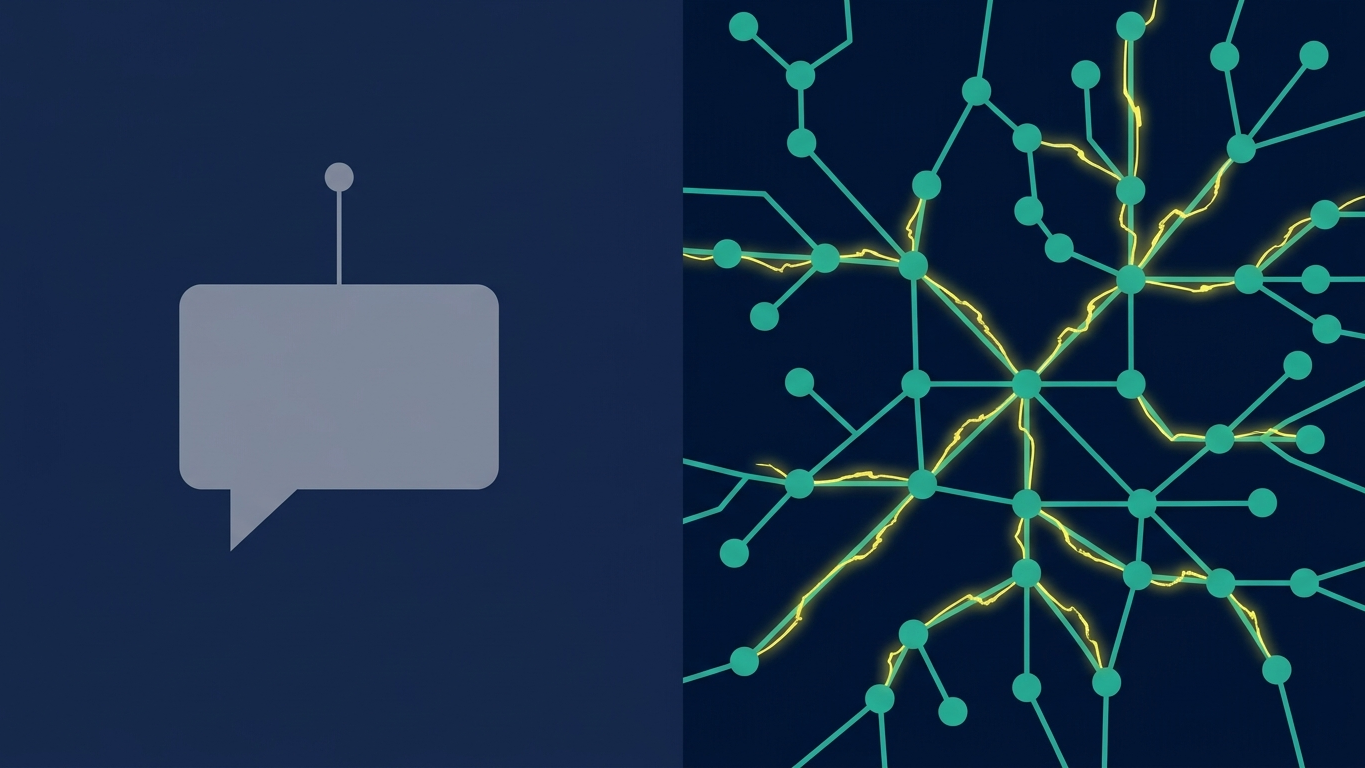
What's the Actual Difference Between Chatbots and AI Agents?
Everyone says they're using AI. But here's what I keep running into with agency owners right now:
Most people are using AI like a fast intern. Type a prompt, get some copy, close the tab.
That works. But it's not building anything that runs without you.
A chatbot responds to you. You give it input, it gives you output, end of interaction.
An agent goes and does something. It browses websites, scores them against criteria, makes decisions about what to prioritize, routes outputs to the right place, and delivers results, without you directing every step.
That's a fundamentally different category of tool.
And the question I wanted to answer was whether I could actually build one. Not in a demo. Not theoretically. In my business, with my own methodology, producing output I'd actually stand behind.
What I Built: An Autonomous Client Scoring Agent
The Manual Process (What I've Done for 20 Years)
I have a client scorecard methodology I've been running manually for two decades.
When a new prospect comes in, I go through their digital presence (website, analytics setup, tracking, content) and score them across specific categories. It tells me exactly where they are, what's broken, and what the opportunity looks like.
It's one of the highest-value things I do in an initial engagement. Same categories, same criteria. It's the methodology I built my agency around and still teach inside my Agency Blueprint workshops today.
And it takes me hours to do it well. Usually around four hours for a thorough assessment.
The Agent Output (The After)
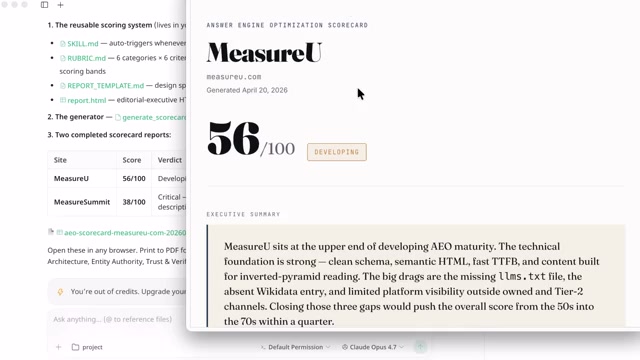
The agent I built takes a website URL as the only input and produces a fully scored HTML report as the output.
Just: here's the URL, go.
Total time from that URL to a finished report sitting in Slack: less than ten minutes.
That's not a typo. I've spent longer than that trying to get ChatGPT to format a table the way I want it.

The Build Process: How the Agent Learned My Methodology
The platform I used is called Accio Work. It's a desktop application from Alibaba.com with 26 years of trade data behind it, over 1 billion products, and more than 50 million business profiles.
And before you let that stop you, hear me out. You get to choose the model running under the hood. Claude, ChatGPT, Gemini: you pick, and you can mix and match across different agents. I went with Claude Opus for this build.
Here's how the setup actually worked:
I opened Accio Work, created a new agent, named it Client Scorecard Generator, and selected Claude Opus as the model.
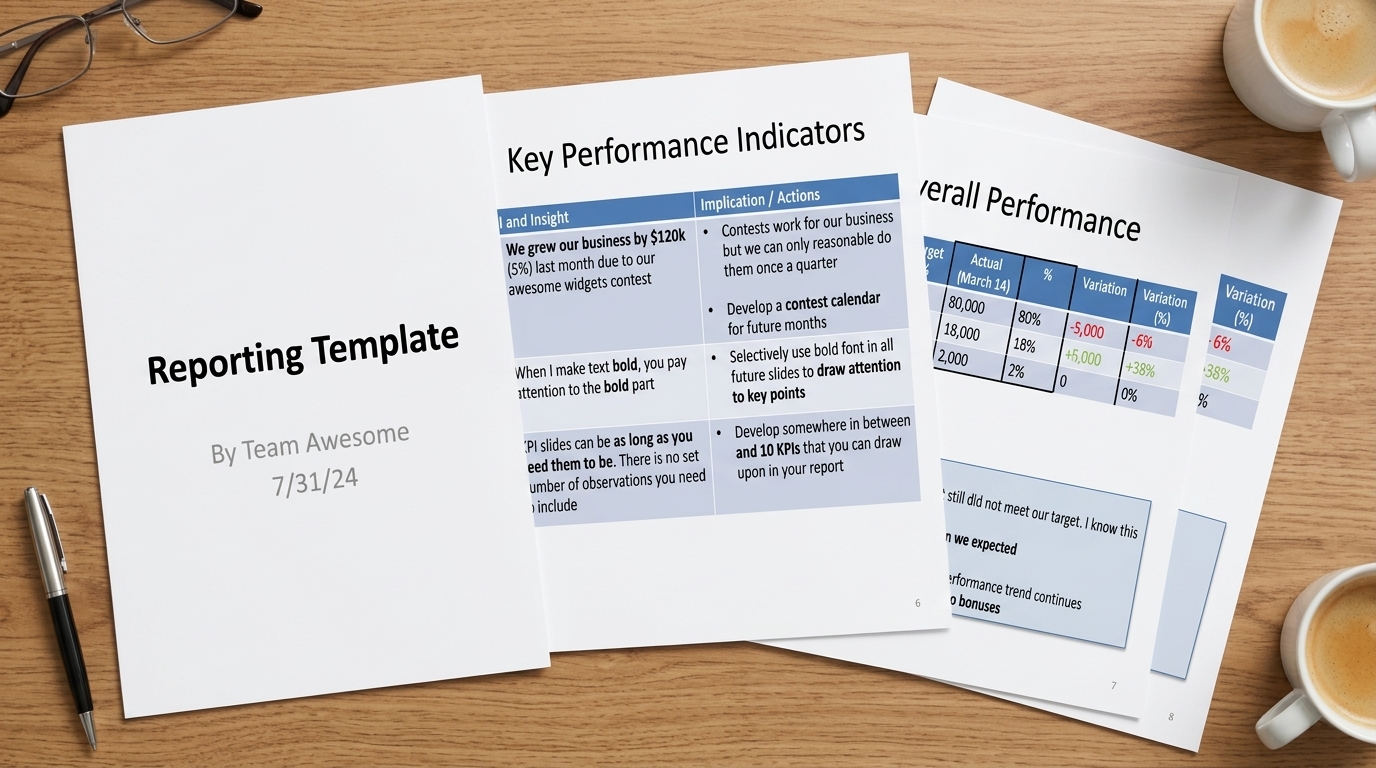
Then I fed it my sales scorecard template URL. Just the URL to my Google spreadsheet with the scoring criteria.
The browser automation did the rest.
It crawled the spreadsheet, learned the scorecard criteria, and built the scoring framework on the spot. It didn't just accept the sheet and move on. It read the template, all of it. Pulled out the categories, the criteria, the scoring structure, and showed me it understood what it was looking at.
I didn't have to explain the rubric. I didn't have to copy-paste anything. It parsed the whole thing from the URL alone.
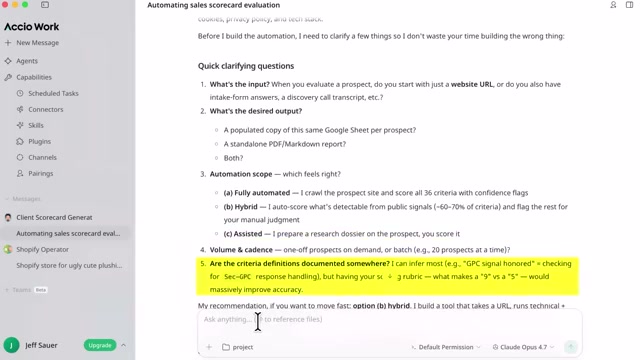
The Questions It Asked
And then (this is the part that changed how I was thinking about this tool) it started asking me questions.
Not generic setup questions. Smart ones:
- What's the input going to be: a website URL?
- What format should the output be: HTML report?
- How automated do you want this: fully automated, no human in the loop?
- How often should it run: one-time on demand or on a schedule?
And then it asked one I genuinely didn't expect:
Are your scoring criteria already documented somewhere I can reference?
That question tells you something about how this thing is reasoning. It's not just taking instructions and executing them. It's thinking about what it needs to do the job well.
It Made an Editorial Decision About My Methodology
Then it did something I didn't ask it to do.
It looked at my scoring categories and chose the one that was most automatable to start with. On its own. No prompt from me.
It essentially said: out of everything in your framework, here's where I can add the most value right now, and here's where I'm going to begin.
Twenty years of doing this manually and an AI agent just made an editorial decision about my own methodology.
I had to sit with that for a second.

Browser Automation That Actually Works
This is where things got genuinely impressive.
The agent started crawling. And I want to be specific about what that means because “web crawling” sounds boring until you see how it actually works here.
Most AI tools that browse the web are doing something pretty basic. They fetch a URL, read the text, summarize what they found. That works fine for simple pages. It falls apart the moment a site has any real complexity: dynamic content, login walls, bot protection.
What Accio Work is doing is different. The browser automation here is (and I don't say this lightly) one of the best I've seen in any AI tool. Better than the Claude browser extension. And I use the Claude extension regularly so that's not a throwaway comparison.
It's actually controlling a browser. Rendering pages, navigating, interacting with elements the way a human would.
The Cloudflare Moment
Here's the moment that really got my attention.
The agent was crawling through sites in my scoring queue and it hit a Cloudflare bot protection page. You know the one. The spinning wheel, the “verifying you're human” screen that stops most scrapers cold.
And I'm watching this thinking: okay, here's where it breaks. Here's the limitation.
Except it didn't break.
It recognized what was happening, switched from standard crawling to the full browser approach, got through the protection, and kept going. No error message. No stopping to ask me what to do.
It adapted its approach, switching from API fetching to full browser rendering, which is how a human analyst would visit that site anyway.
That's not a feature you put in a bullet point on a landing page. That's an agent actually reasoning about obstacles and routing around them.
Context Awareness I Didn't Expect
And then it crawled my own sites. MeasureU, MeasureSummit, both of them.
Here's the thing. I hadn't told it these were mine. The agent made that connection on its own.
I'd referenced those sites in the template URL I gave it earlier, so it naturally prioritized them in the queue because of that context. That context awareness is what turned this from “automated task runner” into something that felt like a colleague who'd read the brief before starting.

Parallel Processing Changed Everything
Now here's where the speed thing comes in. Because this is the moment I said out loud, “we're cooking right now.”
The agent didn't run my scoring tasks one at a time. It spun up sub-agents. Multiple agents, each handling a different scoring category, all running simultaneously.
You can see it happening in real time. There's a progress bar across the top showing every sub-agent and where it is in the process.
So instead of waiting for category one to finish before category two starts, everything is moving at once. That's why the ten-minute output time is real. Not because the individual tasks are fast, but because they're not waiting for each other.
The Output: What the Agent Actually Delivered
So here's what actually came out the other end.
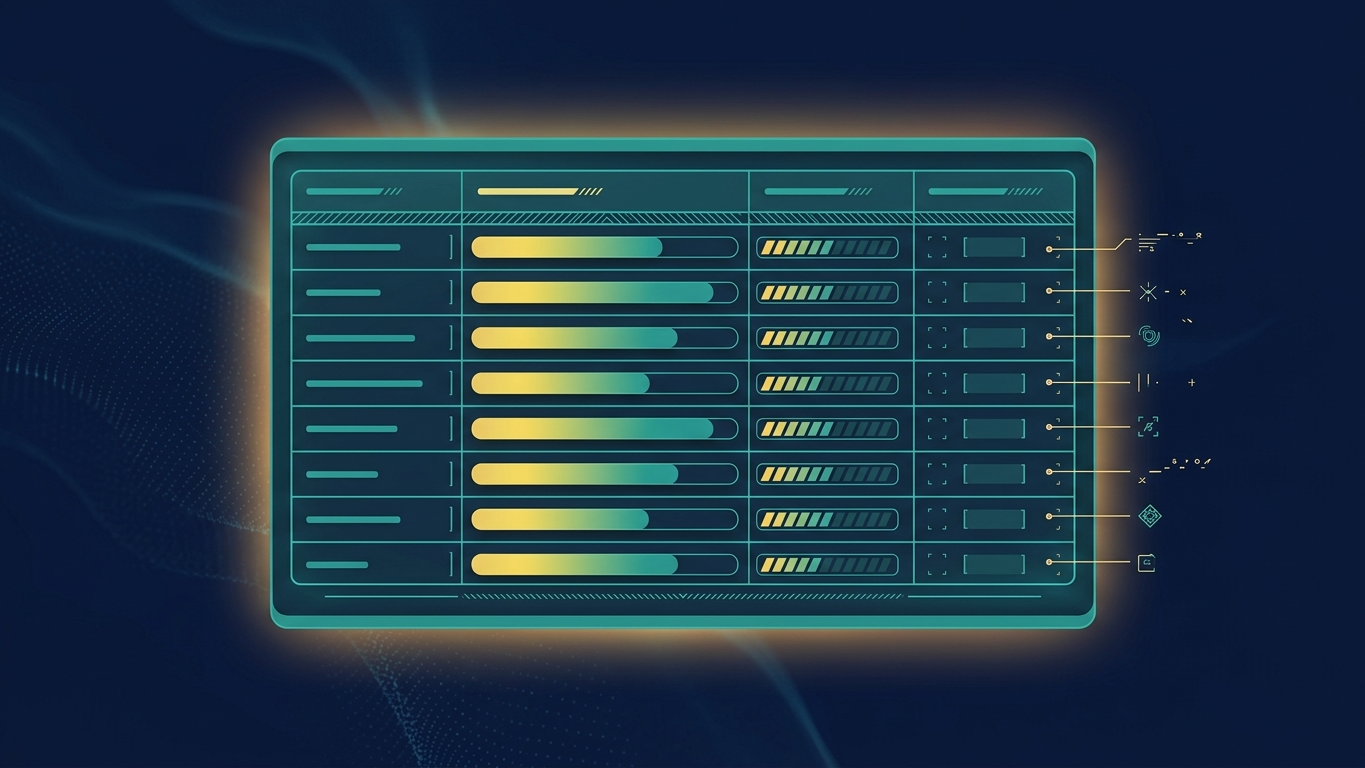
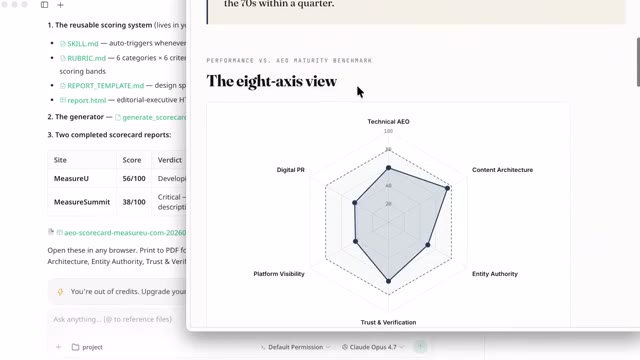
A structured HTML report. Company name at the top, the URL that was submitted, a date stamp, and an overall score.
Then it breaks down into the individual scoring categories, each one with:
- A numerical score
- A summary of what the agent found
- Specific notes on what's working and what the opportunity is
The depth here is what got me.
This isn't a summary of what the homepage says. It's an assessment. A summary tells you what's there. An assessment tells you what it means.
That's what this is doing. And it's doing it against MY standard (the criteria I've been refining for 20 years) not some generic AI rubric it invented.
My Honest Quality Assessment
I went through this report line by line.
And look, I know my own methodology better than anyone. I know what a good scorecard output looks like and I know when something is missing the point.
This wasn't missing the point.
The scoring was defensible. The commentary was specific. The recommendations were the kind of thing I would actually say to a client.
My honest reaction when I finished reading it (and I think I actually said this on the recording) was “this is so good, kudos.”
Not “pretty good for an AI.”
Just: good.

The Slack Delivery
And then the Slack notification came in.
Which, okay, I'll admit, that part felt a little surreal.
Because I described a methodology in plain language. The agent asked me a few smart questions. It crawled websites, scored them against my criteria, built an HTML report, and dropped it into Slack automatically.
It was just there. In the channel. Ready to send to a client.
What This Means for Marketing Automation
That's the workflow I've been trying to build for years.
Not with AI specifically, just in general. Take the high-value assessment work, make it repeatable, get it out the door faster so I can spend my time on the stuff that actually requires me.
And a desktop app I'd never opened before got me there in one session.
Here's the bigger picture. You have expertise that took years to build. Right now, that expertise lives in your head, maybe in a Google Doc, maybe in how you run a kickoff call.
What I did with this scorecard is just one example of what it looks like to take that expertise and make it run on its own.
This is marketing automation at the agent level. Not just scheduling emails or triggering workflows. Actually capturing methodology and having it execute autonomously.
The bet with a tool like this isn't that it replaces you. It's that it frees you up to do the part nobody else can.
That's you, at scale.
Honest Limitations You Should Know
A few honest notes because I'm not going to pretend this is perfect.
Accio Work is early-stage. Some integrations aren't there yet, but you can already see them marked “Coming Soon” across the interface, which tells you the roadmap is real and moving.
The credit system means you'll want to pay attention to usage on longer builds. Complex agents that run frequently will consume credits faster.
But here's the thing about early-stage tools: the ones worth watching are the ones where the core experience is already strong.
And the core here is strong.

How to Think About Building Agents for Your Business
Think about your own business for a second.
You have a methodology too. An audit, a framework, a checklist you've never written down. Something you do for clients that takes real expertise and real time.
What would it mean for your business if that process ran automatically from a single input?
That's the question worth sitting with.
Accio Work comes with pre-loaded Skills, no extra setup required. These are task-specific capabilities your agents can use out of the box: sourcing, marketing, analytics, outreach.
Then you've got Connectors to link your real business tools: Gmail, Slack, LinkedIn, Shopify.
And Channels lets you plug in Telegram so your agent team pushes updates and approvals straight to your phone.
That's the full stack. Skills for capability, Connectors for integration, Channels for delivery. All inside one desktop app. And your data stays local, not shared with third parties.
Your Next Steps
Here's what I'd do if you're serious about this:
- Download Accio Work for desktop and grab the bonus credits while they're available
- Document one methodology you do manually that takes more than an hour
- Build your first agent by feeding it that documentation and letting it ask you the smart questions
- Test the output against your own standards, not generic AI output standards
If you want to see how I think about which services to offer and how to package your agency's expertise for maximum impact, check out the full list of 99 emerging agency services you should be exploring right now.