You set up an event in Google Analytics 4. You feel good about it, move on to the next thing on your list. Then two days later, you check the reports and… nothing. It's not tracking anything.
Know that feeling? That's happened to every single one of us. And if someone tells you it hasn't, they're either brand new or they're lying.
Here's the thing: there's a dead simple reason this keeps happening. Once you see it, you'll never miss it again.
I'm Julie Brade, Director of Measurement here at MeasureU. Dashboard reporting has been my world for almost 20 years now. I've been specifically focused on optimization and measurement strategy since 2015—helping people go from “I have a bunch of numbers” to “I actually know what my data is telling me.”
And the number one thing that trips people up, every single time, is events. So let's fix that today.
Watch the Full Breakdown
What You'll Learn in This Post
- GA4 has three distinct event types, and confusing them causes silent tracking failures
- Built-in events require exact formatting—one wrong character and your data becomes useless
- Custom events paired with time-on-page tracking reveal actual engagement, not just pageviews
- Organizing events into a sequence beats having “a bunch of events” with no strategy
Table of Contents
- The 3 Types of GA4 Events (And Why Confusing Them Breaks Your Data)
- Why Your Event Tracking Might Be Logging Nothing Useful
- How to Use Custom Events to Actually Understand Your Site
- The I's on the Journey Framework: From Events to Measurement Strategy
- What We Actually Run (Steal This)
- FAQs
The 3 Types of GA4 Events (And Why Confusing Them Breaks Your Data)
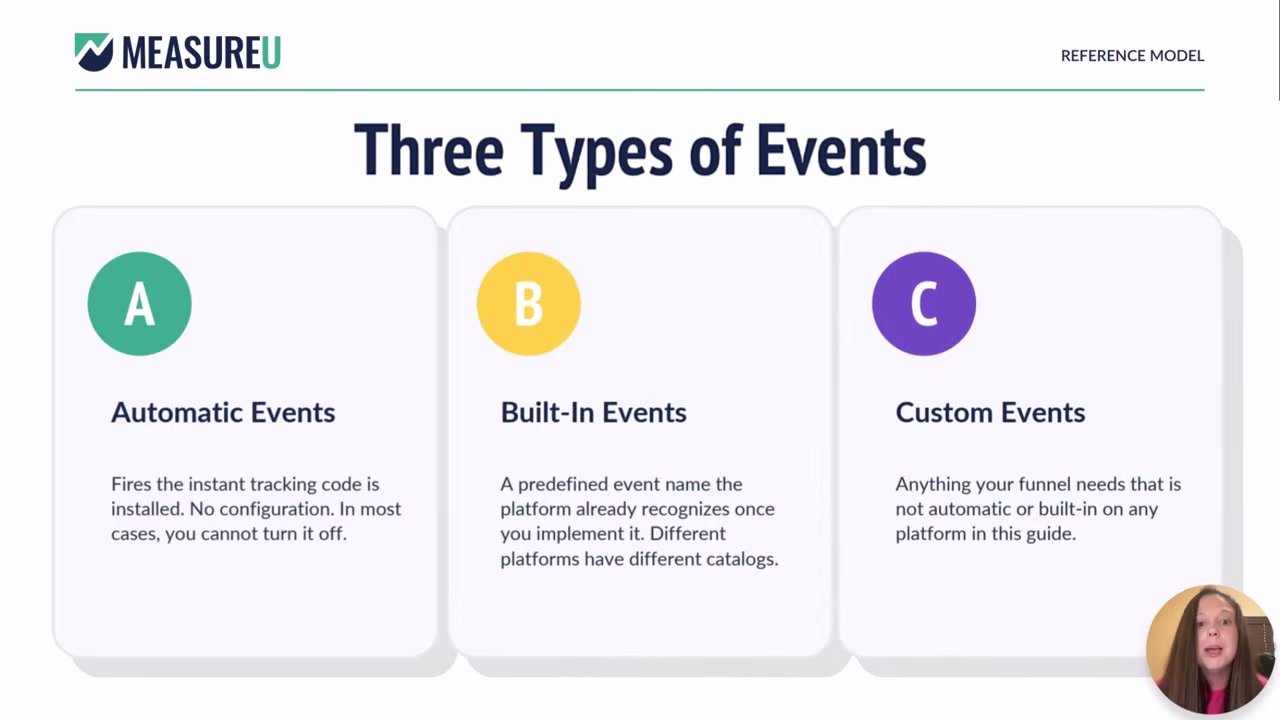
There are three types of events you're working with in GA4. Once you know the difference, half your tracking headaches disappear.
1. Automatic Events
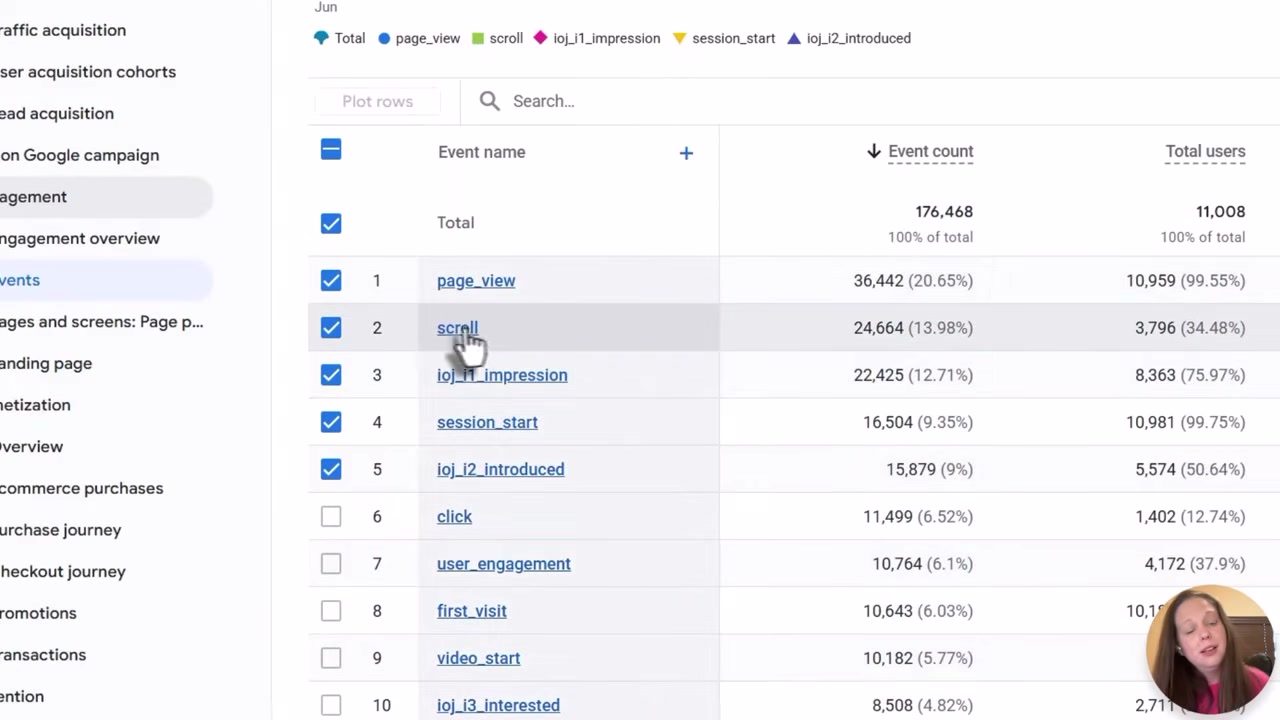
These are things you don't control. In GA4, that's page_view—you can turn off scroll tracking, you can turn off outbound clicks, but you cannot turn off page view. It just happens.
Nothing to configure here. Nothing to break. It's automatic.
2. Built-in Events
This is where most tracking quietly breaks.
Built-in events are events the platform is expecting to see in a very specific format. Not a suggestion—a requirement.
GA4 isn't looking for “Scroll” with a capital S or “scrolling”—it wants scroll, lowercase, exact. Same with click—not “clicking,” not “clicked,” just click. Same with add_to_cart, same with purchase.
Get this wrong and GA4 still logs that something happened. But because the formatting was off, it files your event as a generic custom event instead of the built-in event it's supposed to be.
3. Custom Events
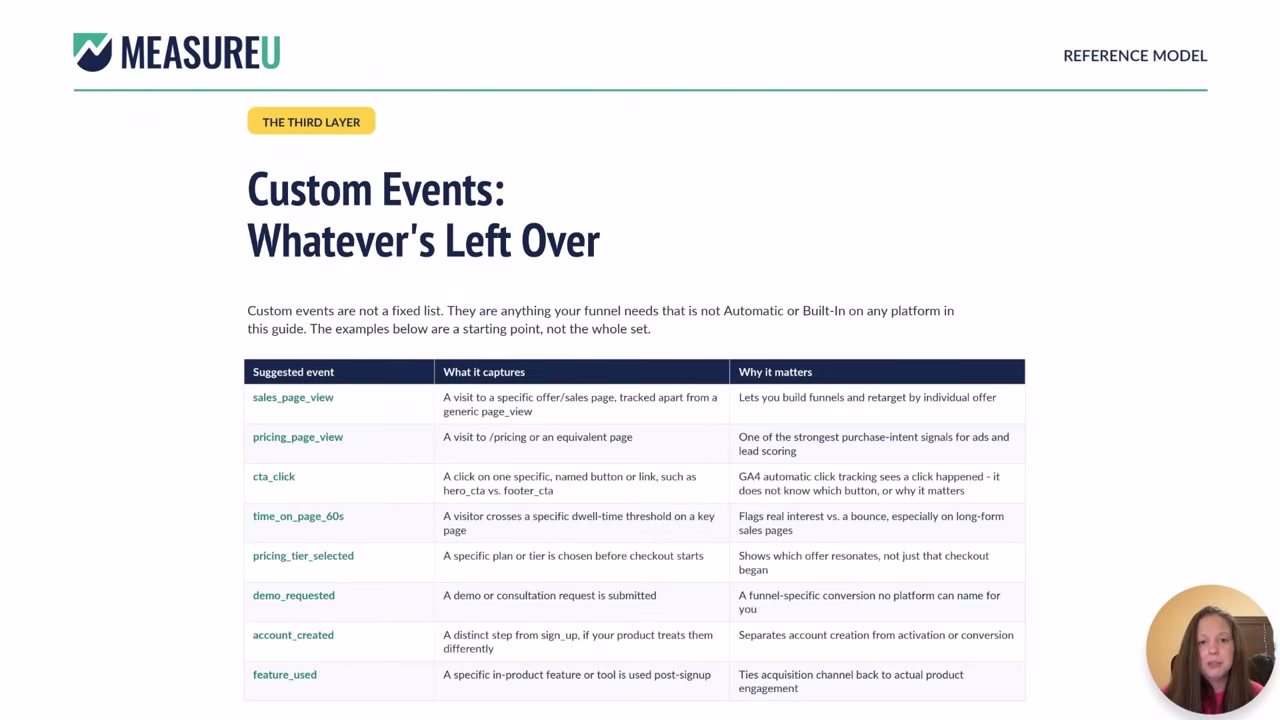
This is where the real magic happens. Custom events are where you get to actually understand what's going on across your pages instead of just counting who showed up.
But we'll get to those in a minute. First, let's talk about why built-in events fail so often.
Why Your Event Tracking Might Be Logging Nothing Useful
The harsh reality? GA4 will happily log your events and still throw away the data that matters.
Here's exactly how it happens:
Someone sets up a purchase event. They walk away feeling great. They come back a couple days later to find it's tracking… nothing useful.
Why? Because GA4 requires purchase—lowercase, exact. Not “Purchase” with a capital P. Not “purchased.” Not “Purchased.”
When the formatting is off, GA4 still records that an event fired. It shows up in your real-time reports. Everything looks fine. But the amount, the product, the transaction ID—all of it never lands in the right bucket. The data exists. It's just useless.
And here's what makes this worse: every platform has its own naming conventions.
- GA4 wants
add_to_cart - Meta might expect something different
- TikTok, Pinterest, Snapchat, Reddit—all have their own requirements
So you're not accidentally sending “add to cart” in plain words to one platform and add_2_cart to another… right? (You'd be surprised how often this happens.)
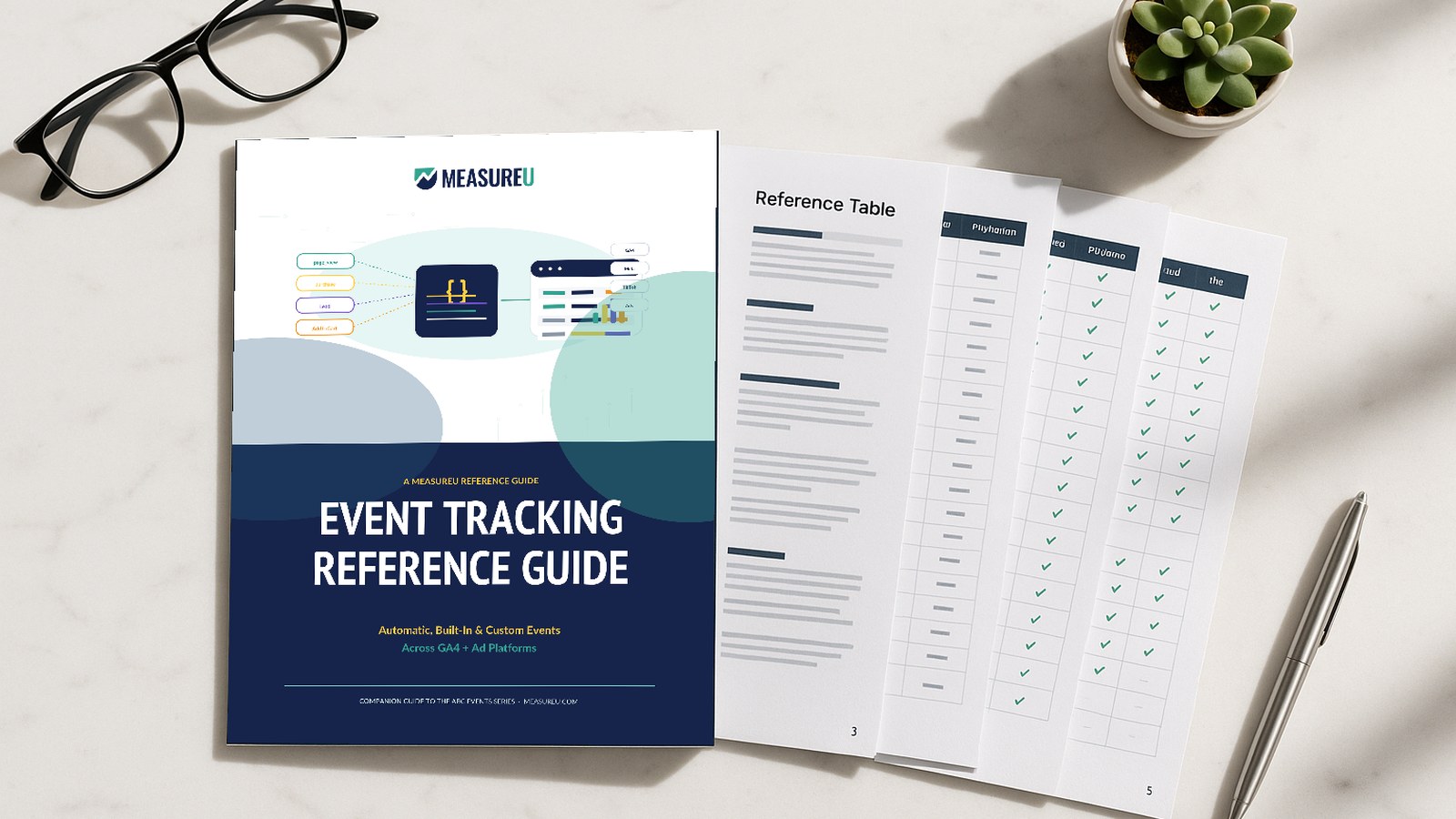
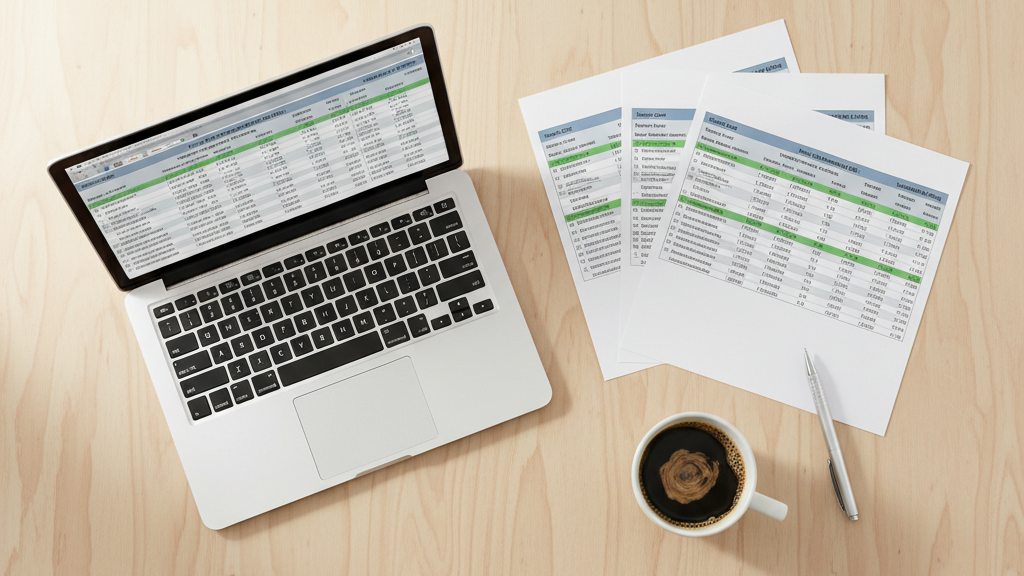
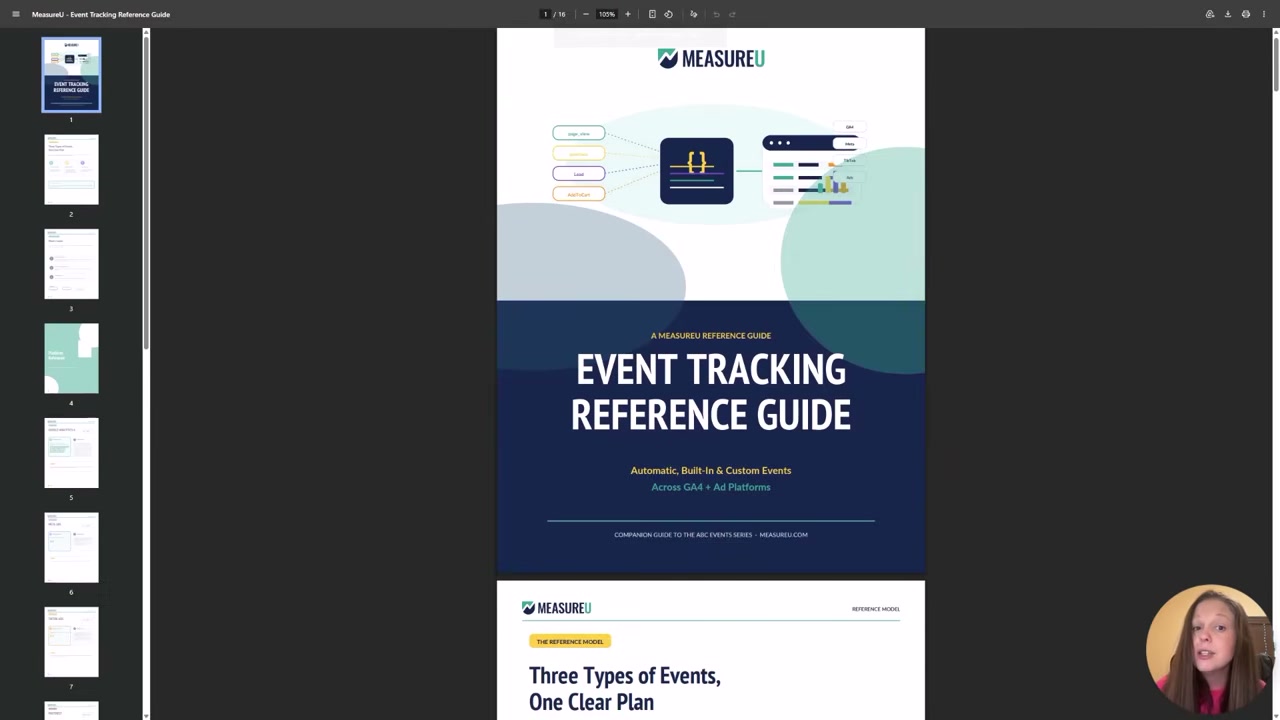
That's where our event tracking reference guide comes in. We built a tool that shows you, side by side, exactly what GA4 calls something, what Meta calls it, what TikTok, Pinterest, Snapchat, and Reddit call it.
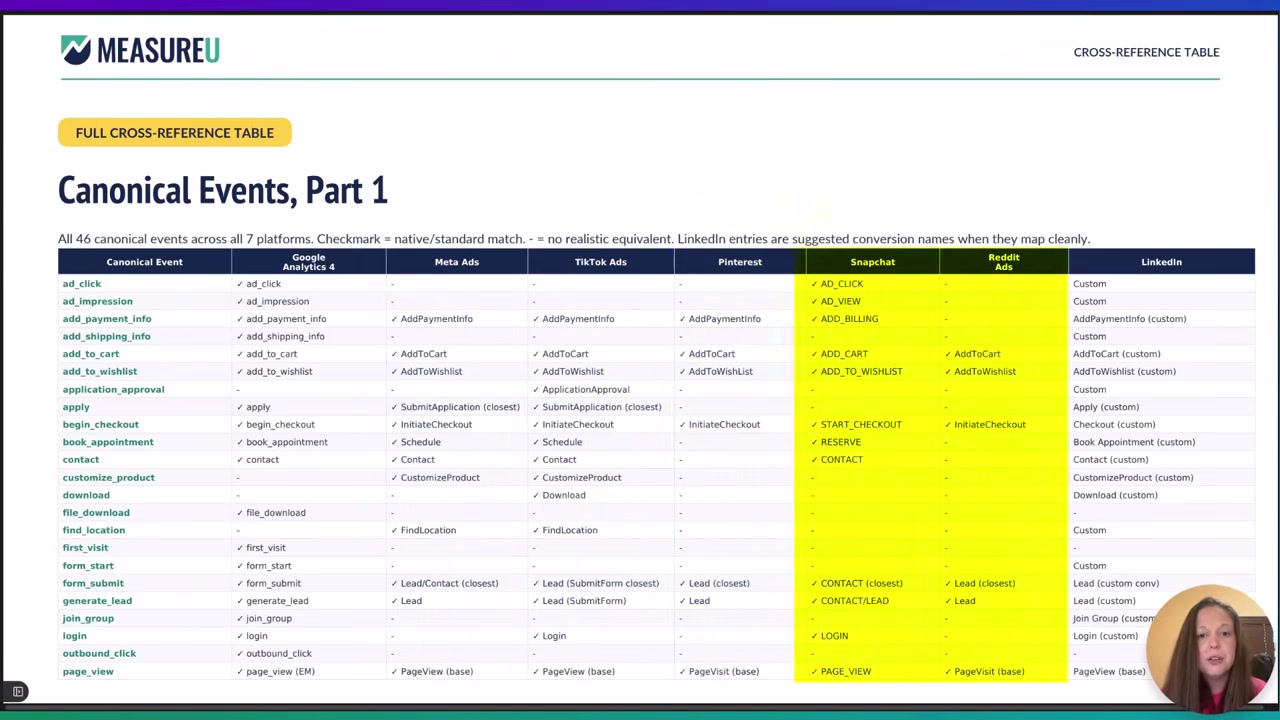
We built this for our MeasureU members, and it has been so useful that we are sharing it with you. Get the Event Tracking Reference Guide here.
How to Use Custom Events to Actually Understand Your Site
Custom events are genuinely my favorite part of this job. They're the difference between “people visited my blog” and “I know exactly what my blog is doing for my business.”
Let me show you what I mean.
Say you've got a blog, and its job is to move people to a sales page. Not just get views—get people to that next step.
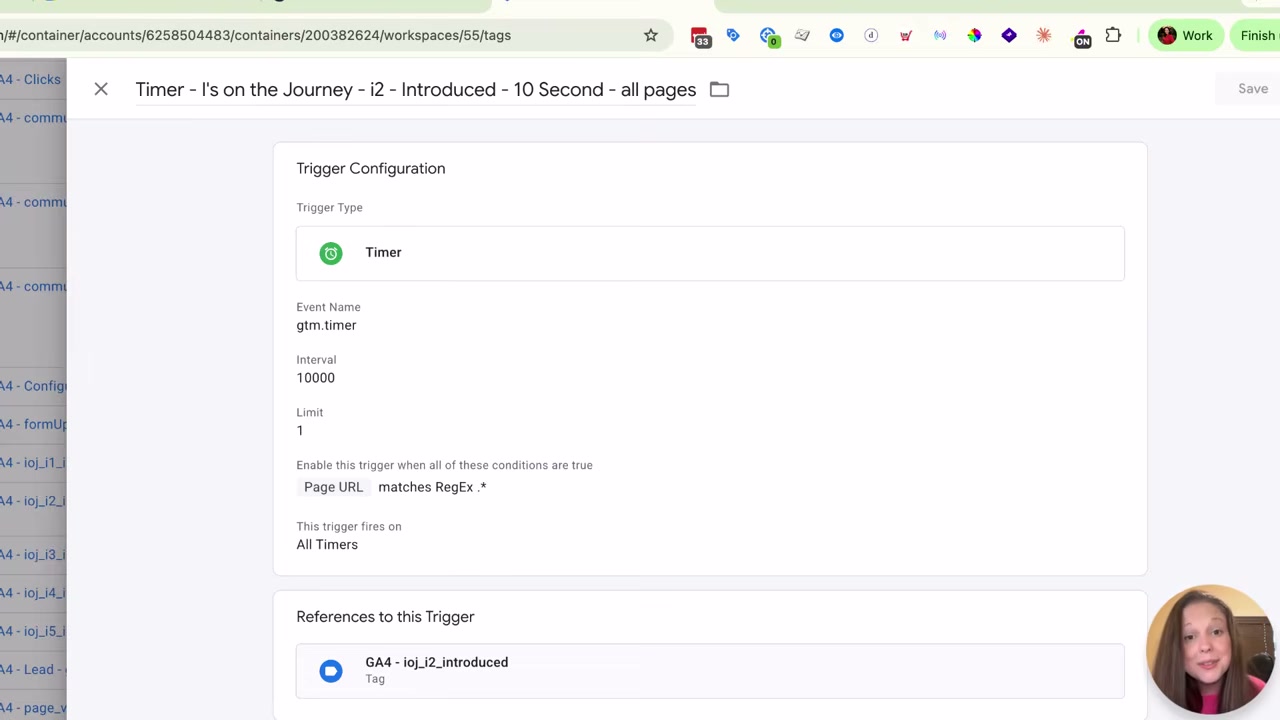
Start with Time on Page
Did they stay 10 seconds? 15 seconds? You set that threshold yourself in Google Tag Manager, send it to GA4, to Meta, wherever you need it.
Now you can retarget the people who actually stuck around differently than the people who bounced in two seconds. That's useful segmentation.
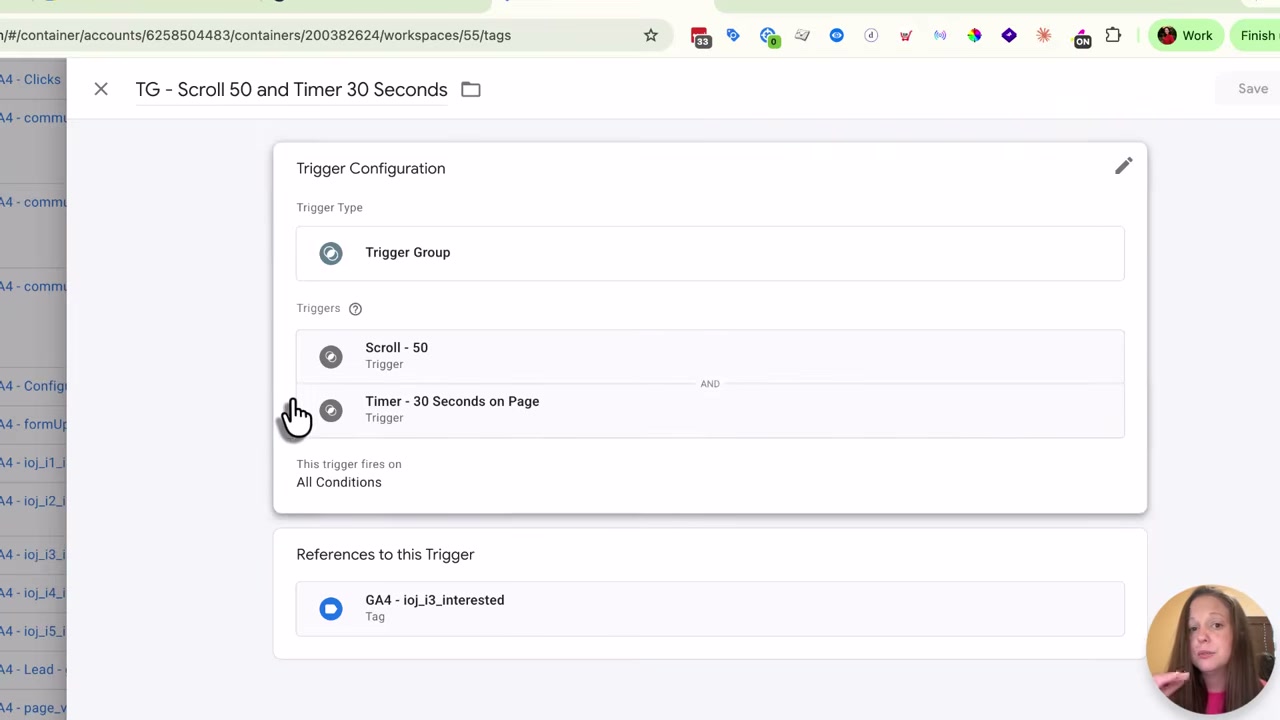
Then Layer in Scroll + Time
Scroll tracking on its own is already built into GA4. But scroll alone can lie to you.
Someone who scrolls 90% down the page in two seconds isn't reading—they're skimming for the price. But someone who hits 50% and stays for 30 seconds? That's a person actually engaging with what you wrote.
That's who you want to build a relationship with, not just retarget.
Track CTA Visibility (Not Just Clicks)
On the sales page itself, do the same thing with your call to action. Don't just track that someone saw it—track that they looked at it for 3 seconds, or 5, whatever makes sense for you.
Otherwise your “zoom scrollers” mess up your data. Technically their eyes crossed the button, but they were never actually considering it.
The I's on the Journey Framework: From Events to Measurement Strategy
Here's the thing most people miss: “a bunch of events” isn't a measurement strategy. A sequence is.
We've got our events organized into what we call the I's on the Journey framework—five stages, laid out in order, so we always know exactly where someone is and where they dropped off.
You don't have to use our five stages. But I'd genuinely encourage you to organize yours into some kind of sequence. Because when you do, you stop just knowing that “someone left” and start knowing where in the journey they left.
That combination tells you the whole story:
- If the 10-second and 30-second numbers are low, your headline or opening isn't earning attention
- If people aren't scrolling and sitting with the content, the body isn't landing
- On the sales page, you can see exactly where in the journey people fall off
Is it your headline? Your content? Your call to action? The sequence tells you.
What We Actually Run (Steal This)
Here's what we track, and you can absolutely steal it:
On every page:
- Did they stay 10 seconds?
- Did they scroll halfway AND stay 30 seconds?
On sales pages specifically:
- Did they view the call to action for more than 3 seconds?
- Did they click through to the cart?
That's it. Four events that tell us whether our content is working at every stage.
If you want help actually building this measurement plan out for your business—not just fixing what's broken, but building it correctly from the start—let me know. I'd love to walk through it with you.
FAQs
What are the three types of events in GA4?
Automatic events (like page_view) just happen—you can't turn them off. Built-in events (scroll, click, purchase, add_to_cart) require exact formatting or they fail silently. Custom events are whatever you build to understand your specific user behavior.
Why isn't my GA4 purchase event tracking properly?
Most likely a formatting issue. GA4 requires exact lowercase spelling—purchase, not “Purchase” or “purchased.” When the format is wrong, GA4 logs it as a generic custom event and none of your transaction data (amount, product, etc.) lands in the right place.
What's the difference between scroll tracking and engaged scroll tracking?
Scroll alone just measures how far down someone went. It can't tell the difference between someone who read carefully to 50% and someone who zoomed to 90% looking for the price. Pairing scroll depth with time on page tells you who actually engaged versus who just skimmed.
How do I know if my GA4 events are actually working?
Check two things: (1) Is the event showing up as the correct event type in your reports (ecommerce event vs. generic custom event)? (2) Are the parameters populating with actual data? If you see the event name but empty parameters, your formatting is likely off.
Wrapping Up
Three types of events: automatic, built-in, and custom.
- Automatic just happens
- Built-in has to be sent exactly right, or it quietly fails
- Custom is where you actually get to understand your own site
If you want that side-by-side event reference guide showing what every platform calls each event, grab the Event Tracking Reference Guide here.
And if you want help building this measurement plan out for your business? Tell me that too—I'd genuinely love to help.
Good luck with your GA4 tracking.