You probably have GA4 on your site right now. Maybe Microsoft Clarity too. Possibly Hotjar.
Disclosure: This content is sponsored by Cookiebot by Usercentrics, a consent management platform. Cookiebot appears on the list below and was scored against the same six questions as every other tool. The analysis is our own.
And if someone asked you whether those cookieless analytics tools are privacy-first, you’d probably say yeah, close enough. I thought the same thing until I started digging into what these tools actually do with your data.
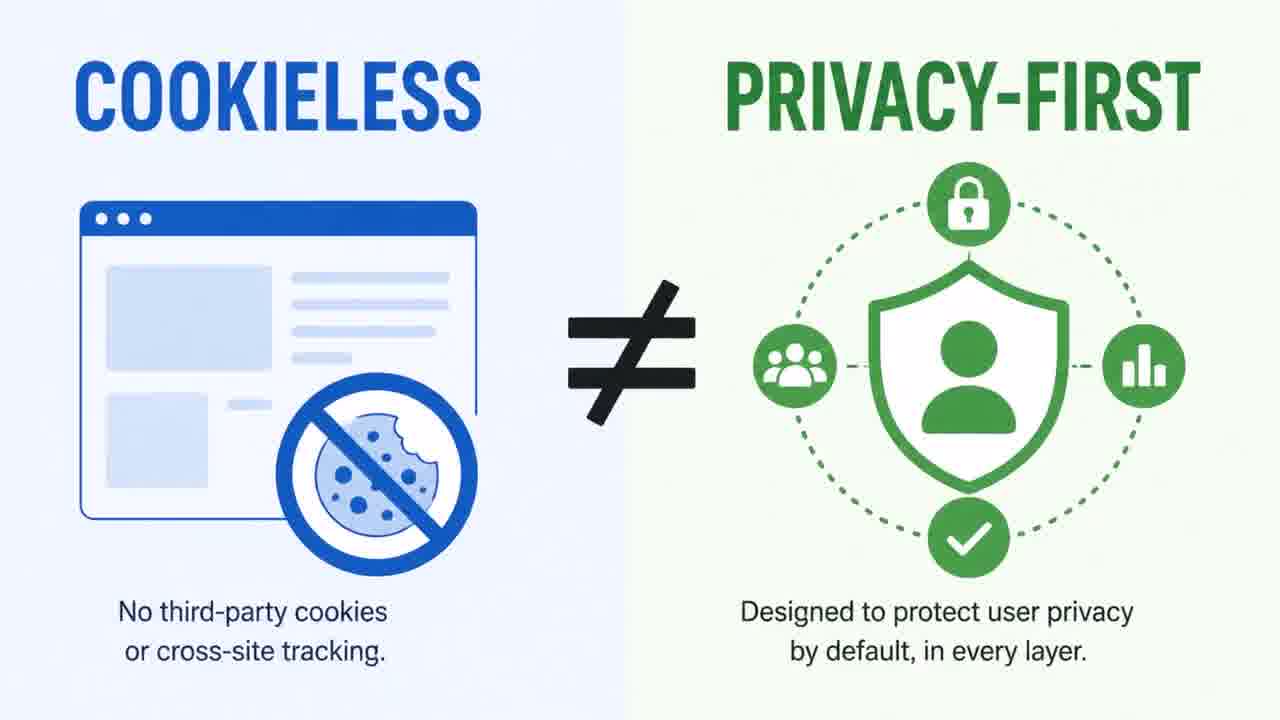
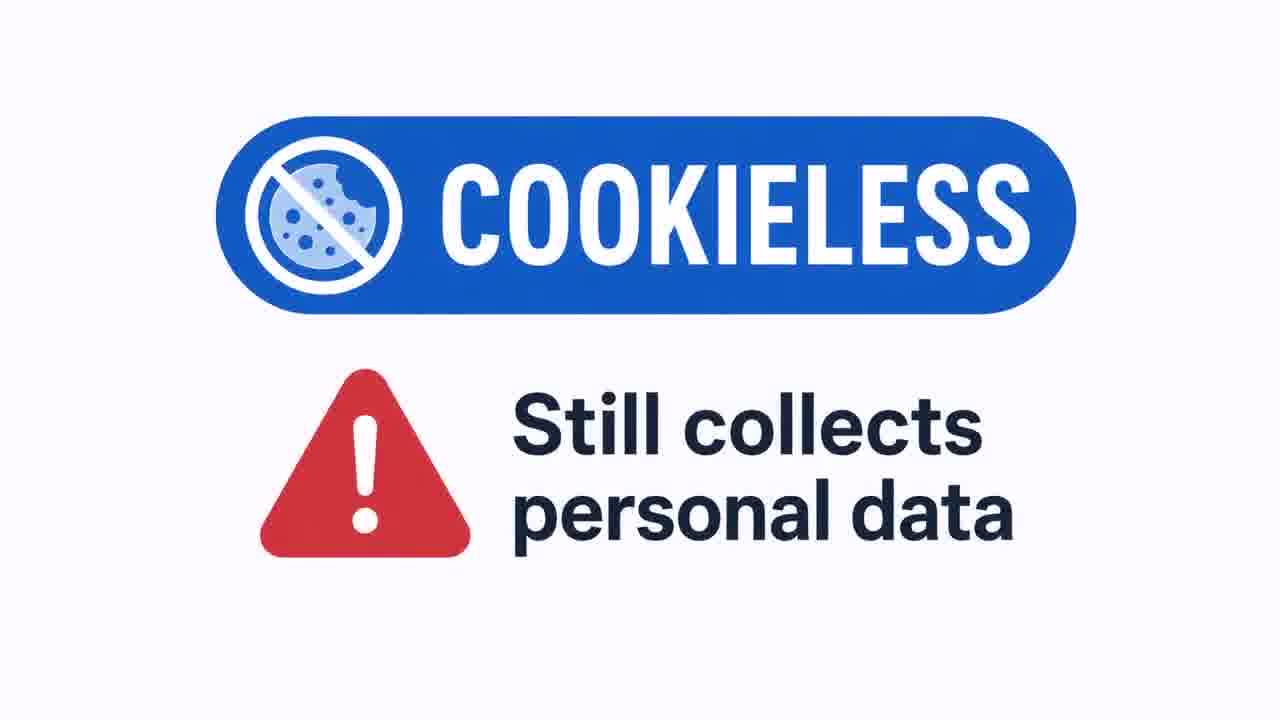
Here’s something I didn’t realize until recently: cookieless and privacy-first are not the same thing. Most people use those words interchangeably. They’re not. A tool can be cookieless and still collect personal data. A tool can be free and still create legal exposure you’re not seeing.
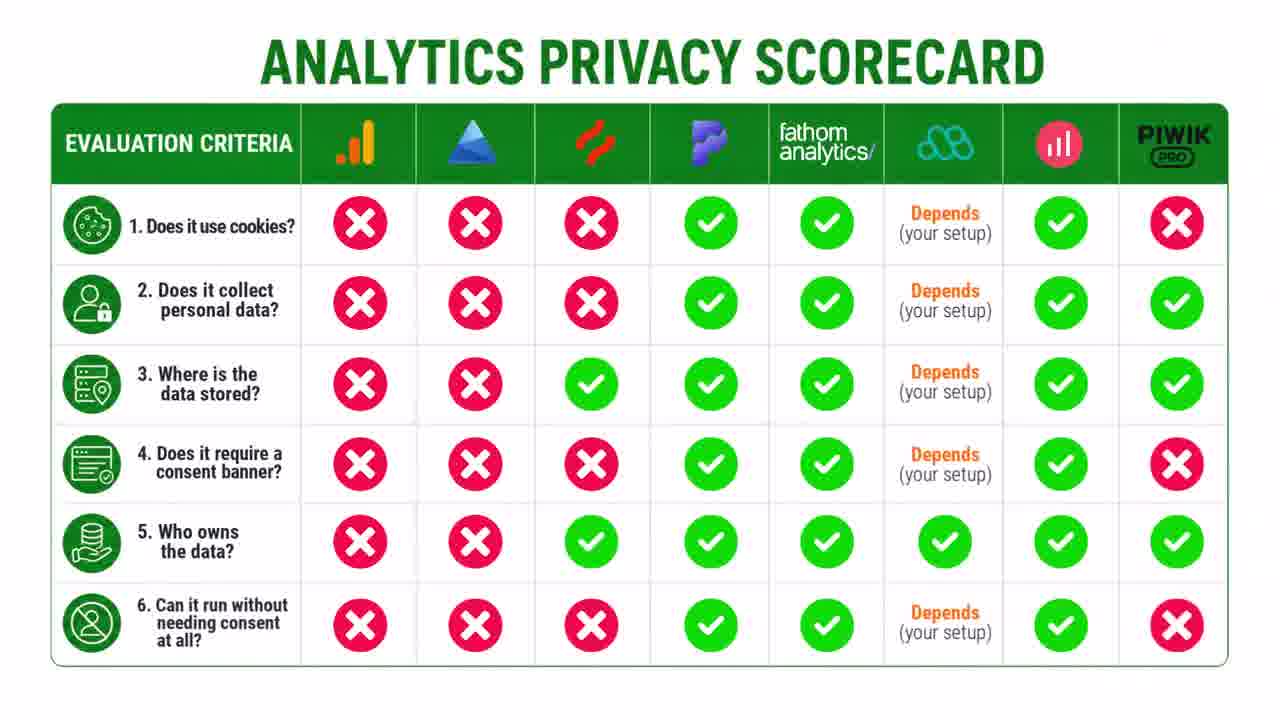
So I went through the major analytics tools and asked six straightforward questions about each one: GA4, Microsoft Clarity, Hotjar, Plausible, Fathom, Matomo, Simple Analytics, and Piwik Pro. A few of the results genuinely surprised me—especially Clarity.
Who I Am and Why This Matters
I’m Jeff Sauer. I run MeasureU—about 3,000 practitioners learning clean data methodology. I’m not a privacy lawyer, but I’ve been around this space for a while. I have a partnership with Cookiebot, and I’ll be upfront about that. They show up on this list, and I scored them the same way I scored everything else.
In our mastermind calls, this question keeps coming up: which analytics tools can we actually trust? Nobody in the room ever has a clean answer—every tool has caveats. That’s where this framework comes in: six questions I’ve been using to sort through the noise.
Watch the Full Breakdown
In this video, I walk through all eight tools and show you exactly how each one stacks up against the six privacy questions:
What You'll Learn in This Post
- Why cookieless doesn't mean privacy-first—a tool can avoid cookies and still collect personal data that requires consent
- The hidden cost of free tools like GA4 and Clarity: 30…90% of your traffic data lost to consent-banner declines
- Why the whole category has a blind spot—no single tool offers traffic analytics AND behavioral data (heatmaps, recordings) while running privacy-first
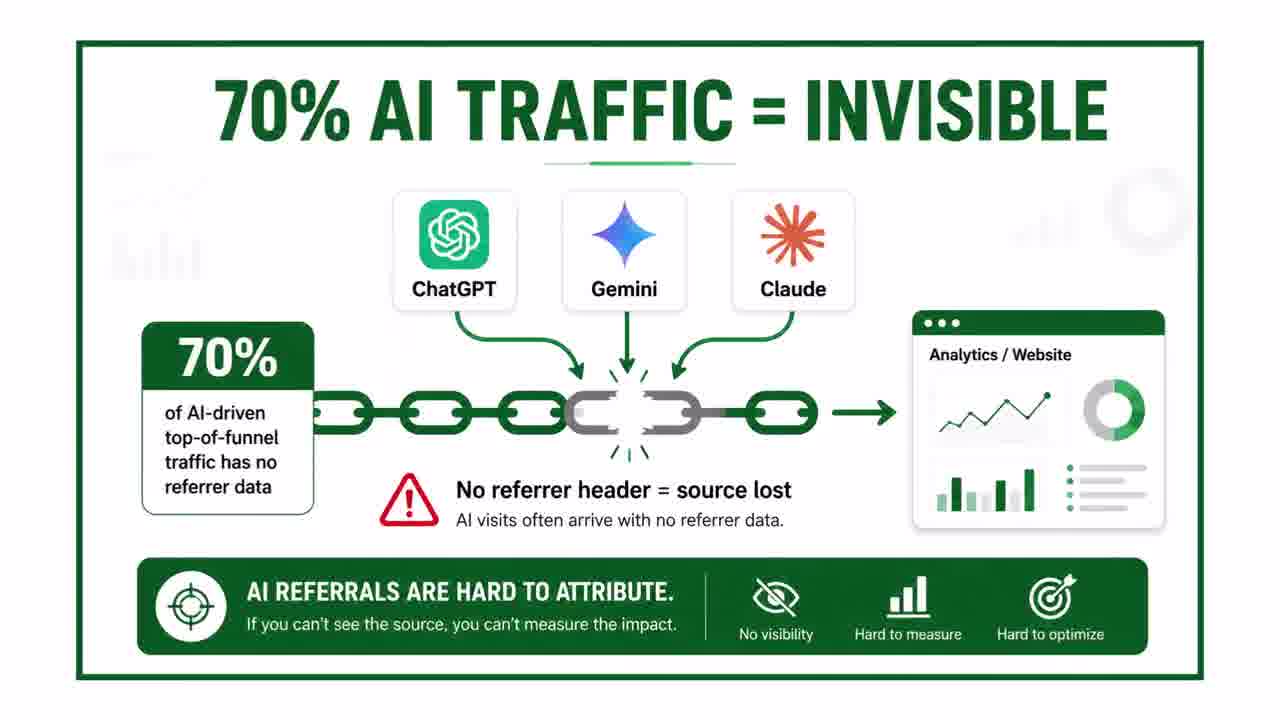
- How over 70% of AI referral traffic shows up with no referrer headers, creating visibility gaps across even the privacy-compliant tools
Table of Contents
- The Six Questions Every GDPR-Compliant Analytics Setup Should Answer
- Free Tools That Don't Pass: GA4, Clarity, Hotjar
- Privacy-First Analytics Tools That Actually Pass
- Conditional Pass: Matomo and Piwik Pro
- The Hidden Cost of Free Analytics
- The Category Gap Nobody's Solving
- What This Means for Your Stack
The Six Questions Every GDPR-Compliant Analytics Setup Should Answer
Here are the six questions I use to evaluate every tool:
- Does it use cookies? If yes, most jurisdictions require a consent banner. That immediately changes the math on how much data you actually collect.
- Does it collect personal data? IP addresses count. So do device fingerprints and anything that can link behavior back to a specific person.
- Where is the data stored? US servers create real GDPR exposure in 2026. EU data residency isn't a nice-to-have anymore.
- Does it require a consent banner to work? If it does, you’re probably losing somewhere between 30 and 90 percent of your traffic data depending on how your visitors respond.
- Who owns the data? Does the vendor have rights to use it for their own purposes? That one matters more than people think.
- Can it run without needing consent at all? Some EU data protection authorities have formally approved certain tools for consent-free operation. That's as clean as it gets.

Same six questions for every tool. Let’s go through them.
Free Tools That Don't Pass: GA4, Clarity, Hotjar
GA4 — Doesn't Pass
GA4 uses cookies, requires a consent banner, and sends data to US servers. There have been enforcement actions in Europe specifically around GA4 data transfers, so the standard way most people set up GA4 is under active regulatory scrutiny right now.
It doesn’t mean you need to rip it out tomorrow. But if you’re running it without a consent layer in Europe, that’s worth looking at.
Microsoft Clarity — Doesn't Pass
This one surprised me the most. Clarity is free, it’s from Microsoft, and most people assume it’s safe. But when you read the terms of service, Microsoft reserves the right to use your behavioral data for their own purposes—session recordings, click patterns, how people move around your site. That’s personal data under GDPR.
Clarity also doesn’t respect Do Not Track browser settings. And since October 2025, it requires explicit consent for visitors in the EEA. If you’re running Clarity without a proper consent setup, that’s something worth checking on.
Hotjar — Conditional
Hotjar actually does a lot of things right on the privacy side: EU data storage, they don’t sell your data, they don’t access your customer data, and keystrokes are suppressed by default. Where it falls short is the consent requirement—you still need a banner, which means you’re still losing traffic data to consent declines. Good privacy posture, just not consent-free.
| Tool | Verdict | Why |
|---|---|---|
| GA4 | Fails | Cookies, consent banner required, US servers under active scrutiny |
| Microsoft Clarity | Fails | Vendor may use behavioral data; requires EEA consent since Oct 2025 |
| Hotjar | Conditional | Strong privacy posture, but still needs a consent banner |
| Plausible | Passes | Cookieless, no personal data, EU servers, approved consent-free in France |
| Fathom | Passes | Strong data residency, no personal data, consent-free in most places |
| Simple Analytics | Passes | EU-hosted, consent-free, transparent about what it collects |
| Matomo | Conditional | Self-hosted passes everything; cloud has data-residency questions |
| Piwik Pro | Conditional | Solid EU privacy, but paid-only since Feb 2026 |
Privacy-First Analytics Tools That Actually Pass
Now the other side.
Plausible — Passes
Cookieless, no personal data collected, EU servers, and approved for consent-free operation by the French data protection authority. You see your full traffic without a consent banner reducing the numbers.
Fathom — Passes
Strong data residency, no personal data, and it runs consent-free in most jurisdictions. Built for privacy from the ground up.
Simple Analytics — Passes
EU-hosted, consent-free, and unusually transparent about what they collect and what they don’t. Worth looking at if you want something straightforward to audit.
Conditional Pass: Matomo and Piwik Pro
Matomo — Depends on Your Setup
Self-hosted Matomo passes everything: you control the data, the server, the location. Cloud-hosted has data-residency questions worth checking before you assume it clears the bar. Your score depends entirely on how you set it up.
Piwik Pro — Conditional
One thing to know first: Piwik Pro killed their free plan in February 2026, and paid plans now start at 35 euros a month. On privacy it’s solid—EU hosting, clean data governance—but the pricing puts it in a different category now, especially when Plausible is 9 euros.
The AI Referral Blind Spot
One more thing worth knowing about this side of the list. Over 70 percent of AI referral traffic from ChatGPT, Gemini, and Claude shows up with no referrer headers, so most of these tools can’t see where that traffic came from. That’s a growing blind spot across the whole category—even the ones that pass.
The Hidden Cost of Free Analytics
Here’s the thing that came out of this that I think is worth sitting with. GA4 is free. Clarity is free. But both require consent banners, and the average consent banner reduces your data collection by 30 to 90 percent.

73 percent of GA4 setups are missing at least 30 percent of their attribution data. So the free tools have a real cost, it just doesn't show up on an invoice. It shows up in the data you never collected. Every visitor who clicks decline on your cookie banner disappears from your reports completely.
The Category Gap Nobody's Solving
Here’s what I didn’t expect to find. The tools that pass the privacy test—Plausible, Fathom, Simple Analytics—they do traffic analytics. That’s it. They don’t provide heatmaps, session recordings, or surveys. And every tool that CAN do heatmaps and recordings didn’t pass the six-question test.

That’s a real gap in this category right now. If you want clean traffic numbers, you have good options. But if you also need heatmaps, session recordings, surveys—the behavioral side—you’re back to needing a second tool, and that second tool probably doesn’t pass.
That’s where Cookiebot surprised me. I knew next to nothing about this product before I started researching this. Cookiebot passes the six questions with flying colors, but it sits in its own category as a consent platform. Did you know they recently shipped a full analytics suite built into the consent layer itself? Heatmaps, session recordings, surveys, the behavioral tools—running inside the same script that already manages your consent. One setup, not two separate tools duct-taped together.
I’m going to do a deep dive on Cookiebot’s privacy-first analytics in a future post because I think it deserves its own walkthrough. I wanted you to see the full landscape first, so that when I walk through it, you’ll have the context for why it matters.
What This Means for Your Stack
So what should you actually do with this information? Your action steps:
- Pull up your current analytics stack and run it through the six questions
- Check your consent banner settings—are you actually compliant, or just assuming you are?
- Look at your consent acceptance rates—how much traffic data are you actually losing?
- If you need behavioral data (heatmaps, recordings), audit what tool you're using for that separately
- Decide consciously whether the trade-offs you're making are the ones you want to be making
If a couple of your tools don’t pass, that’s not a crisis. It just means you have better information now than you did ten minutes ago. You’re not breaking the law by using GA4, but you should know what you’re trading off when you do.