I showed thousands of you how to connect Claude to your GA4 data using MCP and run a full audit in minutes.
A lot of you did it the same day.
But here's what I didn't cover in those videos: What's actually governing that connection? Who can access what? Is there a log of what the AI pulled? Is anyone checking whether sensitive data is passing through?
For most of you, the answer to all three is: nothing.
That's not a criticism. The tooling to manage MCP governance barely existed when you set it up. But it exists now. And that's what this post is about.
Watch the Full Breakdown
The MCP setup videos showed you the capability. This post covers what comes after: the governance layer that determines whether your MCP connection is a controlled tool or an open pipe into your data.
Below you'll find the five guardrails every MCP connection needs, three risk scenarios that don't require a breach to cause damage, and the framework for extending Clean Data methodology into the access layer.
What You'll Learn in This Post
- Most MCP setups have zero governance layer between AI and your data
- The five guardrails every MCP connection needs: role-based access control, audit logging, PII detection, approval workflows, and real-time alerting
- Clean Data methodology now extends beyond collection to access governance
- MCP Manager provides the governance infrastructure most teams are missing
Table of Contents
- What an Unmanaged MCP Connection Actually Looks Like
- Three Real-World Risk Scenarios
- What Proper MCP Governance Actually Looks Like
- A Tool That Actually Does This: MCP Manager
- Clean Data 2.0: Governance as a Data Quality Layer
- How to Close the Gaps in Your MCP Setup
- FAQ: Common MCP Governance Questions
What an Unmanaged MCP Connection Actually Looks Like
Here's what an MCP connection actually looks like under the hood by default.
You authenticate it. You point it at a data source. And there's a direct channel between an AI model and your data.
That's the entire setup.
The AI model can read whatever's connected: no access controls, no log of what it pulled, nothing checking whether the data passing through is sensitive.
Think about what that actually means.
You handed a system that processes every piece of data it receives (one with no built-in concept of “that's not my data to read”) a master key directly into your data warehouse. That can be good. But in the wrong hands, that can go incredibly wrong.

And in 2026, this isn't a hypothetical edge case.
The number of teams running MCP connections has exploded. Marketing ops teams, analytics practitioners, agency owners: everyone who can wire up a connection has been wiring up connections.
Most of those setups were done by technically capable people. Almost none of them have a governance layer on top.
Not because people are careless, but because the tooling to govern MCP connections barely existed when everyone started setting them up.
The MCP protocol itself is solid. It's a great addition to the working world. Like making APIs for your favorite tools accessible to the masses.
The gap is between “connected” and “managed access.” And for most teams right now, that gap is wide open.
Three Real-World Risk Scenarios
I want to walk through three scenarios. None of these require a hacker or malicious intent. All of them are realistic enough that they're probably already happening somewhere.

Scenario One: Junior Analyst, Shared Workspace
Someone on your team is using Claude. Your MCP connection is live. They run a prompt to check traffic trends for one client.
But because there's no role-based access control on the connection, that Claude session can read across every client property you've connected.
They weren't trying to go anywhere they shouldn't have. And that junior team member pulled the wrong data into reports. Your client saw another client's data on a live call.
No alert fired. You never would have found out if the client didn't see it on the screen.
Scenario Two: A Rogue MCP Call
Maybe it's a misconfigured agent. Maybe it's a prompt that triggered unexpected tool behavior: an AI doing exactly what it was instructed in a way nobody anticipated.
It pulls a complete GA4 property export. User data. Conversion events. Audience segments tied to real people.
And because there's no audit trail, you can't reconstruct what happened. No record of the data pull, no timestamp, nothing.
Scenario Three: The Client Call You Can't Answer
This is the one I think about most for agencies.
A client calls and wants to know what your AI tools accessed on their account in the last 30 days. Maybe there was a breach somewhere in their stack and they're doing triage. Maybe their new privacy officer is asking questions.
You go to pull the audit trail and realize you don't have one.
Not because anything bad happened. Maybe nothing happened at all. But you can't prove it.
“I believe it's fine” is not a defensible answer to that question.
GDPR, CCPA, and the frameworks still being finalized don't care how confident you are. They care about documentation. The absence of an audit trail doesn't prove innocence; it proves you weren't watching.
And for an agency, that starts as a client relationship problem before it's ever a legal one.
What Proper MCP Governance Actually Looks Like
I'm not going to tell you the answer is to disconnect everything.
The point is understanding what a properly governed MCP setup actually looks like, so you can build it, ask for it, or evaluate whether a tool is giving it to you.

Five things belong in any serious MCP environment.
1. Role-Based Access Control
Not everyone on your team should be able to invoke the same MCP tools.
A junior analyst on one client account shouldn't have the same permissions as someone with admin access across your entire portfolio.
Role-based access control means you define the rules at the connection level: who can call what, on which data sources. You enforce it there. Not by hoping people stay in their lane.

2. Audit Logging
Every tool call gets recorded. What was called, who called it, when, what data came back.
This is not optional when you're managing client data.
The audit log is how you answer the client call I described in scenario three. Without it, that conversation ends with you losing the account.

3. PII Detection
PII stands for personally identifiable information.
AI models are good at processing data. They're not good at recognizing when that data contains personally identifiable information and stopping themselves.
PII detection at the MCP layer catches sensitive data before it enters the model, before it gets logged, trained on, or surfaced somewhere you didn't intend.

4. Approval Workflows
Some actions should require a human to confirm before the agent proceeds.
Not everything. That defeats the whole point of automation. But bulk exports, high-volume reads, anything touching sensitive data at scale? Those should pause and wait for a sign-off.
Human in the loop doesn't mean reviewing every prompt. It means the prompts that carry real risk don't execute without someone approving them first.

5. Real-Time Alerting
If an agent starts behaving unusually (high call volume, data access outside its normal pattern, anything that reads as “something's off”) you want that flag while it's happening.
Not when you get around to reviewing last week's logs. Right now.
And I want to be clear about something: none of this is exotic. This is exactly the governance infrastructure that IT teams have applied to databases, APIs, and cloud storage for the last 20 years. Same principles.
MCP just needs to catch up. And until recently, the tooling to do that barely existed.
A Tool That Actually Does This: MCP Manager
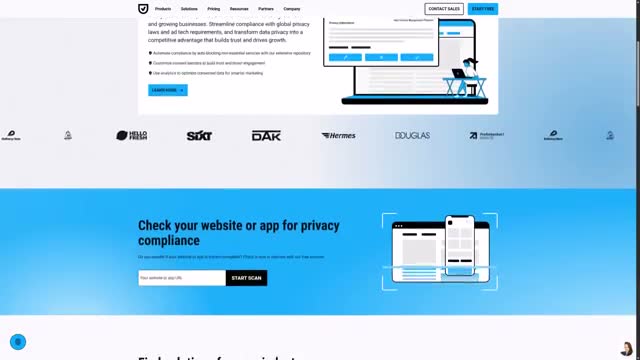
You've probably heard of Usercentrics and Cookiebot CMP. They're one of the bigger names in consent management for websites and mobile apps. Cookie banners, privacy compliance, governing what's allowed to collect data and under what conditions. That's their core business.
MCP Manager is a product they recently acquired that sits in a different category entirely.
Think about what Cookiebot does at the website layer (governing what's allowed to collect data, under what conditions, with a record of what was permitted) and then apply that same logic inward, to your own AI infrastructure.
Who inside your organization can connect an AI agent to what data source? Under what conditions can it query sensitive fields? What rules govern what the agent is even allowed to ask for?
That's where MCP Manager comes in. Internal compliance, permissions, and rules for agentic AI implementations. Not end-user consent, but the governance layer your own team needs before these connections go near anything that matters.
Free trial at mcpmanager.ai.
Clean Data 2.0: Governance as a Data Quality Layer
Here's the frame I want to leave you with.
Clean Data has always meant the same thing: data you can actually trust to make decisions.
At MeasureU, that conversation has mostly lived in the collection layer: GA4 implementation, tracking setup, event taxonomy, making sure the numbers actually reflect what's happening in your business.
But AI agents have changed the surface area of that problem.

In 2026, it's not enough to ask whether your data collection is clean. You also have to ask: who can access this data, through what channels, with what visibility, and can you prove what happened?
An AI agent that can pull from any connected source with no log of what it accessed is a governance problem. And governance is part of the data quality conversation now whether we've framed it that way or not.
Clean Data isn't just your tracking setup anymore. It's the full picture: how data gets collected, how it gets accessed, and who's accountable for both.
This is the next layer of the methodology.
And I'll be honest: I didn't address this in my earlier MCP tutorial videos. This post exists because that was the gap.
How to Close the Gaps in Your MCP Setup
If you're running MCP connections right now without a governance layer, don't panic and unplug everything.
Start by understanding your actual exposure.
Your next steps:
- Inventory your connections. List every MCP connection currently active in your environment. Which data sources? Which team members have access?
- Identify your highest-risk gaps. Client data with no audit trail? Cross-account access with no RBAC? PII flowing through with no detection?
- Evaluate governance tooling. Check out MCP Manager to see where your gaps are and close the ones that matter most for your situation.
- Document what you implement. The whole point is accountability. If you add governance, document it so you can answer that client call when it comes.
The audit video was the exciting part. This is what makes it sustainable.
FAQ: Common MCP Governance Questions
What is MCP governance?
MCP governance refers to the policies, tools, and infrastructure that control how AI agents access data through Model Context Protocol connections. It includes access controls, audit logging, PII detection, approval workflows, and alerting: the same governance principles applied to any data access layer.
Why don't MCP connections have built-in access controls?
The MCP protocol itself is designed to enable connections between AI tools and data sources. It's infrastructure, not a complete governance solution. The access control layer is something you build on top. And until recently, the tooling to do that easily didn't exist for most teams.
What is role-based access control for MCP?
Role-based access control (RBAC) for MCP means defining who on your team can invoke which MCP tools against which data sources. Instead of everyone having the same access, permissions are tied to roles, so a junior analyst can only access the properties they're assigned to.
How do I audit MCP data access?
You need audit logging enabled at the MCP layer. Every tool call gets recorded: what was called, who called it, when, and what data came back. Without this, you can't answer questions about what was accessed or when.
Can AI models detect PII automatically?
AI models can process data containing PII, but they don't inherently recognize it as sensitive and stop themselves. PII detection needs to happen at the connection layer, before data enters the model, to prevent sensitive information from being logged, surfaced, or processed inappropriately.
For frameworks, implementation templates, and the ongoing practice of running clean, governed data operations, that's what MeasureU Pro is built for.
Since you connected MCP to your data, has governance crossed your mind at all? If you're running live connections right now with nothing between the AI and the data, you're not alone. Most teams are in the same position. The difference is whether you close the gap before it matters or after.