I just learned about a GTM compliance audit that ran on five major professional sports organizations.
Only one of them passed the consent test.
The others? Failed. And these are organizations with dedicated legal and compliance teams. Real budgets. Real lawyers on staff.
If they can't get this right, your clients definitely can't.
And someone is going to get paid to fix it.
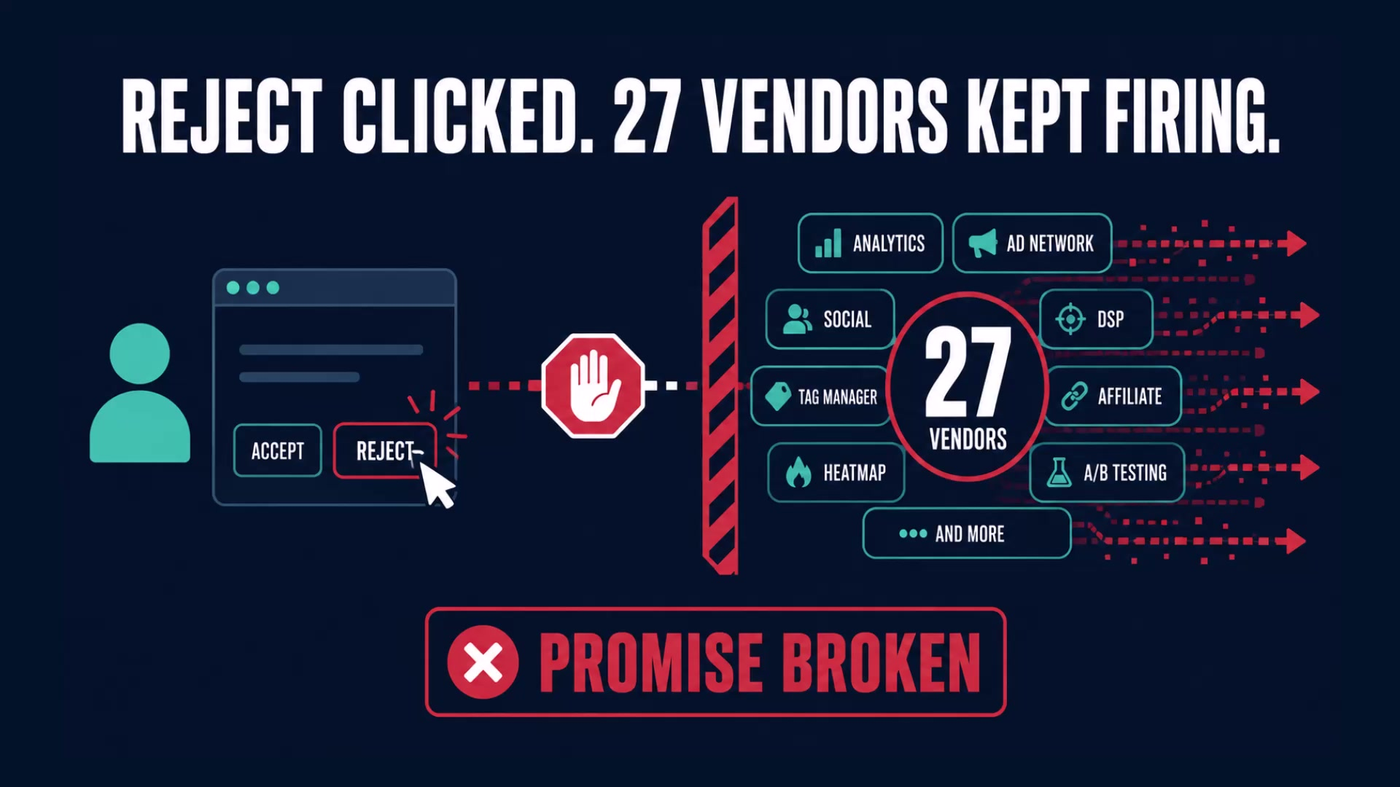
Here's what makes this strange: all five organizations bought the same consent platform. Not a cheap one. An earlier audit of one of them found twenty-seven tracking vendors still firing after a visitor said no.
Twenty-seven.
But when Fred Pike, the privacy engineer who built the audit tool, ran the same test on 3M, the industrial giant, it passed clean. Sixteen of sixteen vendors respected the visitor's choice.
So the platform was never the variable. The setup was.
And that incomplete setup is what gets companies fined real dollars in 2026.
Watch the Full Breakdown
In the video I walk through the audit Fred built, run it live against a real site, and show what comes back when a visitor clicks reject and the vendors keep going anyway.
Below is the written version: what's actually broken, how it turns into a three-part service line, and the one thing this audit cannot see.
What You'll Learn in This Post
- Cookie banners don't stop tracking automatically, someone has to wire the tags to respect visitor choices, and that rarely happens
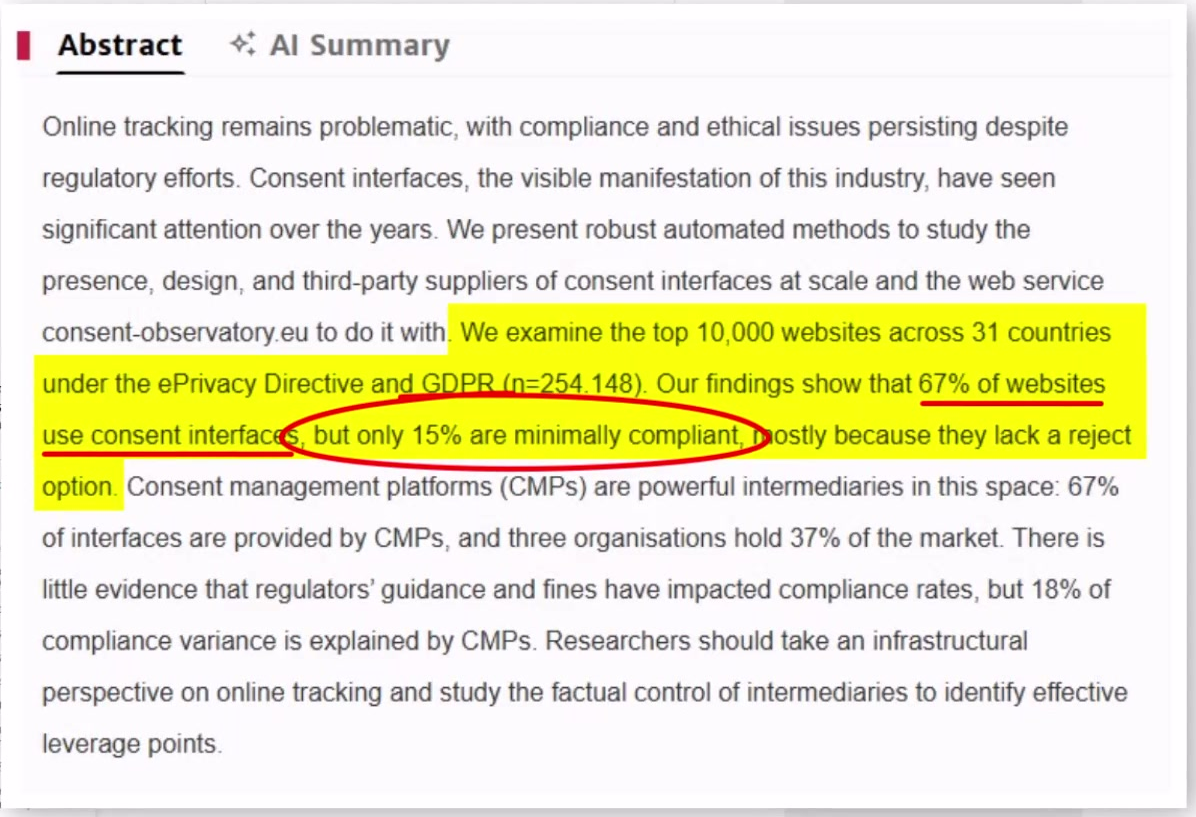
- A peer-reviewed 2025 study found 67% of websites show a consent interface, but only 15% pass minimum compliance
- The three-part service model (free audit, paid remediation, monitoring retainer) creates immediate revenue from existing clients
- Fred's own site failed the compliance check one week after passing, so even experts need ongoing monitoring
Table of Contents
- Why I'm Talking About This (And Why I'm Not the Expert)
- What's Actually Broken (In Plain English)
- The Three-Part Service Model: Audit, Consent Mode Setup, Monitoring
- Why the Demand Is Real and Already Priced
- How to Audit GTM Compliance Without Touching Client Infrastructure
- What Cookie Banner Audits Miss (And When to Expand Scope)
- What to Do This Week
- Get the GTM Setup Checklist
Why I'm Talking About This (And Why I'm Not the Expert)
I'm Jeff Sauer, and I spend most of my time figuring out which services an agency can actually sell. Privacy engineering is not my lane.
Twenty-plus years in digital marketing, built and exited an eight-figure agency, five-time Inc 5000, ten-plus years teaching this full time. I created something called Service Stacking, a framework for finding services that are already in demand with the clients you already have, and packaging them in a way that actually makes you money.
That's my lane.
The person who built the audit tool you're going to hear about is Fred Pike. Fred is a friend, and this is my own recommendation. Not a sponsorship. Not a paid deal. I want to be clear about that because the distinction matters.

Fred found these violations. Fred ran the numbers.
I'm here because I looked at what Fred showed me and thought: every agency owner I know is walking past this every single week.
My job in this post isn't to teach you privacy law. It's to show you where the service line is, why the demand is already there, and how you get paid for something you're probably already close to.
What's Actually Broken (In Plain English)
You've seen the banner.
Every website has one now: the box that pops up asking whether you accept cookies or want to manage your preferences.
Most people click accept without reading it. Including you. Including me.
But some visitors click reject. Or they click the option that says something like “only essential cookies.”
When they do that, they're making a choice. They're saying: do not track me.
The banner is a promise. It's the website saying: if you tell us no, we will honor that.
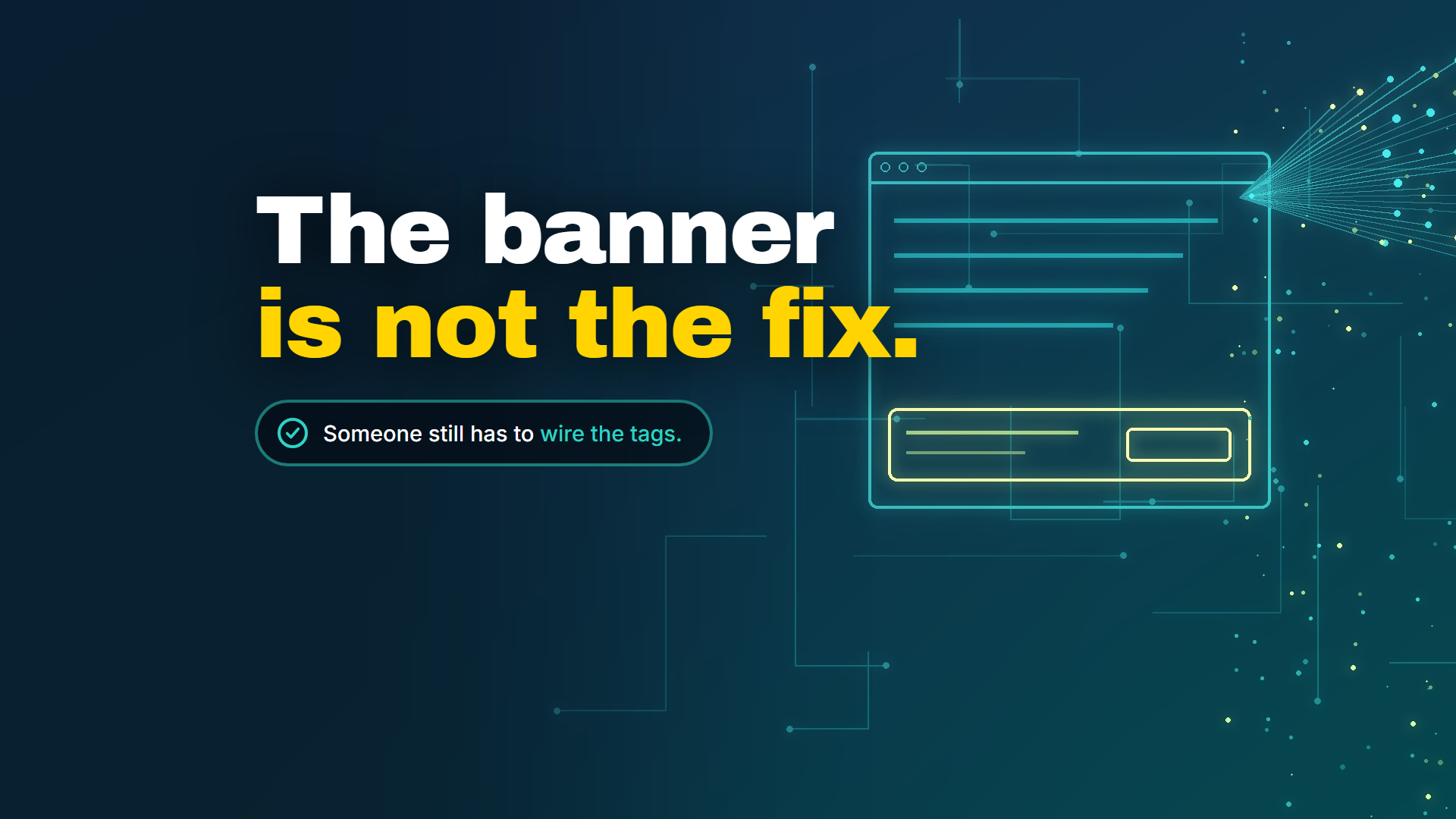
But here's the thing most people don't know. You have to actually hook up your website tracking to that banner to honor those preferences. It doesn't happen automatically.
This means many companies who thought they were doing the right thing, who bought the platform, put up the banner, genuinely believed they were compliant, were unknowingly breaking the law.
The Gap Between Banner and Tags
Here's what an audit actually checks: did the website keep the promise?
Because behind most websites there's a tag manager, and inside that tag manager there are tracking vendors. Advertising platforms. Analytics tools. Retargeting pixels. Session recorders.
Each one of those vendors fires when a visitor lands on the page, and they're supposed to stop firing the moment that visitor clicks reject.
That's what “reject” is supposed to mean.
It's not supposed to mean “we noted your preference and will try our best.”
It means: stop running.
When Fred ran an audit on one of those sports sites, he found the vendors did not stop. A visitor clicked reject, and twenty-seven separate tracking vendors kept firing anyway, collecting data on someone who had explicitly said no.
The banner was there. The platform was configured. The promise just wasn't being kept.
Why This Surprises People
The banner itself is usually fine. It shows up, offers a choice, looks compliant.
The failure happens in the wiring underneath it, where the tags live. Because getting the banner to display correctly and getting the tags to actually respond to the visitor's choice are two completely different jobs.
One is handled by whoever set up the consent platform.
The other requires someone who knows how the tracking tags work.
And in most agencies, those two people have never had that conversation.
The Three-Part Service Model: Audit, Consent Mode Setup, Monitoring
Here's the actual structure of how this becomes a service line. Three parts, and they connect in sequence.
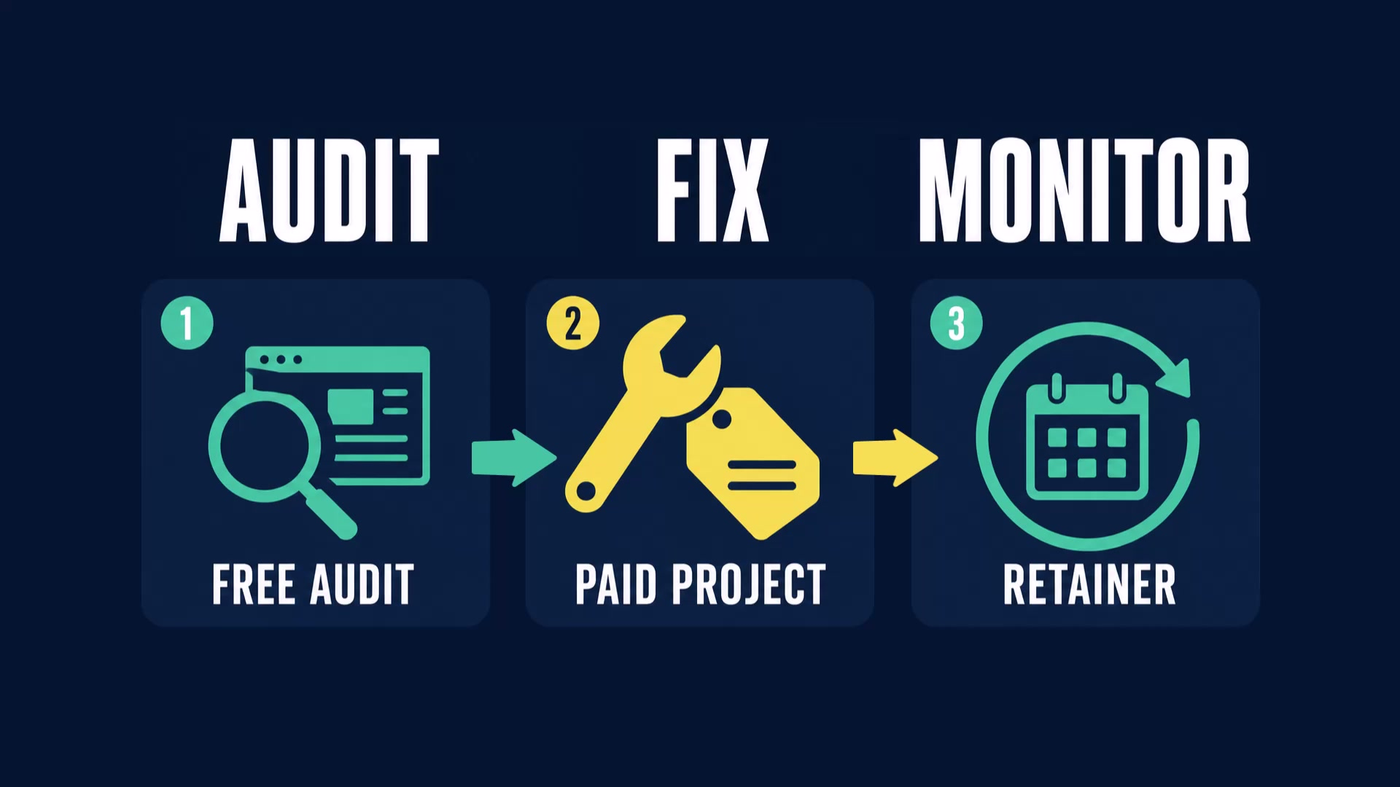
Part 1: Free Audit (How You Get in the Door)
You run this before you ever have a sales conversation.
You don't need access to their site, their CMS, their analytics account, or anything that requires a vendor relationship or signed agreement. You visit their site from the outside, the same way a visitor would experience it.
What comes back is a recording of what their site actually did after someone clicked the reject button.
Not what their banner looks like. Not what their privacy policy says. What their tracking vendors actually did when told to stop.
That's the finding. And it's undeniable because it's their own site you recorded doing the thing it wasn't supposed to do.
You bring that to the client, and the conversation isn't about privacy law. It's about the difference between what they paid for and what they got.
And you're the one who found it.
Part 2: Remediation (The Paid Project)
This is where consent mode setup happens.
Someone has to go into the consent platform configuration, identify which vendors are misfiring, and fix the tag logic so the opt-out signal actually propagates.
That's a defined scope. It has a beginning and an end. And it's exactly the kind of work an agency that already manages tracking tags is qualified to do.
Part 3: Monitoring (The Retainer)
This is where it gets interesting.
A consent configuration doesn't stay fixed. Every time a client adds a new marketing tool, changes a tag, or updates their site, the configuration can break again.
The audit isn't a one-time problem that goes away forever once you implement the fix. It's a scheduled check. And whoever runs it is on retainer.
The Ownership Gap
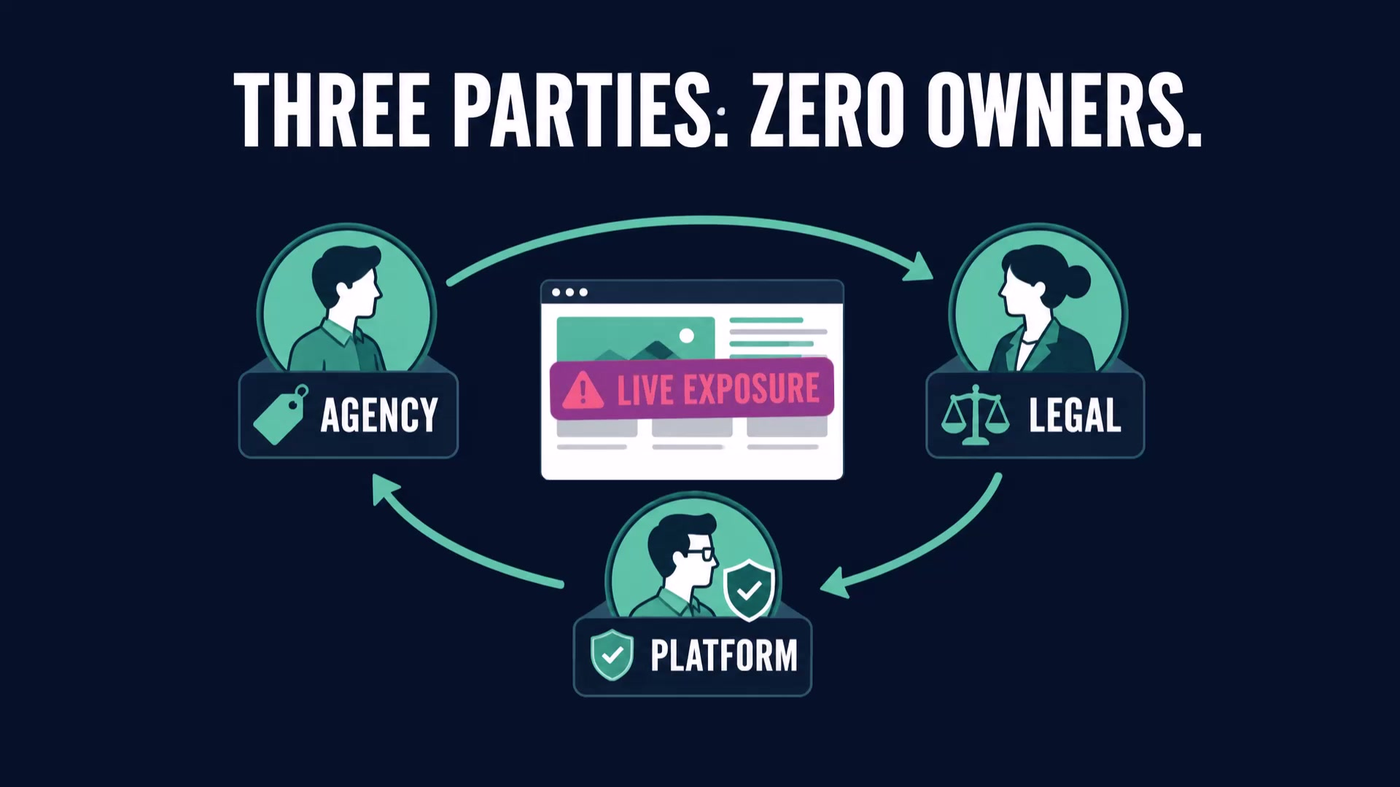
Here's something worth understanding: nobody owns this job today at most companies.
- The agency thinks legal checked it when the banner went up
- Legal thinks the agency manages the tags
- The consent platform vendor assumes the customer configured it correctly
That's three parties. Zero owners. And a live compliance exposure sitting on your client's site right now.
The person who already touches the tracking tags is the obvious one to take it.
That's almost certainly you.
Why the Demand Is Real and Already Priced
The sports sites are a good story, but they're not the only evidence.
The evidence is a peer-reviewed 2025 study of the top 10,000 websites across thirty-one countries, covering 254,148 observations.
67% of those sites show a consent interface.
15% clear a minimum compliance bar.
Those two numbers don't need commentary. They speak for themselves.
Your clients almost certainly have a banner. Whether it's working correctly is a different question entirely.
What Exposure Looks Like When It Gets Priced
- A US retailer was fined $345,000 because a misconfigured cookie banner left opt-outs unhonored for forty days
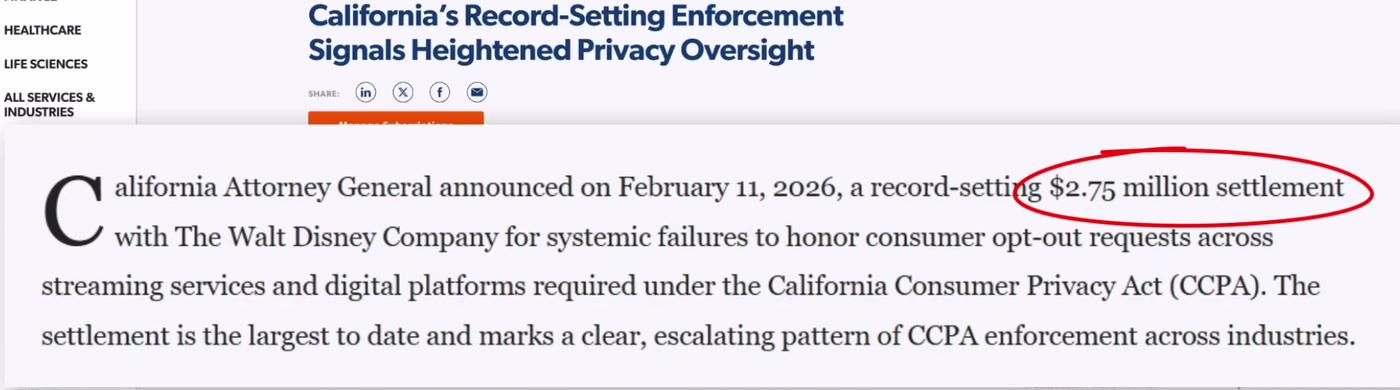
- In February 2026, Disney paid $2.75 million, the largest settlement of its kind, for failing to honor a browser-level opt-out signal across devices
Those aren't hypothetical numbers. Those are what regulators have already decided this is worth.
The Number That Made Me Take This Seriously
But the number that made me take this seriously wasn't a fine.
It was something Fred told me about his own agency's site.
Fred runs these audits professionally. He audited his own site. It passed. He set up a weekly scheduled check.
The following week it failed.
The only reason he caught it was because the scheduled audit was running.
That's the retainer argument. And it's not theoretical.
The expert, running the audit on his own site with a scheduled weekly check, failed the test one week after passing it.
Your clients aren't running weekly checks. Most of them aren't running any checks.
That's the demand. And it's sitting in your existing client list right now, not in some future prospect you haven't met yet.
How to Audit GTM Compliance Without Touching Client Infrastructure
Let's talk about Fred's CMP Audit tool.
Here's what it actually looks like when you run it.
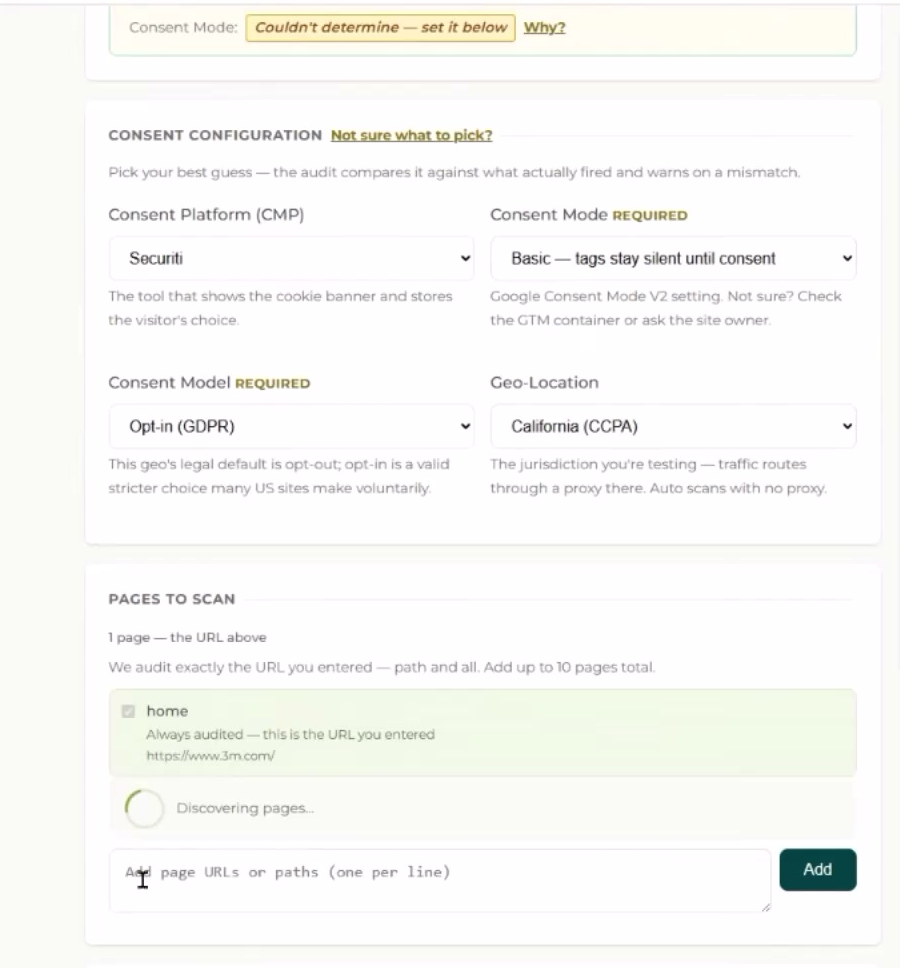
You go to the audit tool. You type in a client's URL. That's the entire setup.
No access to their Google Tag Manager. No code on their site. No login credentials. No admin handoff. No waiting for IT.
The input is a public web address. The output is a report you can hand to a client the same day.
What the Tool Actually Does
It runs four separate browser sessions against that URL, completely isolated from each other so nothing bleeds between them:
- Ignores the banner entirely, which is what most real visitors do
- Accepts everything
- Rejects everything
- Sends a browser-level opt-out signal, the kind some US states require sites to honor regardless of whether the visitor clicked anything
Those four scenarios aren't hypothetical edge cases. They're the four ways a real person actually encounters a consent banner. And the audit checks each one independently.
What You See While It's Running
While the audit runs, you're watching it check up to ten pages at once. And you can run it as if the visitor is coming from different jurisdictions, US states, Europe, Brazil, Canada, because the rules aren't the same everywhere, and your client's visitors aren't all in one place.
What Violations Look Like
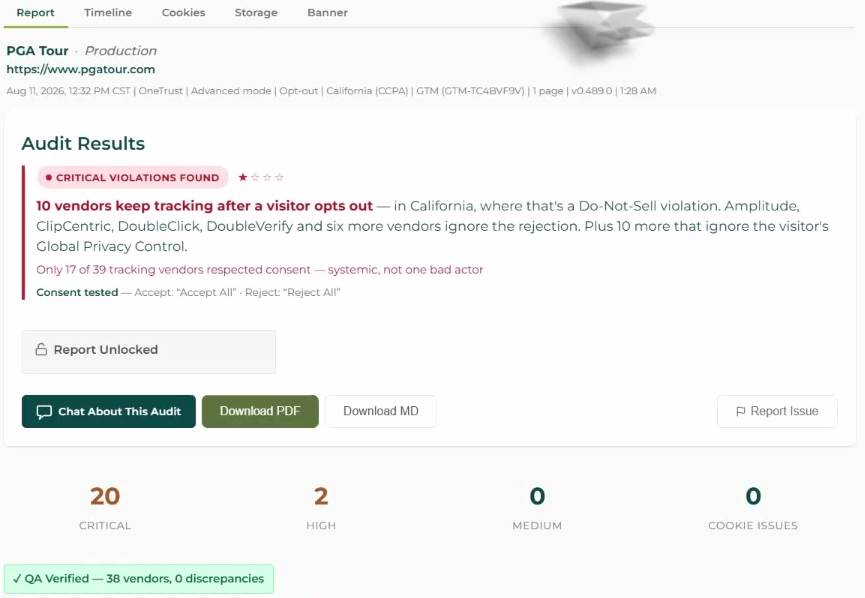
When a violation comes back, it doesn't say “unknown tracker fired on page seven.”
It says:
- The vendor name
- The specific page
- The scenario that triggered it
- The cookies it set
- Why it's critical
The tool knows roughly 160 marketing vendors by name, so you're reading “this platform fired after a reject” rather than decoding a raw tracking URL at two in the morning.
The Timeline View
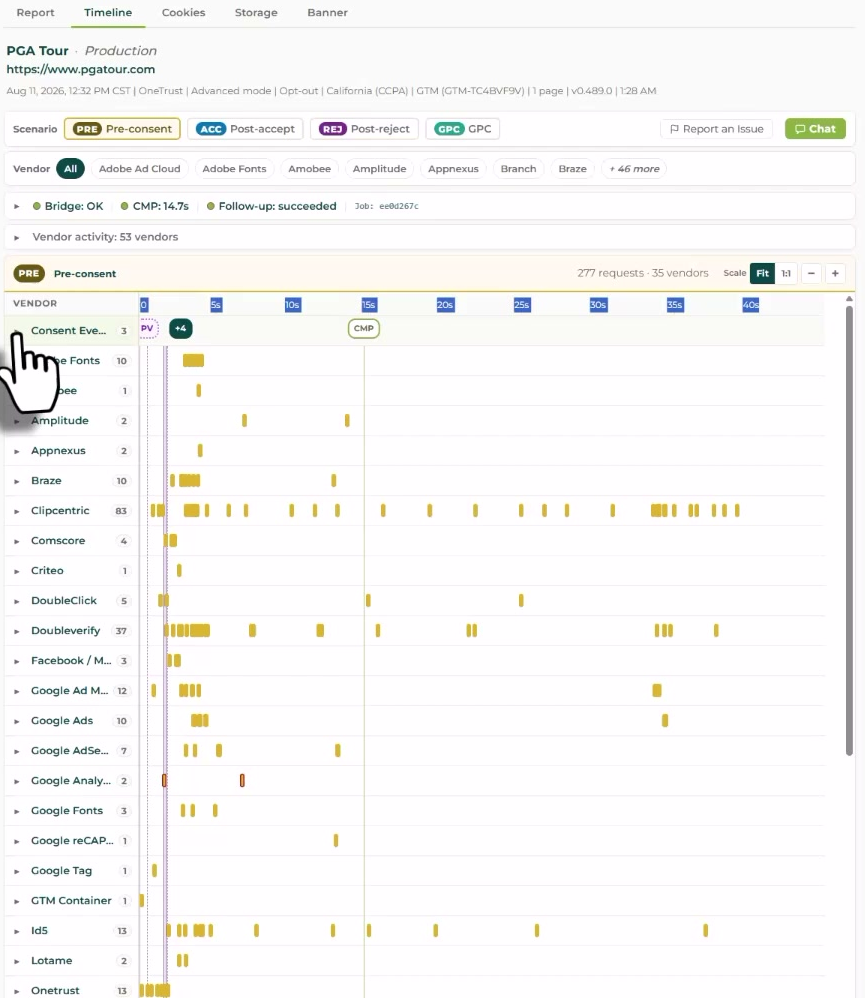
There's also a timeline view for each scenario that shows every consent event in order.
This is how you answer the question clients always ask: “How did this happen if we bought the platform?”
The timeline answers it. You can show them the banner fired, the visitor clicked reject, and then three seconds later a vendor fired anyway.
Branding and Sharing
You can brand the report with your agency logo and share a live link with the client for seven days. So they're not reading a PDF you exported, they're inside the same tool you used, with your name on it.
That matters for the conversation. It positions the audit as something you built for them, not something you ran quickly on a free trial.
What Cookie Banner Audits Miss (And When to Expand Scope)
I want to be honest about something before you go sell this to clients.
The one limitation here is one you will absolutely get asked about.
This audit watches what leaves the browser. It does not see server-side tagging.
If a site sends its tracking from its own server instead of from the visitor's browser, this tool won't catch it.
And yes, I know the irony. Server-side tagging is exactly the workaround people already use to sidestep browser-level blocking. Which means the sites most likely to have something to hide are the ones this tool is least likely to expose.
That conversation is its own separate engagement. It's worth knowing exists. But it's not what you're selling today.
What you're selling today is the browser-layer audit. It catches violations on sites that haven't gone server-side yet. And that covers a real portion of your existing client base.
What to Do This Week
So who is this actually for?
If you already touch a client's tracking tags… if you've ever been inside their Google Tag Manager… if you set up their GA4… if you manage their ad pixels…
You're the obvious person to own this.
You're already the one who put the tags there.
The agency thinks legal has the consent configuration. Legal thinks the agency has it. The platform vendor thinks the customer configured it correctly.
Nobody owns it.
You can own it.
Your One Action Item
Here's the one thing I want you to do this week:
- Take a client you already have
- Run the free audit on their site at CMPAudit.com
- Pick the scenario that matches where most of their visitors come from
- Look at what comes back
If it comes back clean, you have a conversation that builds trust and costs you nothing.
If it comes back with violations, you have a project.
Either outcome is useful. And one of them pays.
Get the GTM Setup Checklist
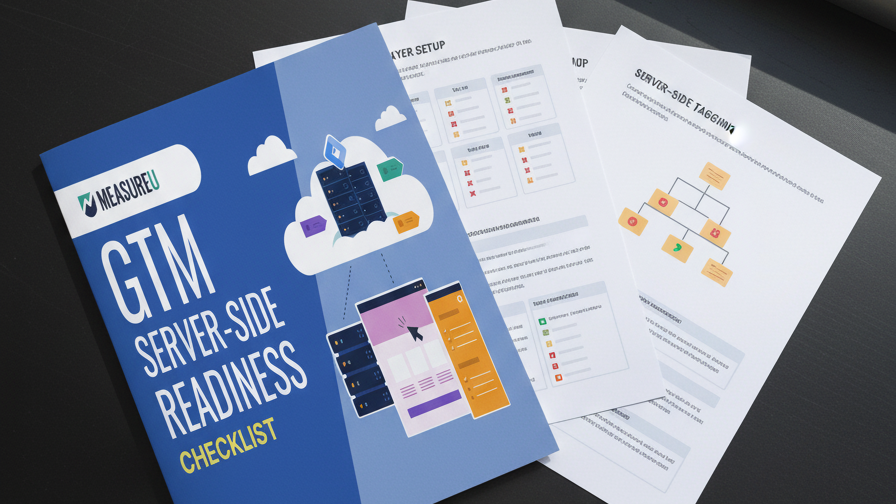
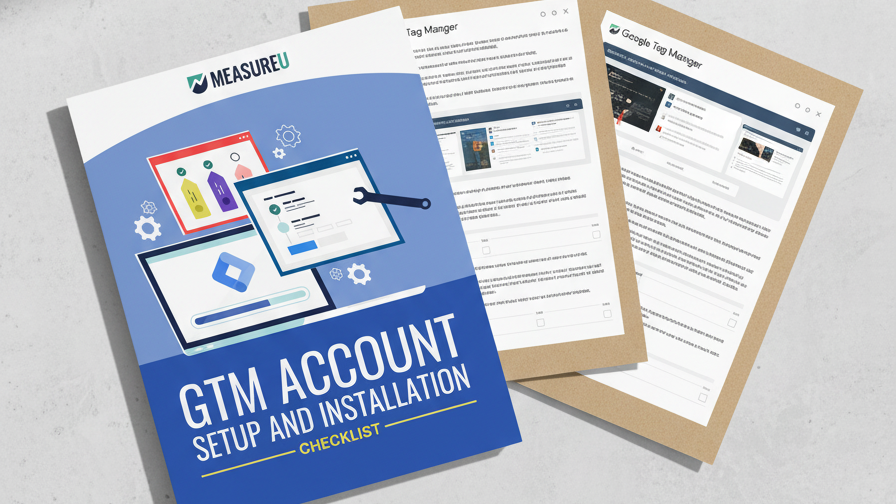
Once you have the audit results, the next question is what to actually change. That's what the GTM Setup Checklist covers: the container setup you'll be fixing, step by step with screenshots.
I'll leave you with something Fred said that I haven't been able to get out of my head since he showed me this:
Find the consent leak before a demand letter finds you.
If you want to know about these demand letters, read what CIPA means for agencies to see what's happening right now.
Run the audit over at CMPAudit.com, then grab the GTM Setup Checklist so you know what to do with what you find.