This post is sponsored by Cookiebot. The scan, the numbers and the opinions below are my own.
Free scan. Any website. Two minutes. Insights into exactly who and what that site is tracking.
The tool is called a cookie checker, and before you close out thinking this is another boring post about cookies, hear me out. This isn't really about cookies at all.
It's about checking whether your site (or your client's site) is actually complying with GDPR compliance requirements. And the answer probably isn't what you expect.
You see, most marketers have never actually looked at what their own website tracking setup is doing at this level. The reason isn't laziness. It's that we expect to be overwhelmed or embarrassed by what we find.
Every site has trackers. The scan is going to surface them. But are you prepared to act on what you find? Or are you likely to say “oh, that's just a Europe problem”?
That's where this walkthrough comes in. By the end, you'll see exactly how easy it is to check whether you have a consent problem, and what to do about it.
Watch the Full Walkthrough
The walkthrough runs the scan live on a real site, reads the results out loud, and shows what the report says when checks come back failed.
Below is the written version, so you can run the same scan on your own site while you read.
What You'll Learn in This Post
- A cookie checker doesn't count cookies, it checks whether consent was collected before trackers fired
- The scan detects more than classic cookies: HTML5 local storage, pixel tags, IndexedDB, and tracking beacons
- Most sites fail at least one of the three compliance checks (mine failed two out of three)
- The fix is a properly configured consent management platform, and there's a free tier to get started
Table of Contents
- What a Cookie Checker Actually Does (It's Not What You Think)
- How Website Tracking Works and When It Becomes a Problem
- Step-by-Step: Running Your Own Scan
- Understanding the 4 Tracker Categories
- The Three Compliance Checks Explained
- What Your Results Actually Mean for GDPR Compliance
- How to Fix What the Scan Finds
- What to Do Right Now
What a Cookie Checker Actually Does (It's Not What You Think)
Let me back up for a second, because the name “cookie checker” is doing this tool a disservice.
When most people hear “cookie checker,” they picture something that counts cookies on a page. That's not what this does.
What it actually checks is consent: did your visitor agree to be tracked before anything fired?
A tracker is any piece of code on your site that collects or sends data about a visitor. That could be:
- An analytics tag
- An ad pixel
- A Facebook snippet
- Anything “phoning home” on your website
Consent is the act of the visitor saying “yes” to tracking before that happens.
So the real question this tool answers isn't “how many trackers do you have.” It's “did those trackers fire before you asked, or after.”
That distinction is the whole thing.
I've been helping companies with their tracking setups for over twenty years. Built and exited an agency, and for the last ten-plus years I've been teaching this stuff full time. And the truth is that not enough marketers are checking what their own site is doing at this level.
How Website Tracking Works (And When It Becomes a Data Privacy Problem)
Here's the thing about website tracking that most people miss.
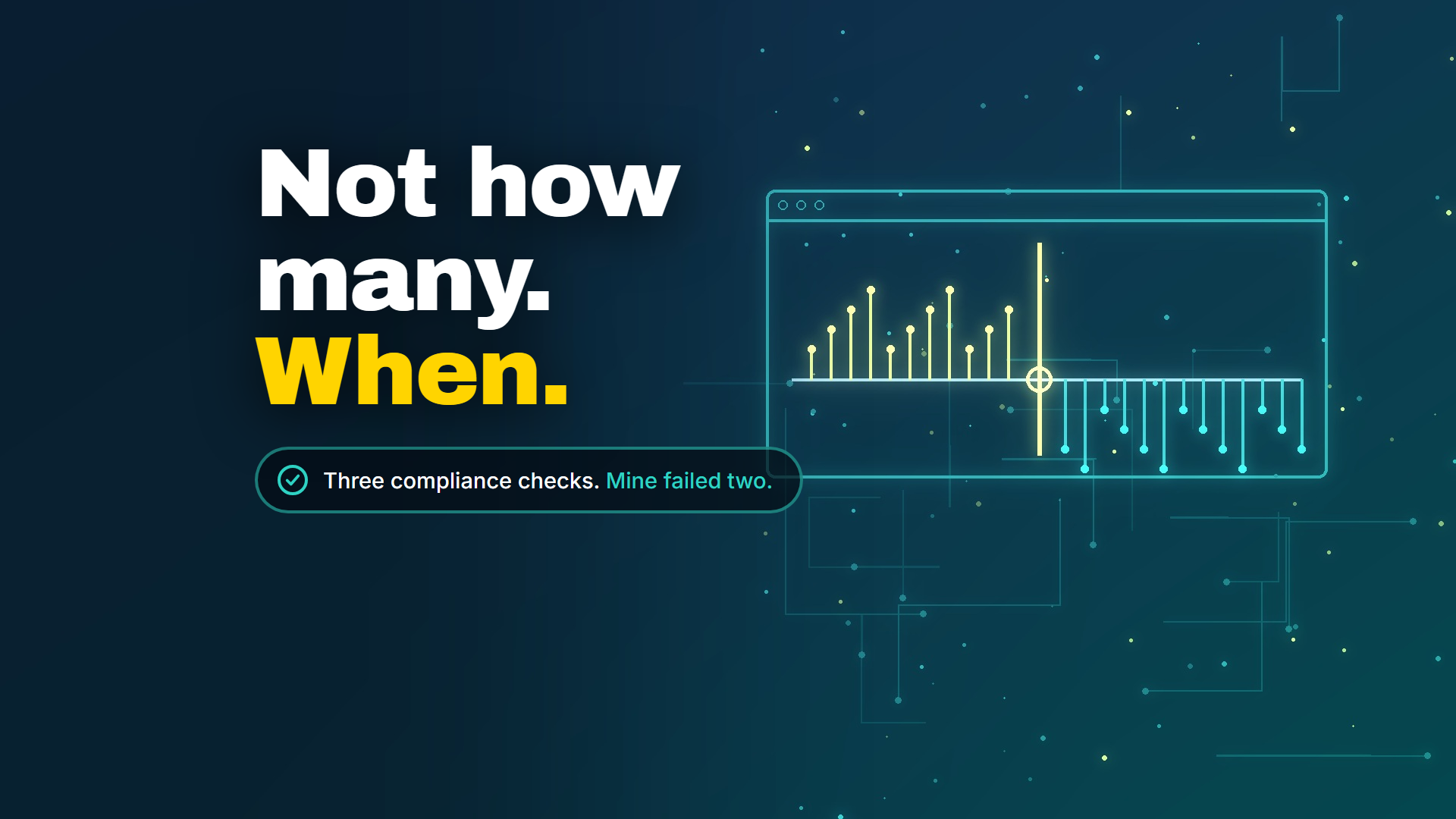
The issue was never how many trackers you have. The issue is whether those trackers ran before you asked your visitor, or after.
Think about it this way:
Tracking-first (the problem): Someone lands on your site. Trackers fire immediately. Then you show a consent banner. By then, the data is already collected.
Consent-first (the solution): Someone lands on your site. You show a consent prompt. They say yes. Then, and only then, do trackers fire.
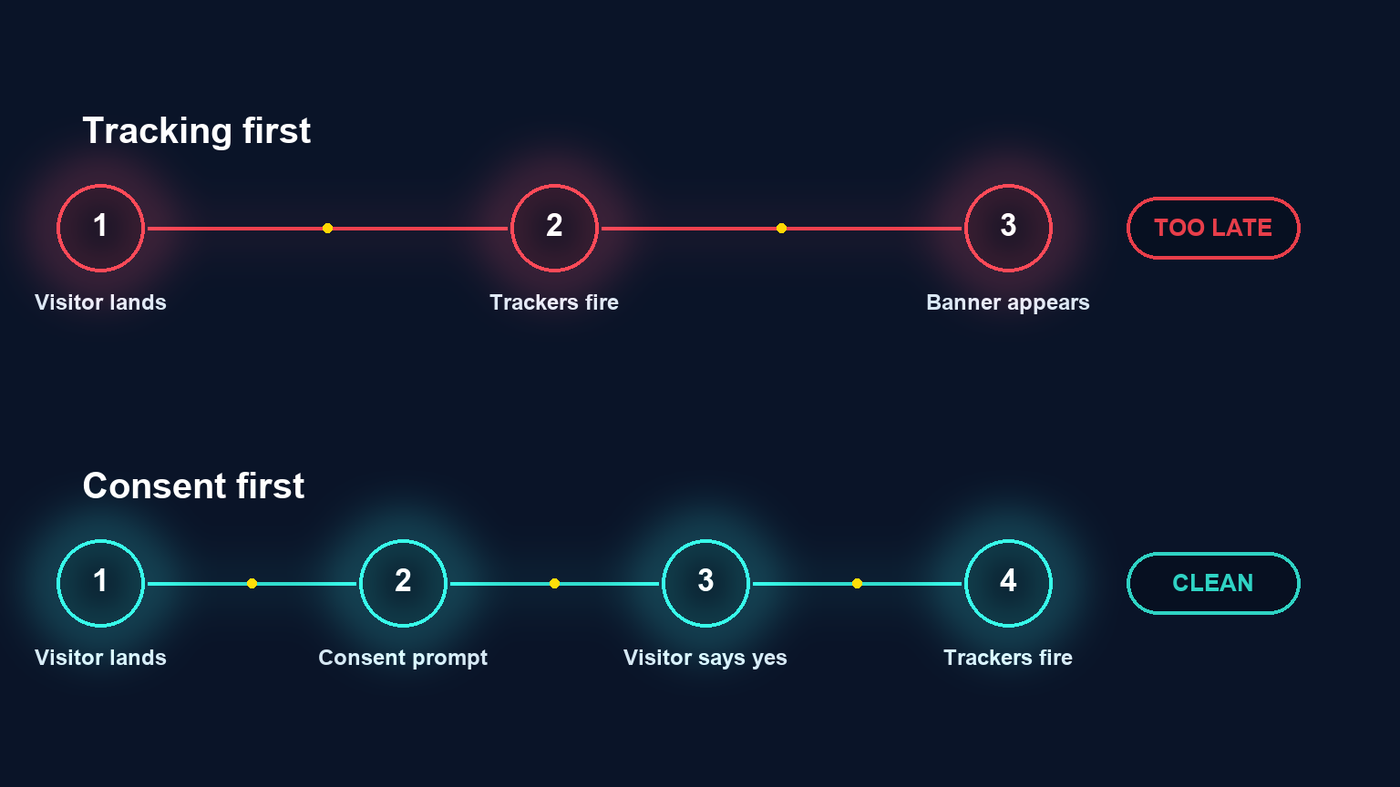
That ordering is the whole data privacy challenge. And most sites are unknowingly doing it backwards.
The scanner I'm about to show you makes this visible in under two minutes.
Step-by-Step: Running Your Own Cookie Checker Scan
Here's exactly how to run your own scan, for your site, a client's site, or every company your friends work for at a cocktail party.
- Go to the Cookiebot website and find the scanner.
- Type in any URL. Your site, a client's site, a competitor's. Doesn't matter.
- Hit scan. It comes back in under two minutes.
No account needed to get started.
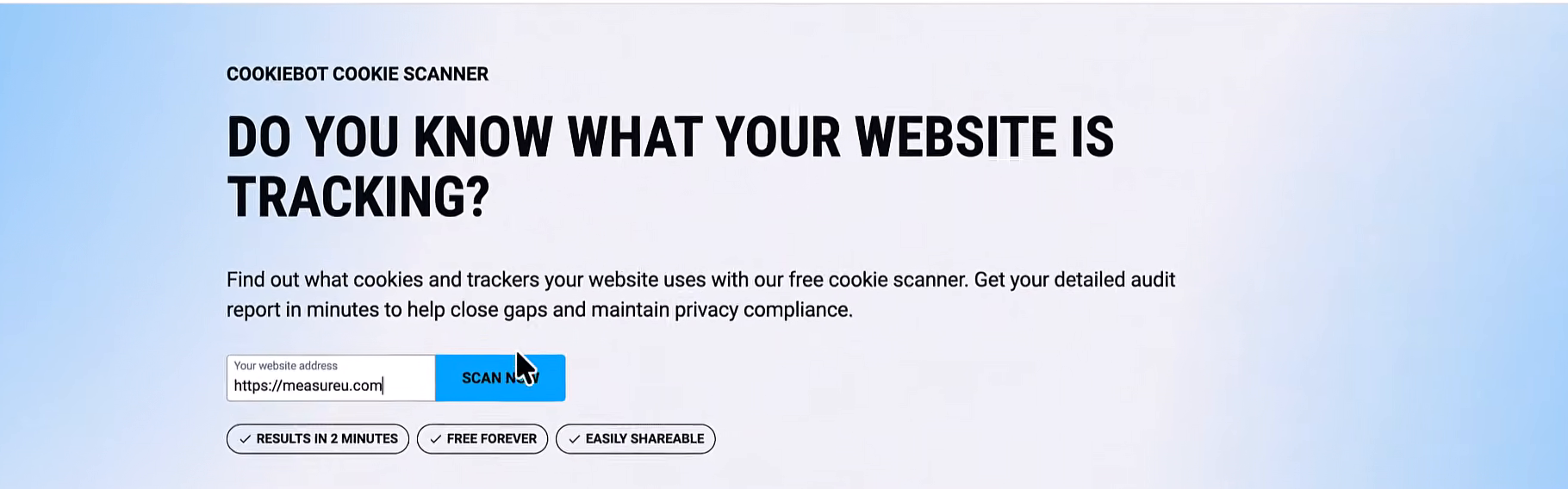
It does ask for an email address before showing you the full report. That's worth doing because the scan finds real information, and your email is how they surface it. This is a privacy company, so your address is in good hands.
Put in your email and keep going.
Understanding Your Results: The 4 Website Tracking Categories
When the results load, you're going to see four categories of trackers.
| Category | What it covers | My scan |
|---|---|---|
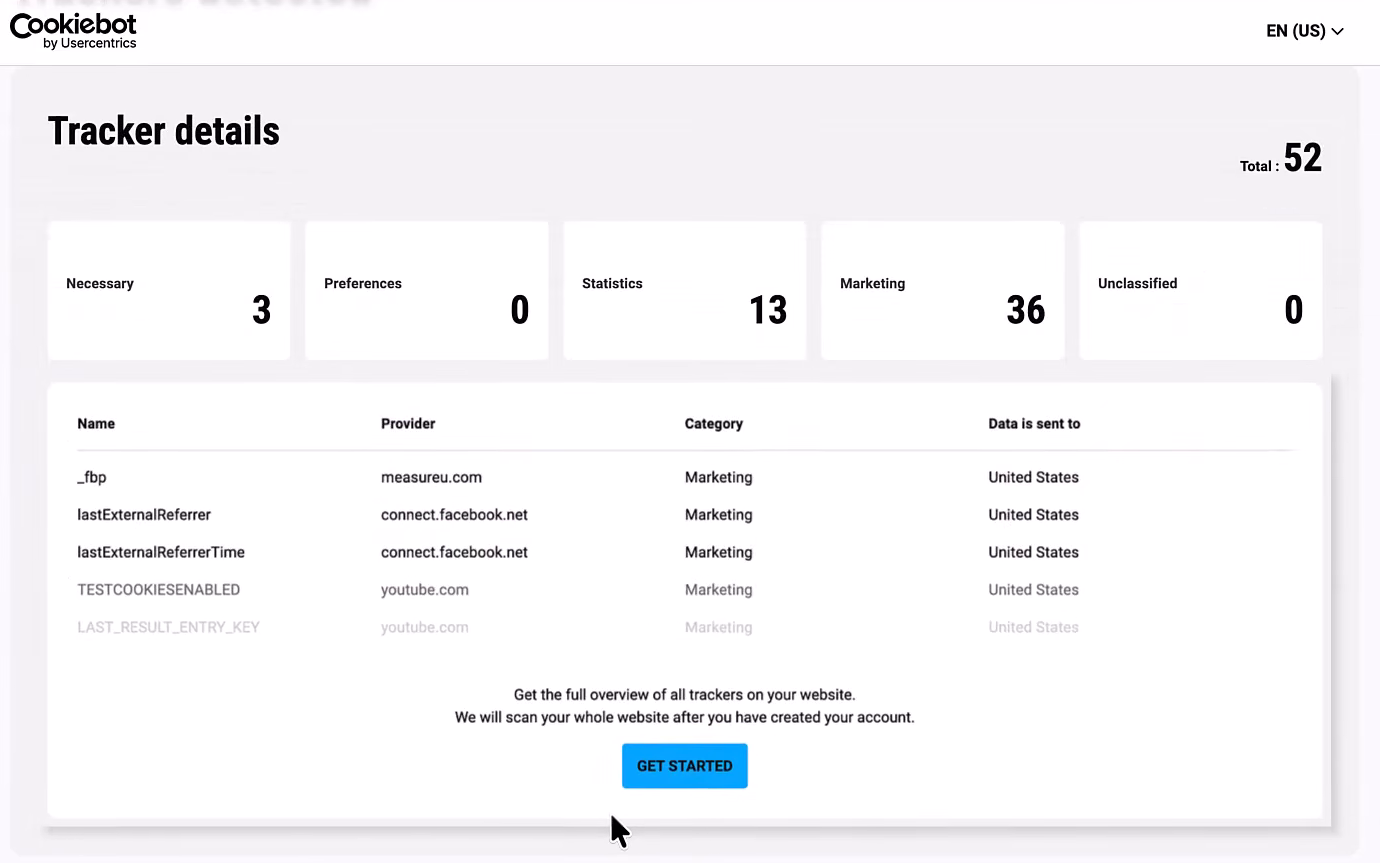
| Necessary | Trackers the site literally cannot function without. Remove them and things break: login stops working, your cart empties, the site falls apart. | 3 |
| Preferences | Trackers that remember choices you've already made, like which language you selected or whether you dismissed a banner. | 0 |
| Statistics | Your analytics layer. Google Analytics lives here, along with anything tracking behavior and movement around your site. | 13 |
| Marketing | The heavy ones. Advertising trackers, cross-site tracking, anything connecting your visitor to an ad network. | 36 |
| Unclassified | Anything the scanner could not place in one of the four categories above. | 0 |
| Total | 52 |
Thirty-six marketing trackers is a lot to look at on your own site. And yeah, I'm putting my own results out there.
Why Your Numbers Are Higher Than Expected
One thing that surprises people is how high these counts run.
The tool isn't just counting classic cookies (the small text files browsers have stored for decades). It's also detecting:
- HTML5 local storage
- Pixel tags
- IndexedDB
- Tracking beacons
All of those fire on your site. Most people have never looked at that layer before.
So the number being higher than you expected? That's normal. It's just a more complete picture than you've seen before.
On my scan, you can see specific tracker names. There's _fbp, a Facebook pixel identifier. And two trackers from connect.facebook.net, both sending data to the United States.
That's the kind of detail the report surfaces. Actual names and destinations of your trackers.
The Three GDPR Compliance Checks Explained
Alongside the category breakdown, the scanner runs three checks.
| Check | What it asks |
|---|---|
| 1 | Did anything fire before the visitor was asked for consent? |
| 2 | Was personal data processed before that consent was collected? |
| 3 | Is personal data being sent only to countries with adequate data privacy protections in place? |
On the review site I ran, two of the three checks came back failed.
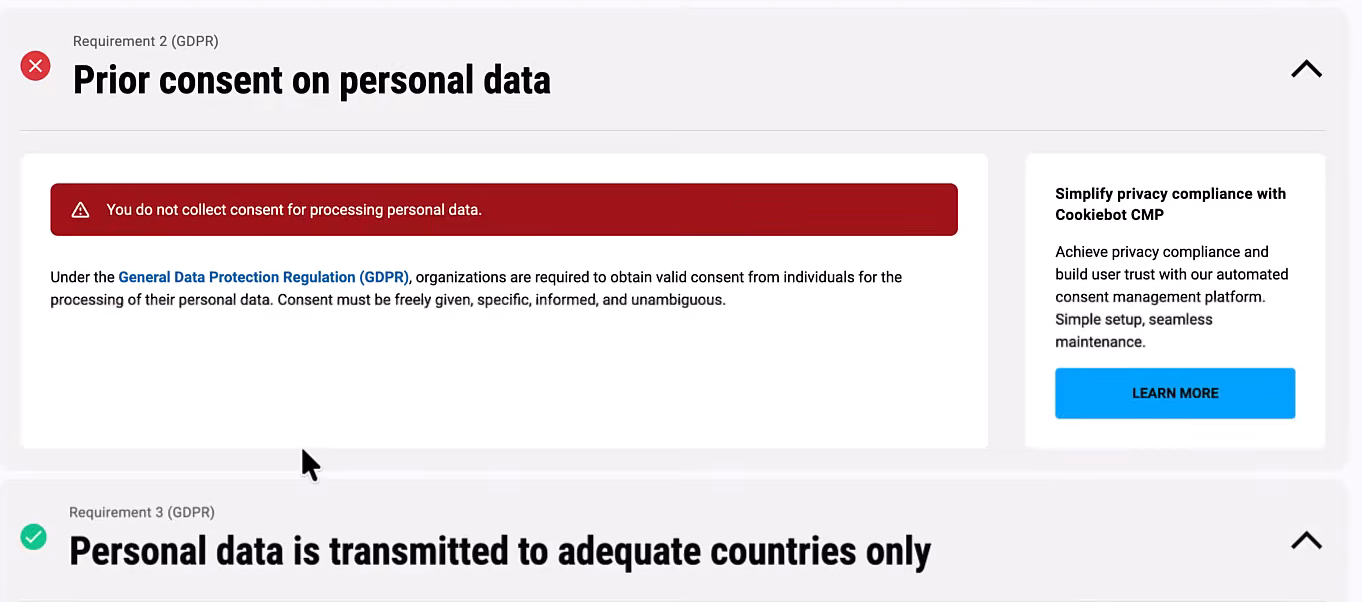
Quick clarification because it matters in the US: this scan grades you against GDPR and ePrivacy rules, not CIPA specifically. But it's the same underlying principle those CIPA demand letters are built on, whether trackers fired before anyone opted in.
Free vs. Full Report Access
The category counts (Necessary, Preferences, Statistics, Marketing) are visible right away.
The complete list of every individual tracker requires creating a free account to access. Just that one more step if you want the full detail.
What Your Results Actually Mean for GDPR Compliance
So let's talk about what the report is actually telling you.
The core question it answers is simpler than it looks: Did anything fire on your site before the visitor was asked?
That's it.
If trackers run before anyone sees a consent prompt, that's “tracking first.” As opposed to “consent first,” where you get permission, then the trackers start.
That ordering is the whole challenge that marketers have trouble identifying, and the scan makes it clearly visible.
The Dirty Data Problem
Here's a practical side worth mentioning.
When trackers fire before consent, those sessions end up in your analytics. So your reports include people who never actually agreed to be tracked.
You're mixing consented and unconsented data in the same dashboard, and you can't separate them after the fact.
That's worth knowing.
What “High Risk” Actually Means
The report on the site I ran came back with a “high risk” verdict, and I want to be straightforward about that.
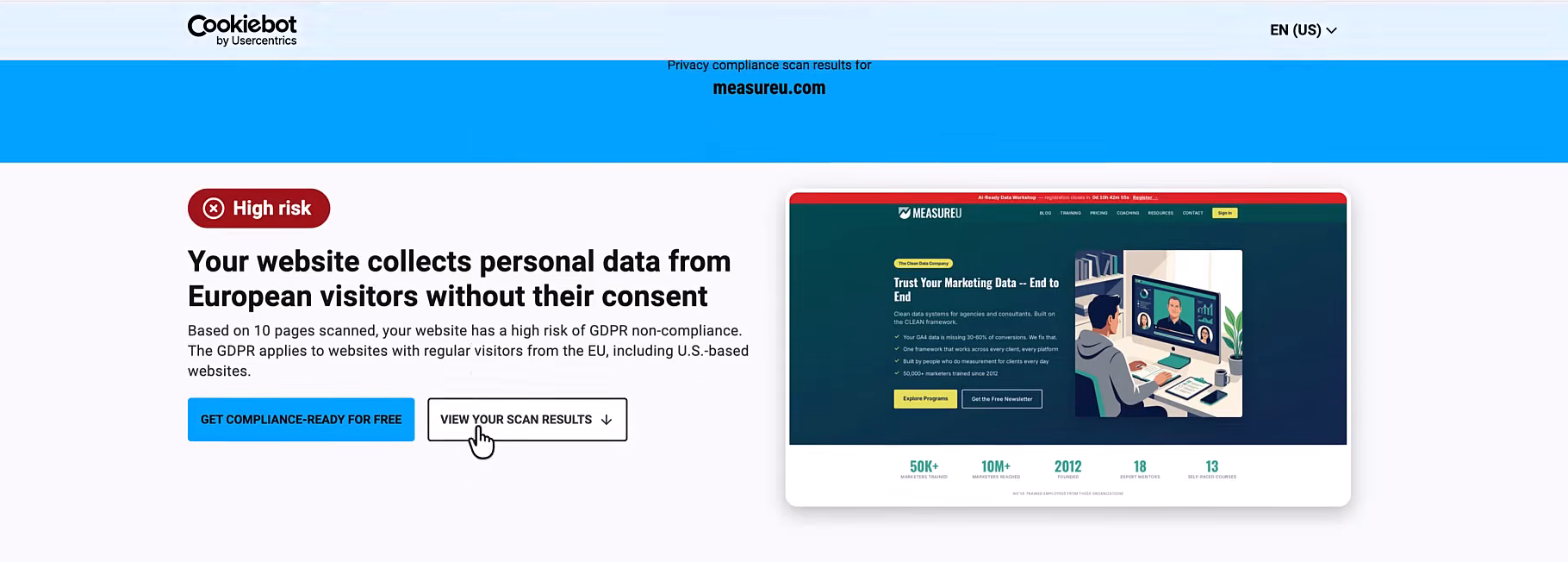
Part of that is just how the site is currently set up. It's a configuration thing, not a judgment call on the site itself.
And honestly, that's the more important reframe here. Finding things in this scan is the normal outcome.
Over twenty years doing this work, looking at setup after setup… what scanning tools like this find is always revealing. You can find something wrong with just about any site.
Does that mean the site is broken? Not necessarily. But it does show a clear opportunity for improvement.
Most marketers have never checked their own site, so most people find something new after running a scan.
That's exactly why running the free cookie checker scan is useful. You can't fix what you can't see, and now you can see it.
How to Fix What the Cookie Checker Finds
Once you've run the scan and seen the numbers, you should know where the improvements lie.
The fix is to either:
- Fix the configuration of your existing consent management platform (CMP)
- Implement a CMP if you haven't yet, and find a tool that meets your needs
Cookiebot, who sponsored this video, is the tool I recommend for marketers who want to get compliant quickly. They have a free tier, and it's affordable overall no matter how large the site.
What a Good CMP Actually Does
A good CMP doesn't just show a banner.
It actually blocks non-essential trackers from firing until the visitor makes a choice. So instead of tracking-first and asking-second, you flip the order.
Cookiebot's CMP is built directly into this scanner. Here's how it works:
- When someone hits your site, it holds the marketing and statistics trackers in place
- The moment the visitor consents, those trackers release and everything runs normally
- It stores a record of that consent, so you have documentation if you ever need it
- It passes the consent signal downstream to Google and Microsoft automatically
That last part matters. Your ad platforms and analytics tools receive the signal too.
Pricing That Makes Sense
The free plan covers one domain and up to fifty subpages. For a lot of smaller sites, that's enough to get started without spending anything.
Paid plans start at about eight dollars a month. Plans scale based on the number of subpages, so it's worth checking which tier fits your site before you grow into the next one.
You Can Scan Any Site
One more thing worth noting: the scanner works on any site.
You don't have to run it on yours first. Run it on a client's site, a competitor's site, a friend's site. The scan is the same either way, and the results are just as readable.
What to Do Right Now
- Run the free scan on your own site
- Check which of the three compliance checks you're passing or failing
- Look at your marketing tracker count, that's usually where the surprises are
- If you're failing checks, evaluate whether your current CMP is configured correctly or if you need one
Beyond the Scan: Clean Data Matters
The scanner tells you what's firing and whether consent is in place. What it doesn't do is tell you whether the data flowing into your reports is clean.
That's the layer on top of this, and that's what MeasureU is built for.
When consent is set up correctly, the sessions reaching your analytics are consented sessions. MeasureU Pro helps you make sure that data is actually usable: structured, clean, and reliable.
Two minutes, any site, worth knowing what's there.