A GTM audit used to be a two-thousand-dollar consulting engagement.
The findings it came back with were never worth two thousand dollars. The expert doing the looking was.
AI just made the looking cost next to nothing.
I used to sell that two-thousand-dollar engagement, because the looking genuinely took that long to deliver effectively. If you didn't know about me, I built and exited an eight-figure agency doing exactly this work. Now I run MeasureU, where we help marketing and measurement consultants do their work faster and at higher margins by leveraging AI.
That's where the MeasureU Pro GTM Audit Skill comes in. With Claude Desktop connected to the Google Tag Manager MCP server, you can run a structured audit against a thirty-three-checkpoint framework. Two to five minutes later you have a full report with prioritized findings.
That report is what used to come back from the two-thousand-dollar engagement.
Watch the Full Breakdown
In the walkthrough I run the skill against our own Google Tag Manager container, open the report it produces, and go field by field through the finding that came back critical.
The rest of this post is the written version: what the audit catches, what the report actually contains, and why a ranked brief is worth more to a client than a checklist of red cells.
What You'll Learn in This Post
- A complete Google Tag Manager audit now takes 2-5 minutes instead of weeks
- The 33-checkpoint framework catches conversion tracking failures that even daily users miss
- Structured priority findings tell you what to fix first, not just what's broken
- Running audits over time creates before and after proof of your consulting value
Table of Contents
- Why Conversion Tracking Fails Silently
- The Critical Finding in Our Own Container
- What a GTM Audit Report Actually Contains
- How This Scales Across Container Sizes
- Tracking Changes Over Time
- Why Structured Findings Beat Flat Checklists
- Frequently Asked Questions
- Getting Access to the GTM Audit Skill
- What to Do Next
Why Conversion Tracking Fails Silently
If you work in marketing, you probably know that most tagging problems are not exotic. They're mundane. Sitting in plain sight. And that's exactly what makes them easy to miss.
A missing tag does not announce itself.
A misconfigured trigger does not throw an error you'll notice on a Tuesday afternoon.
The container looks fine. The dashboards look fine. And the problem just sits there.
Here's the thing. Obvious is exactly what gets overlooked. When everything appears to be working, nobody goes looking. And conversion tracking issues in particular are brutal because the data gap doesn't scream at you. It just… doesn't exist.
The Critical Finding in Our Own Container
We ran an audit on the MeasureU Google Tag Manager container. The one my team is inside every single day.
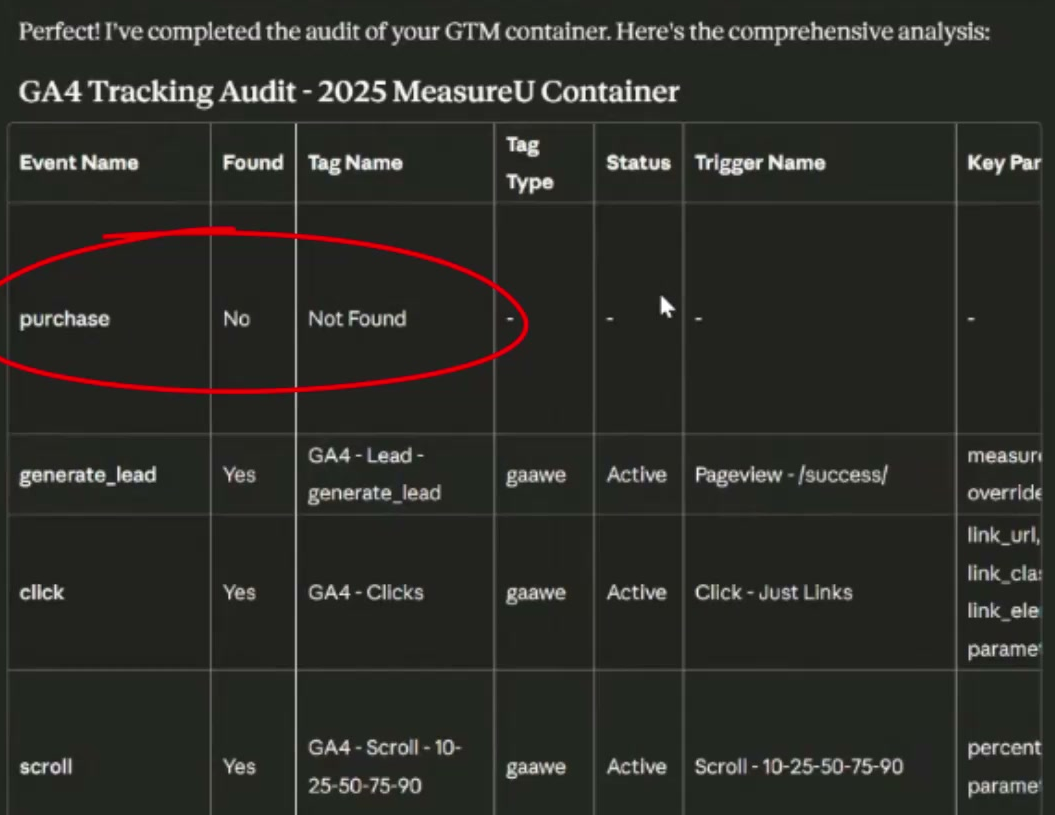
The report came back with a critical finding: a missing purchase tag.
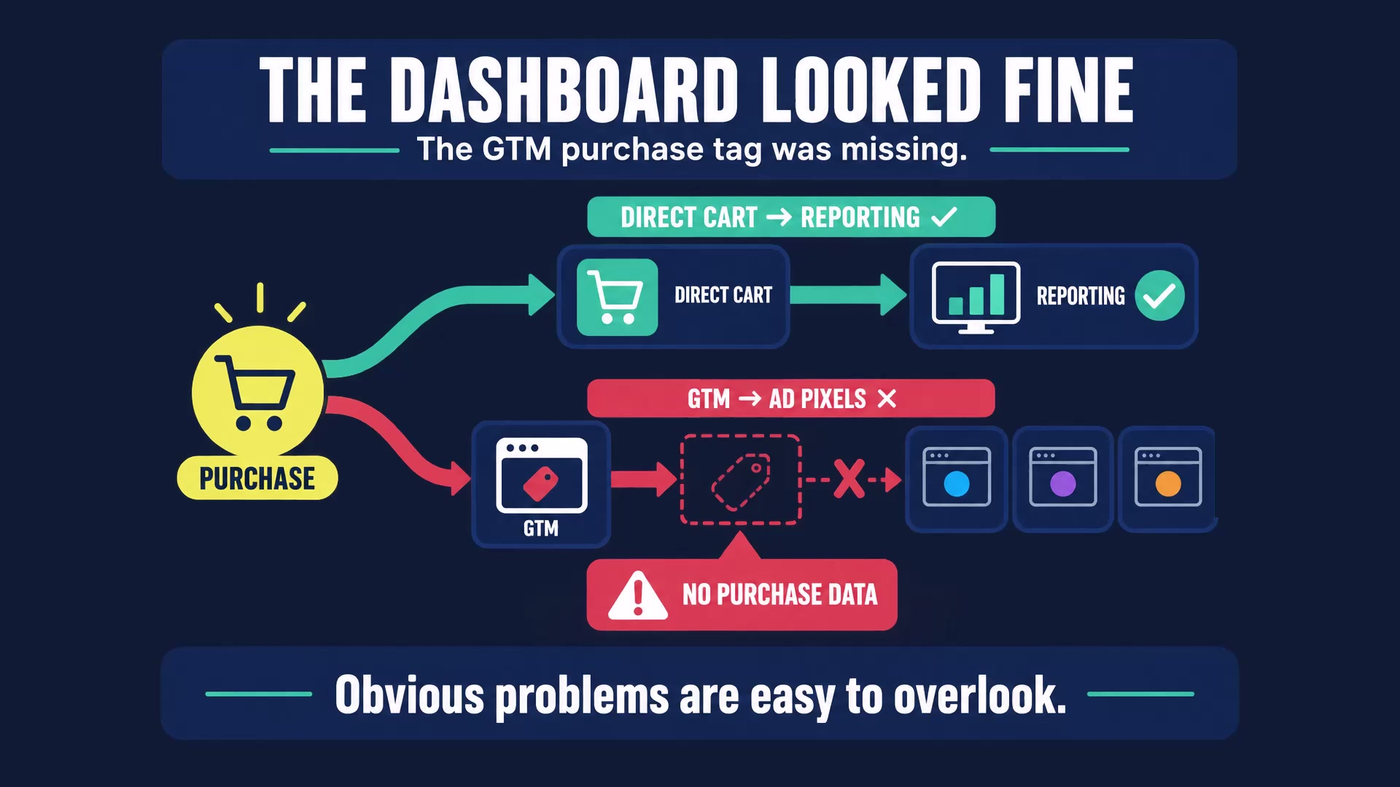
Pretty obvious oversight. Way more so than misconfigured triggers or a variable pulling the wrong value. A purchase tag that was simply not there.
Now, MeasureU's purchase data itself was not at risk because purchases run through a direct cart connection that sits completely outside GTM. But that's exactly why the finding is easy to miss. The core reporting looked fine, so there was no signal that anything was wrong.
What the audit caught is that there was no GTM-based purchase tag. Which means any ad platform pixel routing through GTM rather than the direct cart connection would have been receiving no purchase data. Silently. With no alert.
If a team that does this every day can miss things like this?
That's the point.
What a GTM Audit Report Actually Contains
So what does that old two-thousand-dollar deliverable actually look like, now that it comes back in two to five minutes?
The output is a full markdown report you can hand to a client or drop straight into a deliverable.
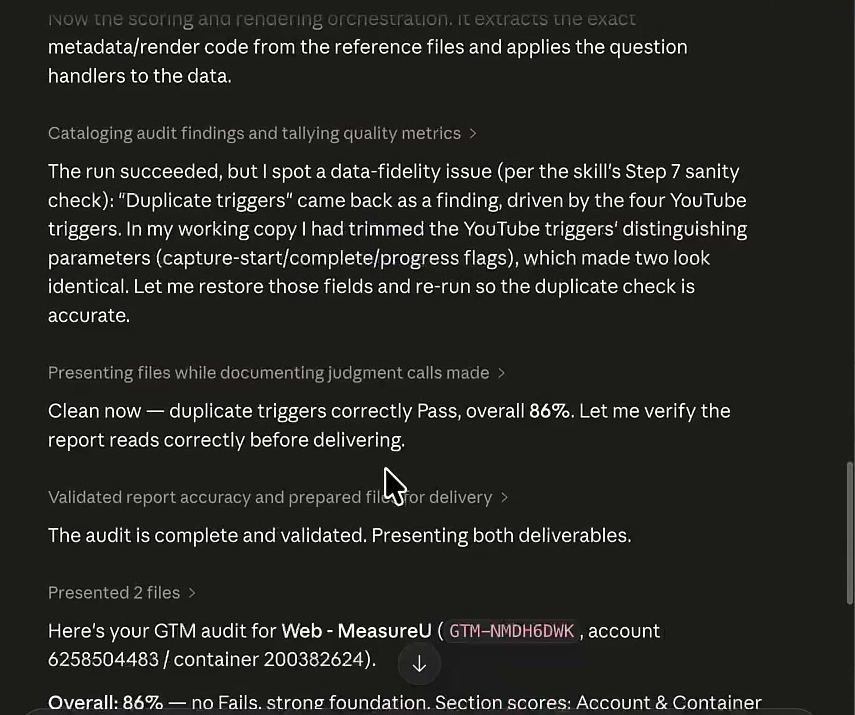
Executive Summary
The report opens with a plain-language overview of what the audit found, what the overall health of the container looks like, and where the biggest risks are. No jargon. No spreadsheet of red cells with zero context.
Container Health Breakdown
Below that is a container health breakdown, so you understand the shape of the problem before you read any individual findings.
The 33-Checkpoint List
Then comes the full checkpoint list: thirty-three checks, each one marked pass or fail.
That's useful, but it's not the part that matters most.
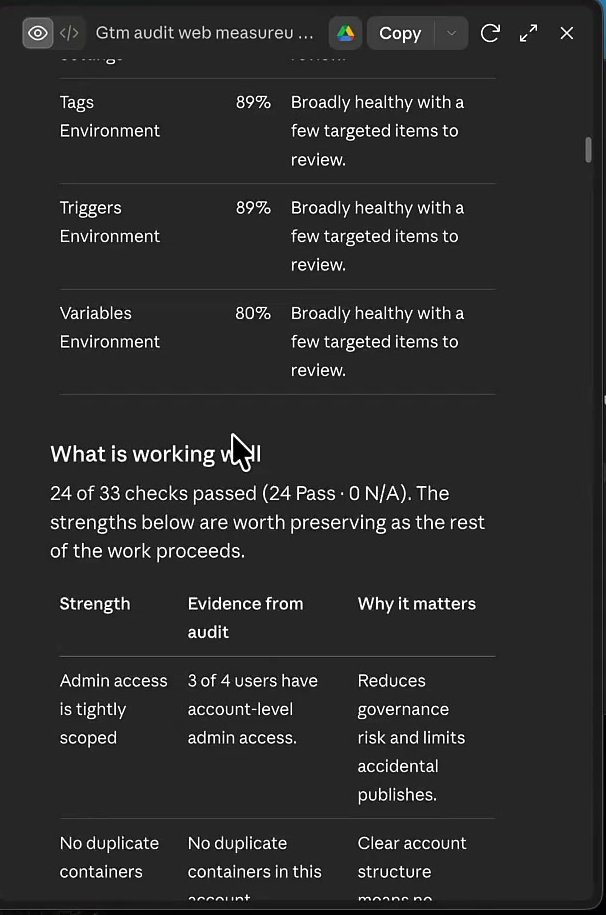
Priority Findings (Where the Real Value Lives)
What matters is the priority findings section. That's where the report tells you what to fix right away.
Let me walk through what each finding actually looks like, using the missing purchase tag as the example:
Priority: This one came back critical. Which means it sits at the top of the report and is the first thing anyone sees when they open it.
Theme: Conversion tracking. So the category of risk is clear before you've read a word of the detail.
Evidence: Pulled directly from the container scan. No purchase tag entry existed in the container at all. The finding is a direct read from the data, not an inference.
Why It Matters: Written in plain language. Specifically that any platform pixel routing through GTM rather than a direct integration was receiving no purchase data, silently, with nothing in the interface to flag it.
Recommendation: Add the purchase tag in GTM, or confirm that a non-GTM fallback is intentionally covering that signal for every downstream platform.
Implementation Notes: Specific guidance on where to make the fix. Not a general direction. Actual steps, so whoever touches the container next knows exactly what to do.
And here's what I really appreciate about this format: the same audit that flagged the missing purchase tag as critical also marked several other tags as well implemented. Including the time-based settings.
So you're not handing a client a wall of red. They can see where their setup is solid and where it needs work. That's a very different conversation to walk into.
How This Scales Across Container Sizes
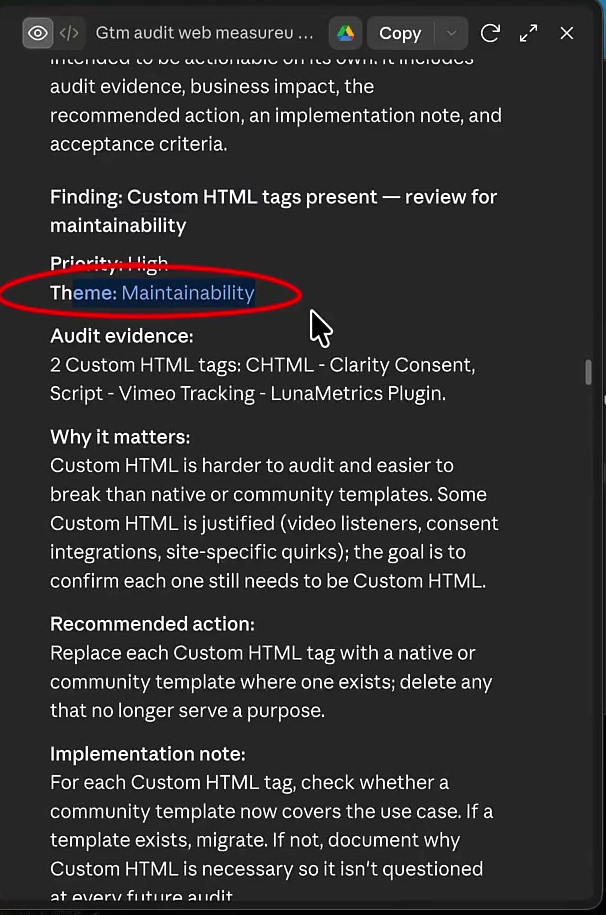
One thing worth knowing is how consistent this holds across Google Tag Manager accounts with very different containers.
On the small end, we've run it on a container with fourteen tags and gotten a complete, structured audit file. Same format. Same thirty-three-checkpoint framework. Same priority findings section.
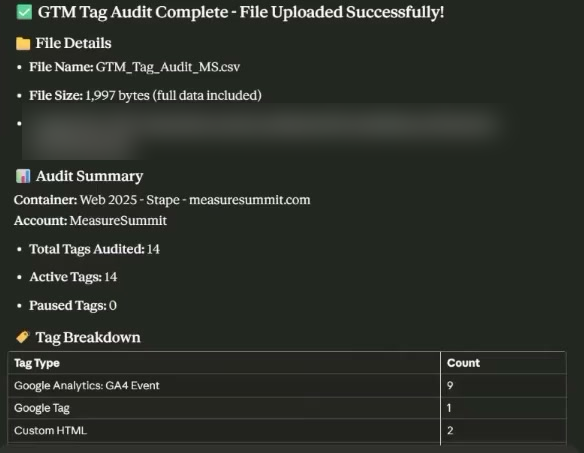
On the large end, we've audited a real client container with one hundred seventy-three tags and gotten the same output.
An earlier version of the skill used to stall on containers in the forty-to-fifty tag range before we fixed it. So the reliability at scale was something we had to build toward deliberately. Worth knowing it's there now.
Tracking Changes Over Time
But the more interesting thing is not how well this scales. It's what happens when you run the audit more than once on the same container.
You can pull an audit at the start of a client engagement and another one a year later. And compare them directly.
That turns the report from a one-time snapshot into evidence of what changed over the course of a relationship.
Most measurement consultants I know are constantly looking for ways to make the value of their work visible to clients. This is a direct answer to that problem.
The first audit is the baseline. Every audit after that is a before-and-after you didn't have to build manually.
You show up to a quarterly review with two reports side by side. The conversation shifts from “what have you been doing for us” to “here's exactly what changed and here's what we fixed.”
That's a much stronger case for continuing the engagement.
Why Structured Findings Beat Flat Checklists
Most GTM audits get this wrong. And I say this having done a lot of them manually.
A checklist that flags a problem without telling you the priority, the reasoning, or what to do next is not very useful. I've seen audit outputs that are essentially a spreadsheet of red cells with no context. The client looks at it and asks which one they fix first, so you have to go back in and do the thinking anyway.
The whole point of a structured audit is that the prioritization is already done when the report lands.
Critical findings are at the top. Low-priority housekeeping is at the bottom. You're reading a brief, not triaging a flat list.
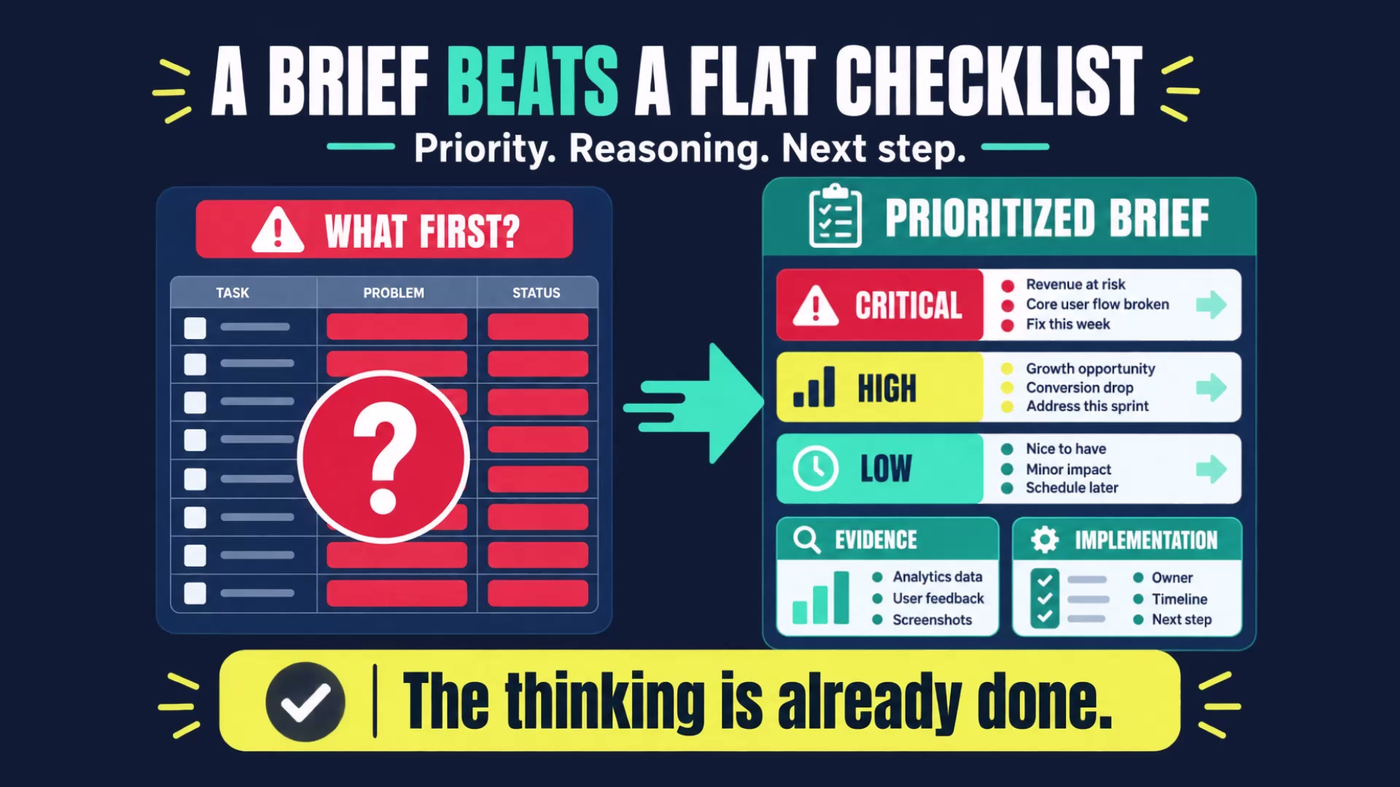
Because each finding includes the evidence and the implementation notes, the person doing the fix doesn't have to reverse-engineer what the auditor meant. Which matters a lot when you're handing this off to a developer or a client's internal team.
The other thing it changes is how you position this work.
The two-thousand-dollar engagement produced a deliverable, not just a conversation. A document a client can read, share with their team, and refer back to carries weight that a verbal walkthrough simply does not.
The difference now is that the deliverable comes back in two to five minutes instead of after a multi-week engagement. And that changes what you can offer and at what price.

It positions you as the person who brought the brief, not just the person who spotted the problem. The output does the credentialing for you.
Frequently Asked Questions
Can AI really replace expert judgment?
No, and that's not what this does. It replaces the crawl. You still interpret priority, make judgment calls, and implement fixes. The grunt work is gone. The thinking stays with you.
What if my container is too complex?
We've tested up to 173 tags with consistent results. Reliability at scale was deliberately engineered after earlier versions stalled on mid-size containers.
Is this just another checklist tool?
No. Structured findings include evidence, priority, theme, recommendation, and implementation notes. Not just red and green cells with no context.
Getting Access to the GTM Audit Skill
The GTM Audit Skill lives inside MeasureU Pro, along with implementation support for acting on what it finds.
So if the audit comes back with a critical finding, which based on what we found in our own container is more likely than you'd expect, you're not left figuring out the fix on your own.
The skill file and the support for acting on what the audit surfaces are in the same place.
Knowing what to do with a critical conversion tracking finding in a client's container is a different skill from running the audit. That's what the Pro environment is built to support.
What to Do Next
- Run an audit on your own container this week. Or pull up a client container you haven't looked at in a while.
- Ask yourself: How much would it be worth to fix the problem once and for all?
- Get the skill. Apply for MeasureU Pro to get the GTM Audit Skill file and the implementation support behind it.
The two-to-five minute runtime means there's no reason to put it off.
If you've ever assumed a client's container was fine and later found out it wasn't, you already know why this matters.