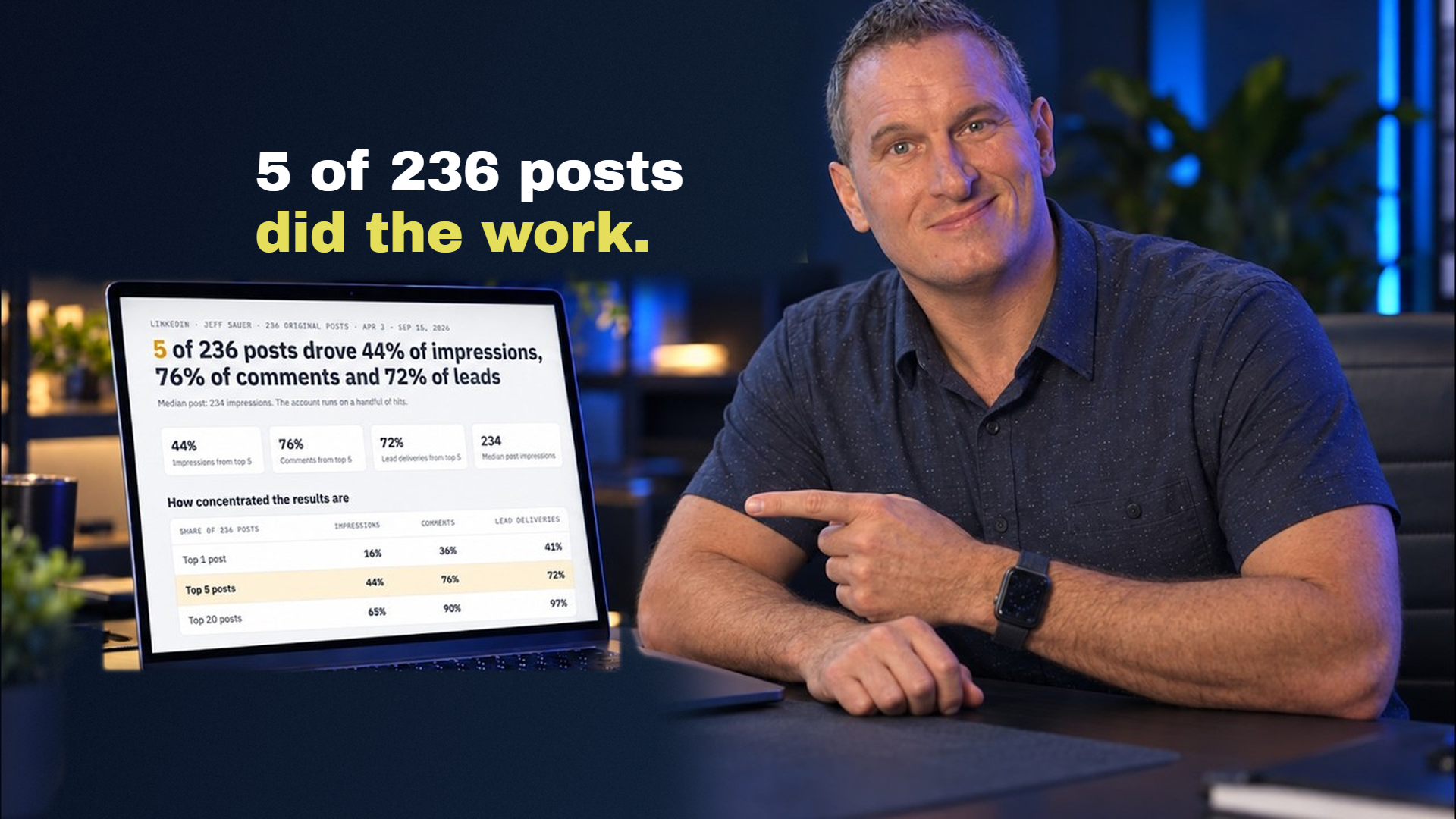
Five posts out of two hundred thirty-six produced forty-four percent of my impressions, seventy-six percent of my comments, and seventy-two percent of my leads.
If you're busy running a business, you are never going to find that by clicking around LinkedIn yourself. The interface won't let you. And honestly? That's not an accident.
That's where AI automation comes in. I'm going to show you how to have AI pull that data from your own account, so you know exactly what to double down on, in about three minutes.
Who I Am and Why I Built This
I'm Jeff Sauer. I've been in digital marketing for over twenty years. I built an agency, grew it to the Inc 5000 list five times, and we sold it a few years back. I've also spent the last decade teaching full-time, and I've done over two thousand pages of original research on where the services business is going.
I am not a LinkedIn guru. I do not have a course on personal branding.
What I am is someone who posts consistently, needs to know what's working, and does not have hours to spend clicking through analytics interfaces to find out. So I built this for myself.
Watch the Full Walkthrough
In this video, I walk through the entire process, from setup to pulling your first week of LinkedIn analytics with AI automation:
Key Takeaways:
- AI automation can read your LinkedIn activity and build ranked tables of your post performance in minutes
- The same setup handles comment sweeps so you never miss engagement opportunities
- Your own data beats generic “best practices” every single time
- You don't need API access or expensive third-party tools, just ChatGPT or Claude with browser access
Table of Contents
- The Problem with Manual LinkedIn Analytics
- What the Demo Actually Looks Like
- Why Your Own Data Beats Best Practices
- The Comment Sweep: AI Beyond Stats
- How to Set This Up: ChatGPT vs Claude
- The Honest Trade-Offs
- Why This Changes Knowledge Work
- Your Next Steps
The Problem with Manual LinkedIn Analytics
I had been pulling this data manually for months. Clicking into each post one at a time. Writing numbers in a spreadsheet. Trying to remember which week I was looking at.
Know that feeling?
The LinkedIn interface is built to keep you scrolling, not to help you analyze. You can see individual post stats if you click into them one by one, but trying to compare performance across a week or a month? Good luck. There's no ranked view. No export button. No way to see patterns at a glance.
And here's the thing: if you can't see patterns, you can't make decisions. You end up either posting blindly or spending an hour every week doing data entry that an AI can now handle in three minutes.
What the Demo Actually Looks Like
Let me just show you what this actually looks like in practice.
I open ChatGPT, not the website, the desktop app, and I type one instruction. Something like:

> Go to my LinkedIn and pull the stats on my posts from the last week.
And then I watch my browser open by itself. No clicking on my end. No navigating.
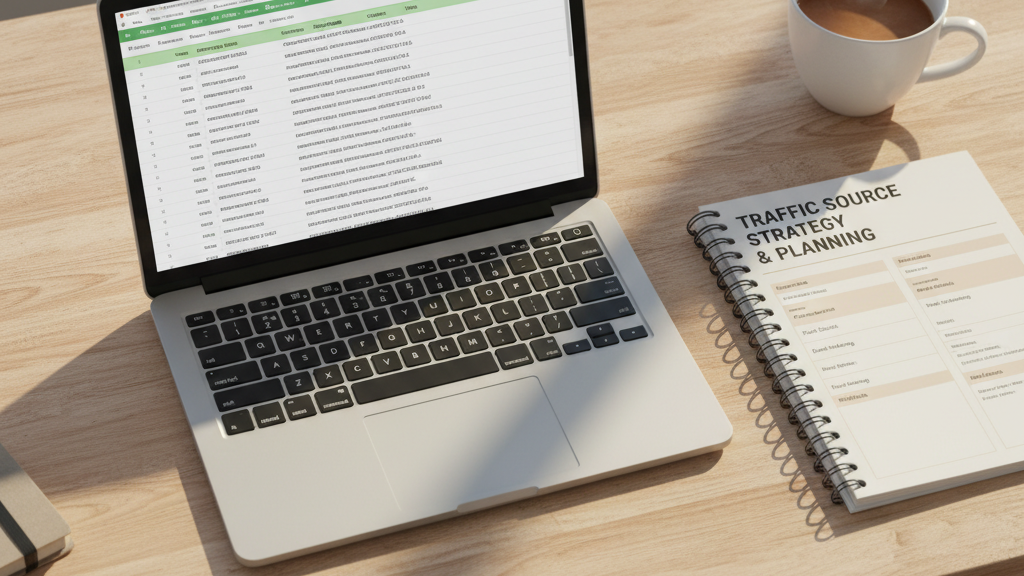
The AI goes to my LinkedIn activity page, reads through my recent posts, grabs the impression count on each one, and builds a ranked table right there in the chat.
The reason it can do this is because I'm already logged into LinkedIn in that browser. The AI is not logging in as me. It's using my existing session, acting as me, reading exactly what I would see if I were sitting there clicking through it myself.
I remember the first time I watched this happen. I was genuinely amazed at how far we've come with AI. Because what used to take me an hour now takes three minutes. And what it handed back was a table with data I had never collected before, all my posts from the week, ranked by impressions, in one place.
Why Your Own Data Beats Best Practices
When I looked at my numbers, the first thing I noticed was that my account does not perform evenly.
Hundreds of posts, but results all come down to just a few hits:
- 5 posts out of 236 drove 44% of my impressions
- Those same 5 drove 76% of my comments
- And 72% of my leads
Read that again. Two hundred thirty-six posts. Five of them did most of the work.
While it's easy to think of that as a failure, that's actually how LinkedIn works for most people posting original content. But you cannot manage for that reality if you don't know it's happening with your own results.
The Carousel Myth (And What My Data Actually Showed)
I saw someone post publicly that carousels were broken for them, not working, not worth the effort. And I get why they said it. If you look at averages across a lot of accounts, you can build a case for almost any conclusion.
But my data told a different story.

My GTM Cookbook carousel hit 6,634 impressions. And I have twelve other carousels that used the same basic mechanic and fizzled. Similar format. Same general topic category. Completely different results.
So carousels aren't broken for me. But twelve out of thirteen of mine underperformed. That's a much more useful thing to know than “carousels are dead” or “carousels are the best format.”
When I looked at what was different about the Cookbook one, it came down to the cover.
On a carousel, the cover slide is the hook. It's the only thing someone sees before they decide whether to swipe. The twelve that fizzled had covers that were fine. The one that worked had a cover that made you want to know what was inside.
That sounds obvious when you see it in your own data. Not so obvious from a random article written by someone who's never seen your account.
The Tagging Insight: 45 Impressions Per Comment
The post that got the most impressions in a given week was one where I tagged someone else in it.
And the reason that matters isn't just reach, it's what tagging does to the early signal.

When you tag someone, they're likely to react or comment early. And early reactions and comments are everything on LinkedIn. If a post doesn't get engagement in the first hour or two, the algorithm reads that as low-interest content and buries it. You basically never recover from a slow start.
But when a post gets reactions and comments early, LinkedIn reads that as a signal to push it further.
In my data, each comment on a hit post bought roughly 45 impressions.
Forty-five impressions per comment. So a post that gets ten early comments isn't just slightly better than one that gets none, it's potentially 450 impressions better. And that difference compounds as the algorithm keeps feeding it.
Tagging someone who will actually engage is one of the cleanest ways to manufacture that early signal. That's a tactic. And I found it in my own data.
The Comment Sweep: AI Beyond Stats
Pulling stats is the obvious use case. But once the AI is already inside your browser, you can point it at something else entirely.
After I looked at my weekly numbers, I typed one more instruction:

> Do a comment sweep on the GTM Cookbook post.
And the AI goes to that specific post, reads through every comment, and tells me which ones I haven't replied to yet.
This matters more than it sounds.
We just established that each comment on a hit post bought roughly 45 impressions. So a comment that goes unanswered isn't just a missed connection, it's a missed opportunity for more visibility.
Why replying matters for the algorithm:
- Replying keeps the conversation alive
- A live comment thread tells the algorithm the post still has energy
- A post with ongoing energy keeps getting pushed
The problem is that when a post does well, it gets enough comments that keeping track manually becomes a real chore. You open the post, you scroll, you try to remember which ones you already answered, you miss a few, you close it.
The comment sweep handles that. It reads the whole thread and surfaces exactly what needs a response.
And if you want to go further, you can ask it to draft replies, not to post them automatically, but to give you a starting point you can edit and send yourself. I always review everything before it goes out. That's not optional for me. But having a first draft ready for each unanswered comment cuts the time it takes to stay on top of a performing post.
How to Set This Up: ChatGPT vs Claude
There are two ways to set this up, and they use tools you've probably already heard of.
Path 1: ChatGPT
What you need:
- The ChatGPT desktop app (not the browser version, the app you download and install on your computer)
- The Codex feature inside that app (this is the part with computer use capability)
- The ChatGPT Chrome extension installed in your browser
The extension creates the bridge between the AI and your open browser session. Once both are in place, ChatGPT can see your screen, navigate pages, read content, and take actions, all inside the browser where you're already logged into LinkedIn.
Path 2: Claude
Specifically Claude Code, which is Anthropic's version of the same computer use capability. Same idea: Claude Code connects to Chrome, sees your browser, and can navigate it on your behalf.
I use both. They work slightly differently under the hood, but for pulling LinkedIn stats and doing comment sweeps, either one gets the job done.
The key thing to understand about both:
They're not logging into your LinkedIn. They're not storing your credentials. They're reading your screen the same way you would, they just happen to be doing it without your hands on the keyboard.
So if your LinkedIn session is already open in your browser, the AI pulls the data using that session. It sees what you would see if you were sitting there navigating yourself.
That's why this works without any API access, without any third-party LinkedIn integration, without any of the hoops those tools require. The data is right there on the screen. The AI reads it.
The Honest Trade-Offs
I want to be clear about what you're actually agreeing to when you set this up.
This involves giving an AI agent the ability to act inside your browser. That means it can see everything in that browser. It can navigate pages. It can click things. It can read content that's visible on screen.
In the context of a LinkedIn stats pull, that's a pretty contained action. You're watching it work, you can stop it if something looks wrong, and it's operating in a session you control.
But you should know that trade-off exists before you decide this is right for you.
If the idea of an AI navigating your browser makes you uncomfortable, that's a completely reasonable place to land. You don't have to do this. There are other ways to track your LinkedIn performance, slower, more manual, but fully under your control.
This Is Not the Same as Using a Bot
A bot operates autonomously, at scale, doing things you didn't specifically ask it to do. What this is doing is following instructions for a specific task, in a session you're watching.
LinkedIn flags suspicious behavior. Automated mass actions get accounts flagged or suspended. Pulling your own stats and sweeping one post for unanswered comments does not look like suspicious behavior because it isn't.
Cost Considerations
You don't need the most expensive tier of ChatGPT or Claude to do this. The Chrome extension works with lower-cost plans.
What changes with a higher plan is how much you can do before you hit usage limits:
- On a lower tier, you might be able to pull one week of stats and then run out of capacity for the day
- On a higher tier, you can run more in a single session
Start with what you have. See if the workflow is useful to you. Scale up if it is.
Why This Changes Knowledge Work
When most marketers hear AI, they picture one of two things: generic blog posts that sound like they were written by someone who's never done the thing they're writing about, or deepfake videos that make you distrust everything you see.
Both of those things exist. But that's like watching one baseball player strike out four times and deciding nobody in the league can hit.
What I just showed you is the side of AI that actually gets me excited.
My rough estimate: about 70% of knowledge work is navigating interfaces, moving data between places, doing things that feel like work but aren't actually the work.
AI can handle that layer. Which means you can spend your time on the part that actually requires you, deciding what the data means, figuring out what to do differently, writing the post that comes out of those decisions.
This is what that superhuman feeling looks like: using your expertise to do more instead of spending your afternoon clicking through LinkedIn post by post.
Your Next Steps
Here's what I want you to take away from this.
Having your own data is the only genuinely proprietary edge left in a world where everyone has access to the same AI tools.
The tools aren't the advantage. Everyone can use ChatGPT. Everyone can use Claude. The models are generally available to anyone who wants to pay for them.
What's not available to everyone is your data. What worked for your audience. What your specific followers responded to. Which post formats moved the needle for you versus the ones that fizzled. The patterns inside your own two hundred thirty-six posts that no best-practices article will ever surface.
You can't outsmart the smartest person in the world by reading the same articles they're reading. But you can outwork them by having information they don't have access to, information about you, collected systematically, acted on consistently.
Ready to start?
1. Download the ChatGPT desktop app (or set up Claude Code)
2. Install the Chrome extension
3. Pull your last month or two of posts
4. Find your five best ones
5. Look at what they have in common
Figure out what your best content is, the one format or angle that works for your audience specifically, and double down on it.
This has never been easier to do. A year ago, pulling a week of LinkedIn stats into a ranked table required either a paid tool with API access, a virtual assistant doing it manually, or you spending an hour doing it yourself. Now it takes a three-minute conversation with an AI that's already sitting on your computer.
The barrier isn't technical anymore. The barrier is knowing this is possible.
You know now. So go do it.
Want more of this? If you're interested in the practical side of running a services business with AI, actual workflows rather than hype, that's what I cover in MeasureU Pro. I'd love to hear what patterns you find in your own LinkedIn data.