Tired of watching your conversion rate drift downward for months while every explanation you try just doesn't stick?
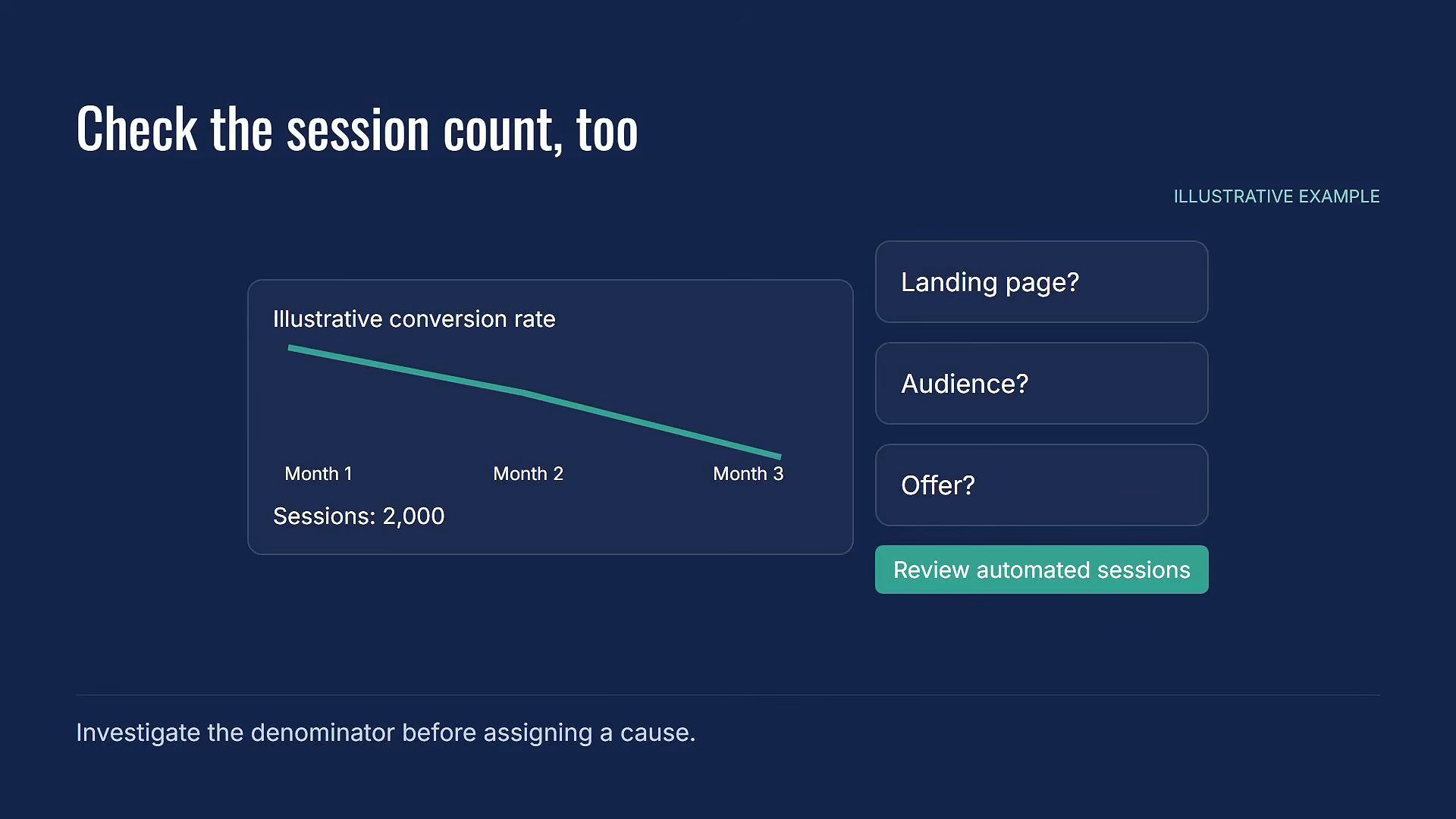
You've checked the landing page. Tested different audiences. Tweaked the offer. And none of it explains what's happening in your GA4 reports.
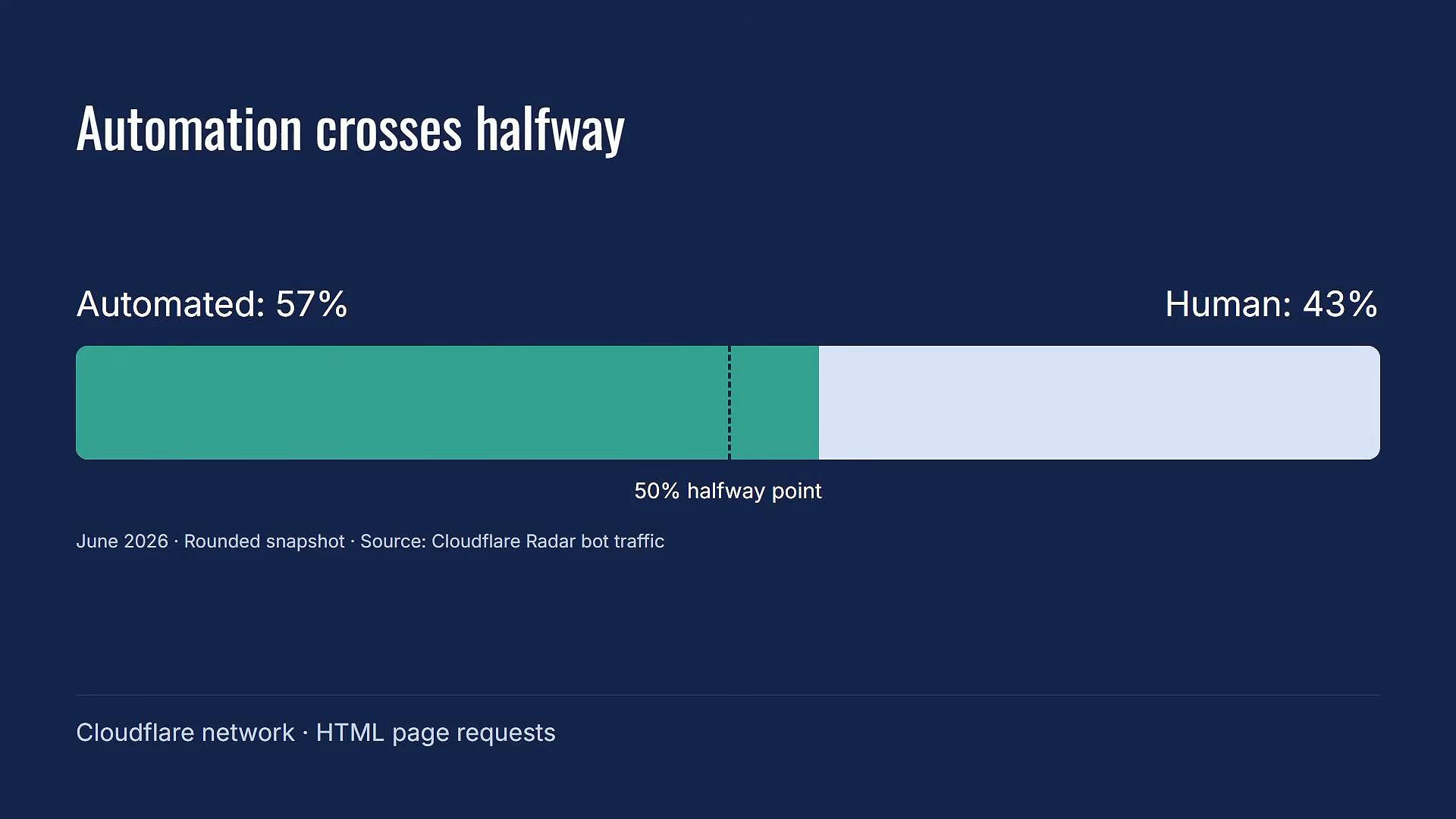
Here's the thing: Dead Internet Theory used to be a conspiracy. Then this year Cloudflare measured more automated traffic than human traffic on its network for the first time. About 57% of HTML page requests were automated. Only 43% were human.
That's where this gets interesting for anyone running Google Analytics 4. There's a category of traffic hitting your site right now that isn't human, isn't a classic bot, and isn't getting filtered by GA4. And it's probably the one thing dragging down your website numbers that you never thought to look for.
Watch the Full Breakdown
In this video, I break down exactly what's happening with automated traffic, why GA4's built-in bot filter misses it, and what you can do about it.
What You'll Learn in This Post
- Cloudflare's 2026 data shows automated traffic crossed 57% of all HTML page requests for the first time ever
- GA4's bot filter was built for classic crawlers and spiders, not AI agents browsing in standard Chrome browsers
- One published audit found a site reporting 0.28% conversion rate when the real rate was closer to 2.6%
- The “denominator problem” means every rate-based metric you report is being calculated against sessions that no human ever had
Table of Contents
- What Dead Internet Theory Actually Is (And Why It Matters Now)
- Why GA4's Bot Filter Isn't Catching AI Agent Traffic
- The Three Layers of Website Traffic in Your Reports
- How AI Agents Are Distorting Your Conversion Rate
- What the Cloudflare Bot Traffic Data Really Means
- How to Detect AI Agent Sessions in GA4
- Frequently Asked Questions
- Your Next Steps
- The One Thing to Walk Away With
What Dead Internet Theory Actually Is (And Why It Matters Now)
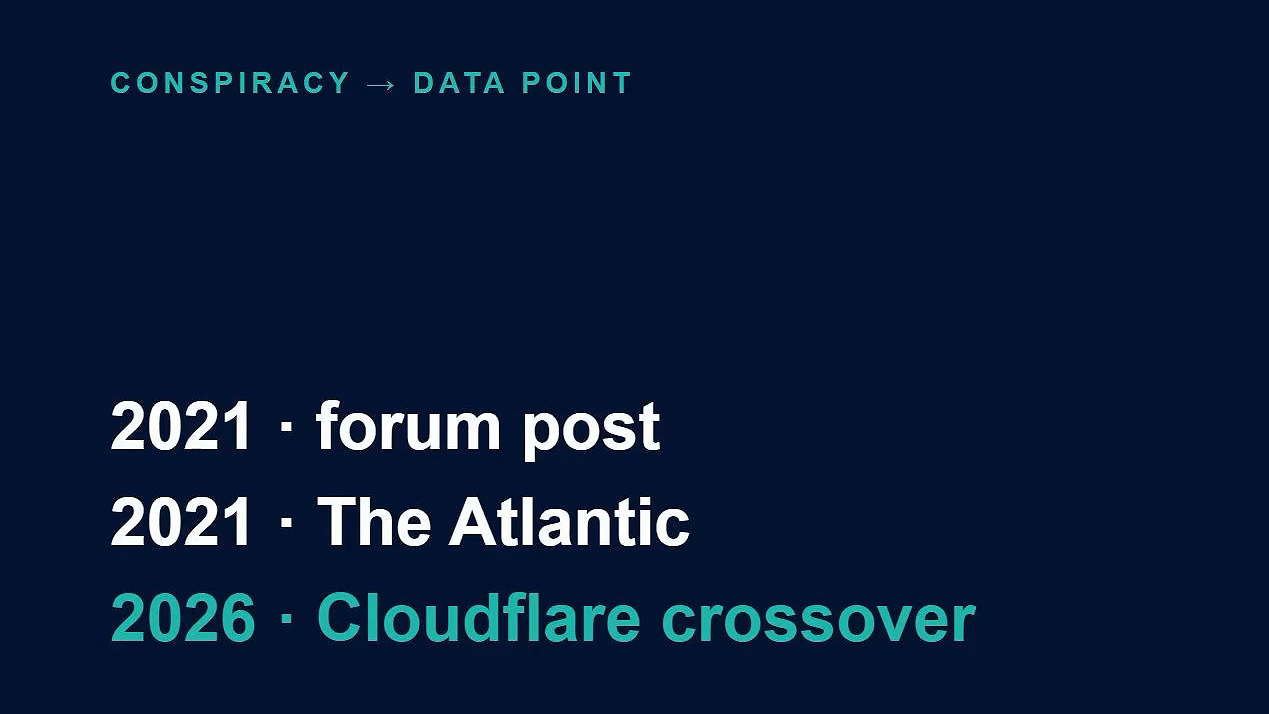
Dead Internet Theory started as a forum post back in 2021. The claim was pretty bold: most of the internet is fake, populated by bots, automated accounts, and computer-generated content. Real human activity online? A much smaller share than anyone wanted to admit.
The Atlantic covered it that same year. And the general reaction was exactly what you'd expect: this is fringe stuff, the kind of thing you dismiss and move on from.
For a few years, that's exactly what happened.
Then Cloudflare published its numbers. And the conspiracy became a data point.
What changed isn't that bots suddenly appeared. Bots have been crawling the web for decades. Search engines literally depend on them. What changed is the kind of automated traffic that's now out there.
AI agents. Software that browses the web without a human at the keyboard. And here's the part that matters for your GA4 reports: these agents can run inside a standard Chrome browser.
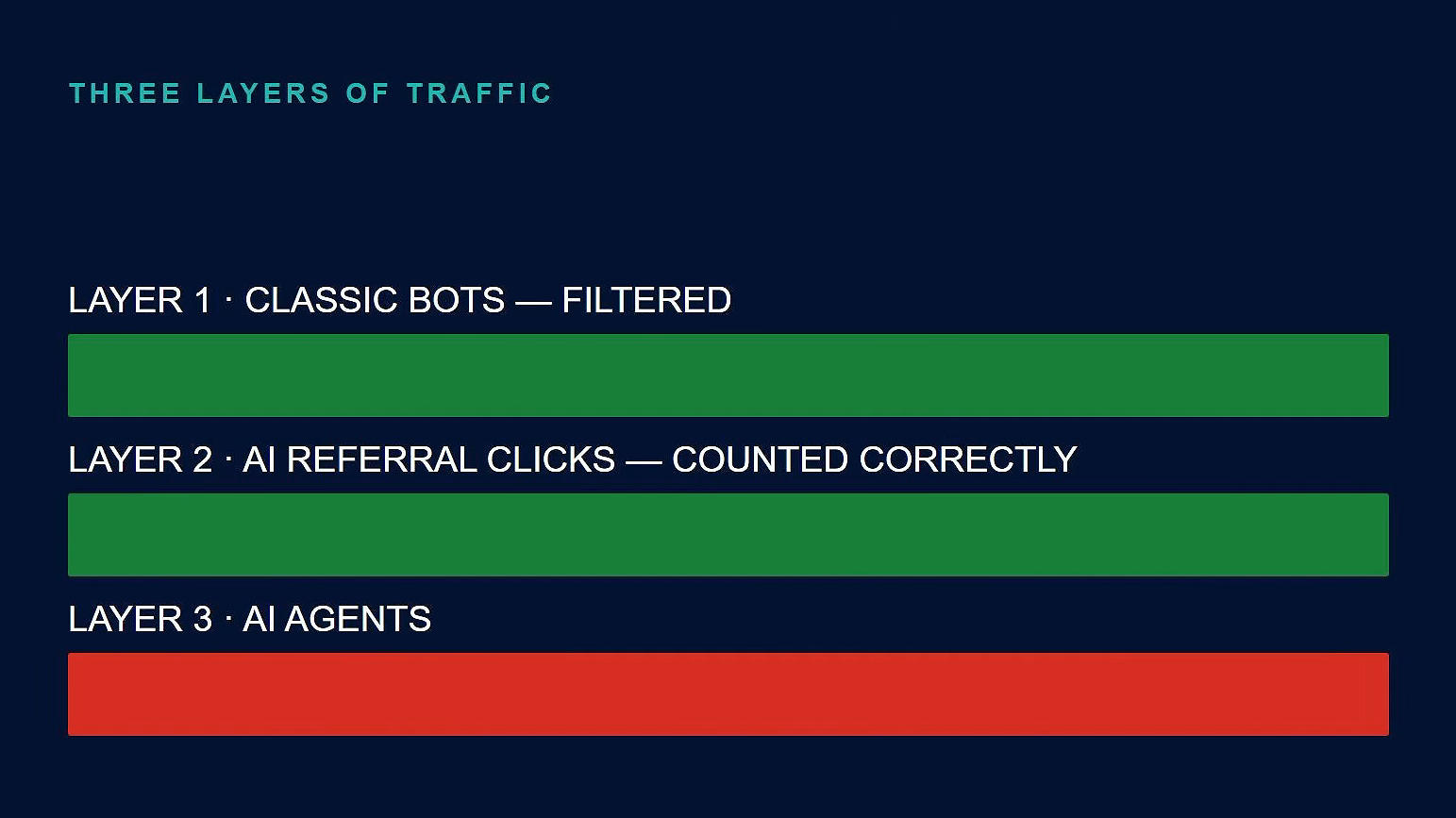
They don't announce themselves. They don't show up on a known-bot list. But they navigate pages, read content, and move on. From GA4's perspective? That session looks completely human.
Why GA4's Bot Filter Isn't Catching AI Agent Traffic
Your first instinct might be to think your Google Analytics 4 reports are automatically handling this. GA4 filters known bots, right?
Sure. GA4 does filter known bots automatically.
But that filter was built for a specific kind of automated traffic. Crawlers. Spiders. Scrapers that show up on published lists. The stuff that's been around for years.
There's a newer kind it wasn't built to catch.
When I built a detector script to test whether there was non-human traffic lurking in my GA4 data, what I found was really interesting. AI agents are visiting my website and getting tracked by Google Analytics. I was able to label the obvious automation using a technique I teach in my AI Traffic Control workshop.
But some AI agent sessions still came through labeled as human. Because they act and look exactly like a person browsing your site.
The Three Layers of Website Traffic in Your Reports
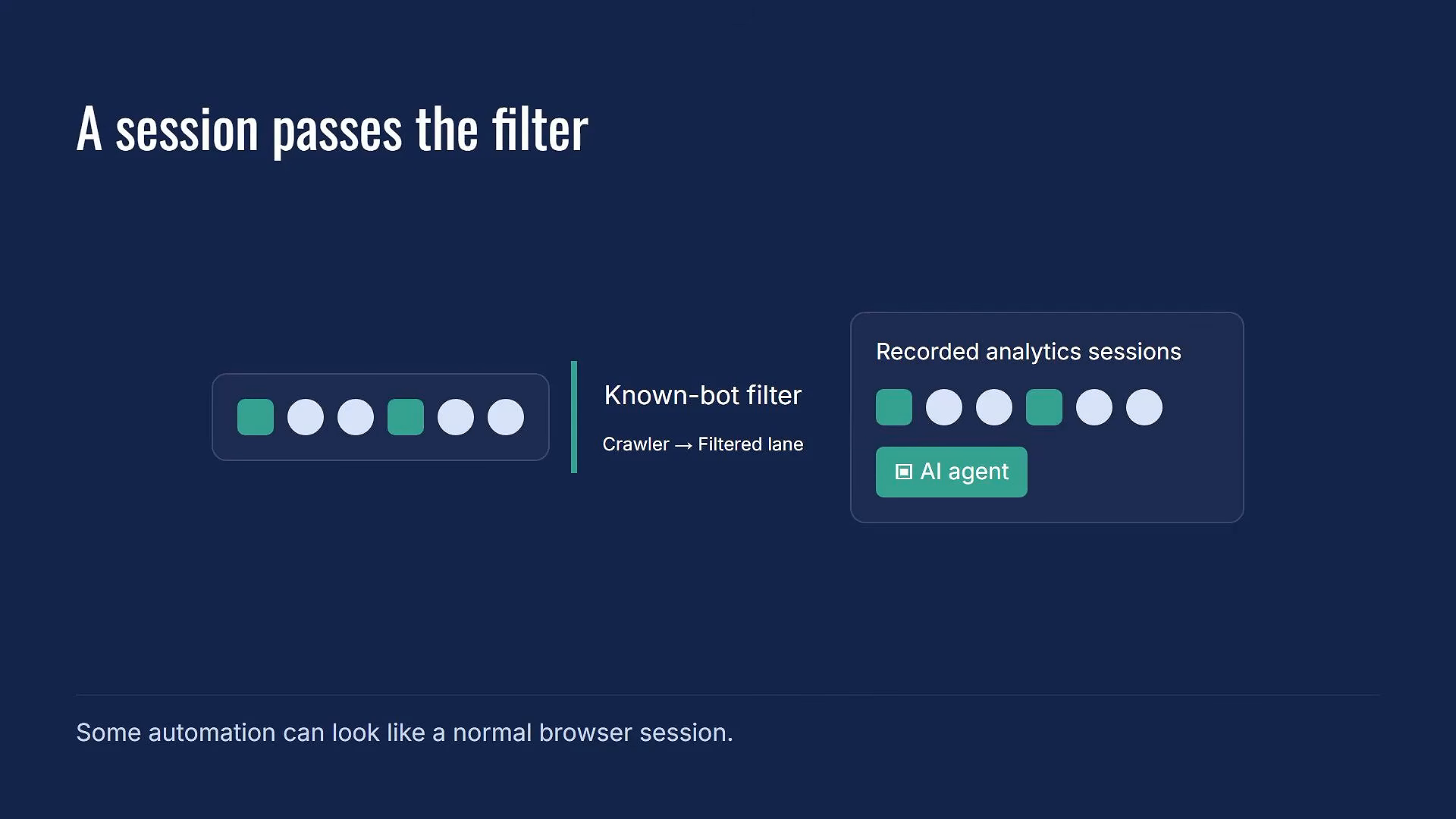
To understand why this matters for your reports, it helps to think about website traffic in three distinct layers.
Layer 1: Classic Bots
This is what most people think of when you say “bot traffic”:
- Crawlers and spiders
- Scrapers
- Known automated tools that show up on published lists
GA4 filters these automatically. Most people know this layer exists. And most people assume that because GA4 handles it, the bot problem is solved.
That assumption is where things get complicated.
Layer 2: AI Referral Clicks
GA4 has a channel grouping called AI Assistant. This was added to the product in summer 2026.
A channel grouping in GA4 is the bucket that tells you how a session arrived at your site. The AI Assistant channel captures visits from people who clicked a link inside:
- ChatGPT
- Gemini
- DeepSeek
- Copilot
- Grok
That's a human being clicking through from an AI tool. GA4 sees it, labels it, and counts it correctly. This layer is new and growing, and GA4 is finally tracking it properly.
Layer 3: Autonomous AI Agents (The Problem)
This is where the issue lives.
An AI agent browsing your site autonomously, working through a task and gathering information, can do all of that inside a standard Chrome browser. It doesn't click through from an AI tool in a way GA4 can label.
It arrives. It browses. It leaves. And GA4 records it as a session, because nothing about that session triggers the known-bot filter.
This is the layer that:
- Isn't human
- Isn't a classic bot
- Isn't getting filtered
How AI Agents Are Distorting Your Conversion Rate
Here's where this gets concrete.
One published audit from Conversion Sciences looked at a specialty ecommerce site and found that about 90% of sessions were automated. The reported conversion rate was 0.28%. The real rate? Closer to 2.6%.
Same buyers. Same conversions. Just a massively inflated denominator.
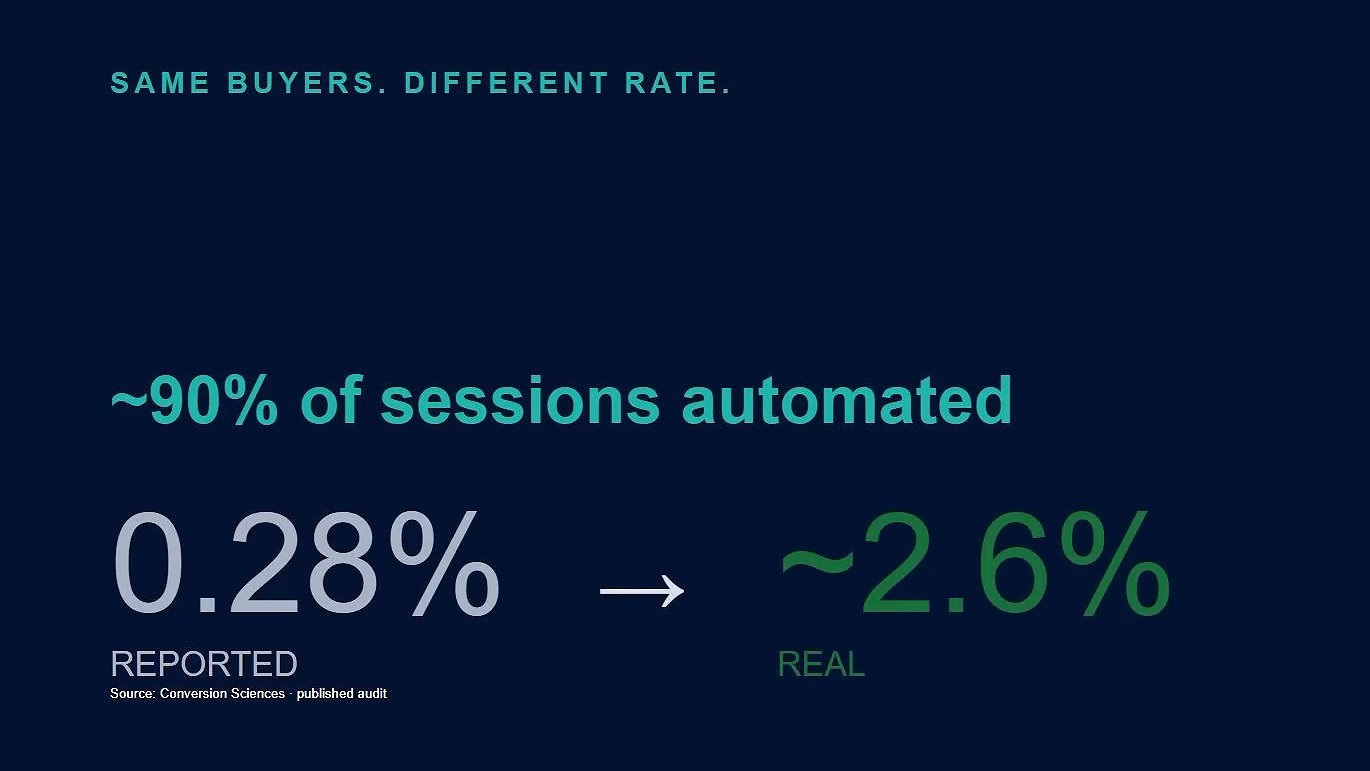
I'm not presenting that as a benchmark for your industry. But it illustrates exactly what happens when the denominator your conversion rate is calculated on includes sessions that no human ever had.
It doesn't just inflate your session count. It distorts every rate metric that depends on sessions as the base:
- Conversion rate
- Pages per session
- Engagement rate
- Bounce rate
Think about what it costs to not know this. A conversion rate drifting down for three months. Every explanation you've tried hasn't stuck. Wrong landing page? Tested it. Wrong audience? Ruled it out. Wrong offer? Tweaked it six times.
Meanwhile the denominator your conversion rate is calculated on has been quietly growing with sessions no human ever had.
What the Cloudflare Bot Traffic Data Really Means
The Cloudflare 57% sounds alarming. But that's a network-level measurement across all automated traffic on Cloudflare's network. It includes legitimate crawlers, search engine indexing, and security scans that have been running on the web for years.
Your GA4 report won't show anything close to that.
What you might see is a small slice. Maybe 2%. Maybe less. Maybe a whole lot more depending on your site.
The instinct is to look at that small number and decide it doesn't matter enough to pay attention to.
That instinct is wrong.
Here's why:
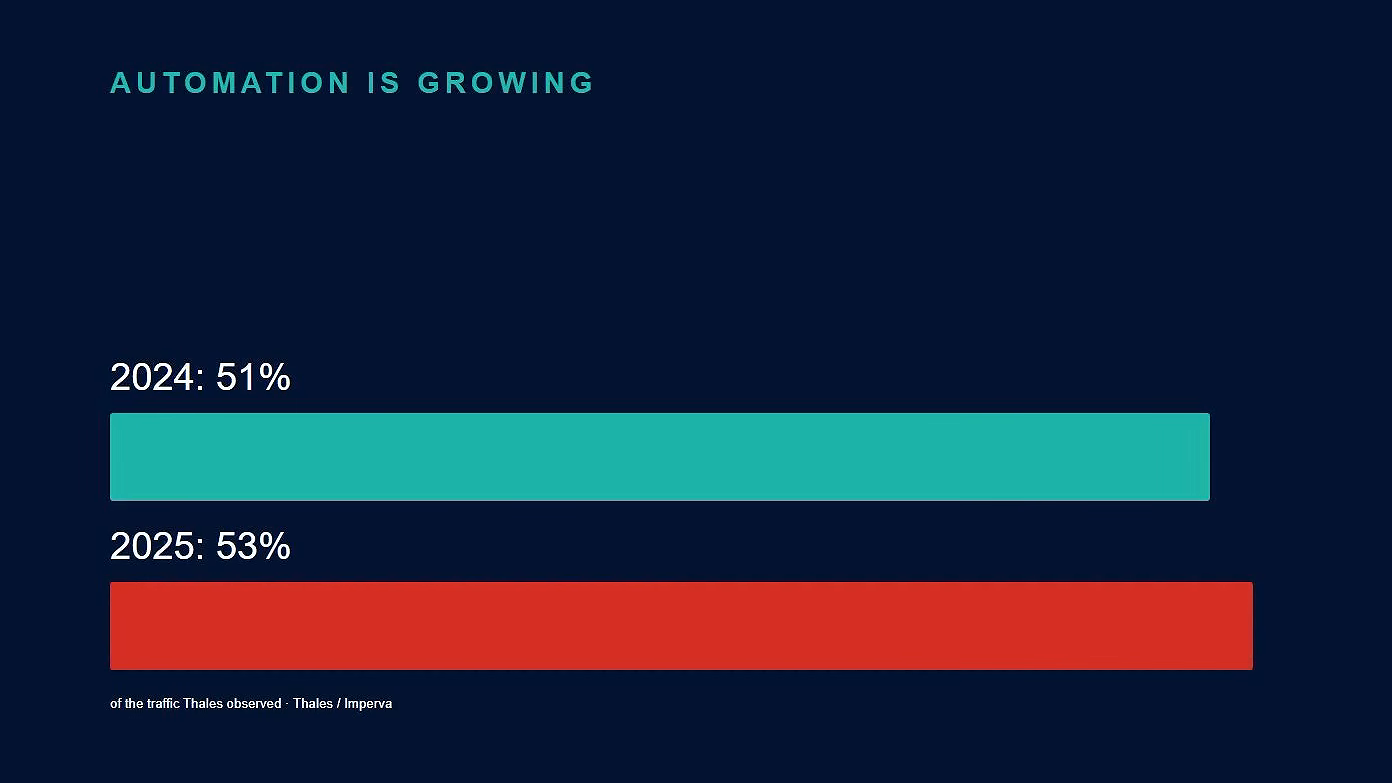
Thales, the security firm, publishes an annual report on bot traffic across the traffic it observes:
- 2024: Automated traffic was 51%
- 2025: That number hit 53%
Two separate sources. Both pointing the same direction.
Cloudflare has also forecast that automated traffic could reach 1,000 times human traffic within five years. Driven by AI agents. And this forecast is coming from the organization that just measured the crossover happening in real time.
The trend is already moving. The question isn't whether this will affect your numbers. It's whether you'll have the context to explain it when it does.
How to Detect AI Agent Sessions in GA4
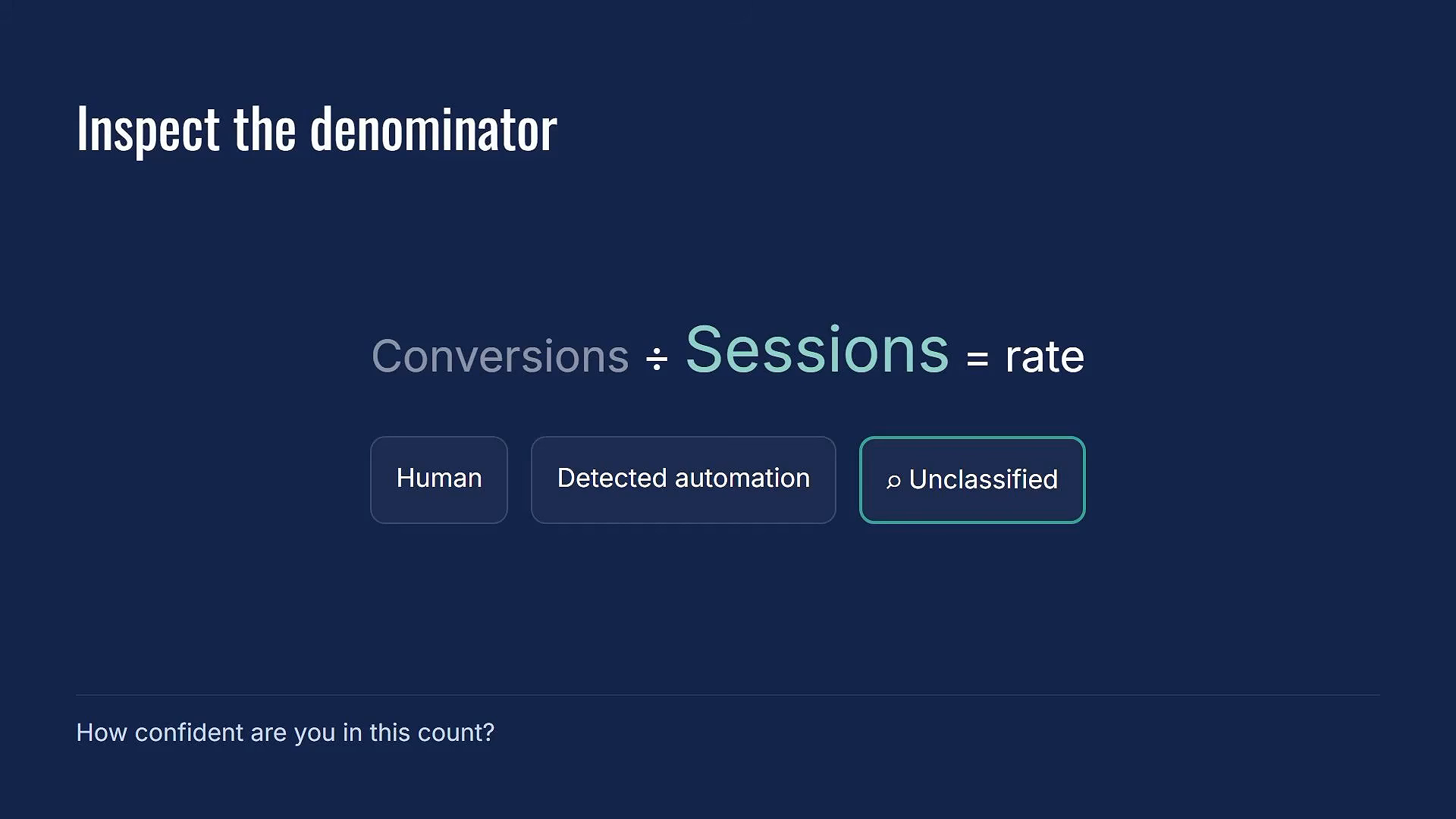
The most useful place to start is with the denominator.
When you're looking at a conversion rate, engagement rate, or any metric that uses sessions as the base, ask yourself: how confident am I in that session count?
Signs AI Agent Traffic Might Be in Your Reports
- Conversion rate declining with no clear cause
- Session counts increasing while conversions stay flat
- Engagement metrics that don't match user feedback
- Traffic spikes that don't correlate with marketing activity
- Unusually consistent session durations or page patterns
What You Can Do Right Now
Step 1: Look at your session trends over the past 6 months. Are sessions growing faster than conversions?
Step 2: Check your traffic sources for anything unusual. Traffic with no clear referrer that doesn't match your marketing activity.
Step 3: Compare your reported conversion rate against what your sales team is actually seeing. Major disconnects could indicate a denominator problem.
Step 4: Consider implementing detection methods that can label automated traffic that GA4 misses.
Frequently Asked Questions
Doesn't GA4 already filter out bot traffic?
It does, but that filter was built for known bots. The crawlers and spiders that show up on a list. An AI agent working through a task inside a standard Chrome browser isn't on that list. It arrives, it browses, it leaves, and GA4 records it as a session.
How much of my traffic is actually AI agents?
Honestly? It depends on your site. One audit found 90% automated traffic on a specialty ecommerce site. Others might see 2%. The concerning part isn't the current number, it's the direction. Every data source is showing automated traffic growing year over year.
Will Google fix this in GA4?
GA4 added the AI Assistant channel grouping for referral clicks from AI tools. That's progress. But autonomous AI agents that browse directly? That's a harder problem. These sessions look exactly like humans because they're using real browsers and human-like behavior patterns.
Is Dead Internet Theory actually true now?
The original claim that “most of the internet is fake” is still an overstatement for most websites. But the core insight, that automated traffic is a bigger share than most people realize, is now backed by data from Cloudflare and Thales. The conspiracy became a measurement.
Your Next Steps
Getting ahead of this now means you'll see the trend as it moves. You'll have a name for it when someone asks why their numbers look off. And you won't be the person in the room who finds out about this after the fact.
Here's what to do:
- Audit your denominator: Look at session trends vs conversion trends over the past 6 months
- Question your confidence: When you see a rate metric, ask how confident you are in the session count it's calculated from
- Set up detection: Implement methods to identify and label automated traffic that GA4 misses
That's where the AI Traffic Control workshop comes in. I built a setup for this that labels the automated traffic that can be caught and gives you a report showing a cleaner conversion rate with that traffic removed.
The workshop is free for MeasureU Pro members. Get the details on the AI Traffic Control workshop.
The One Thing to Walk Away With
Here's the one thing to walk away with: There is a category of traffic in your analytics right now that isn't human, isn't caught by GA4's filter, and is only going to grow as AI agents become a normal part of how the web gets used.
You now know it exists. You know why GA4 misses it. And you know what it does to the metrics you're reporting on.
Good luck with your analytics journey.