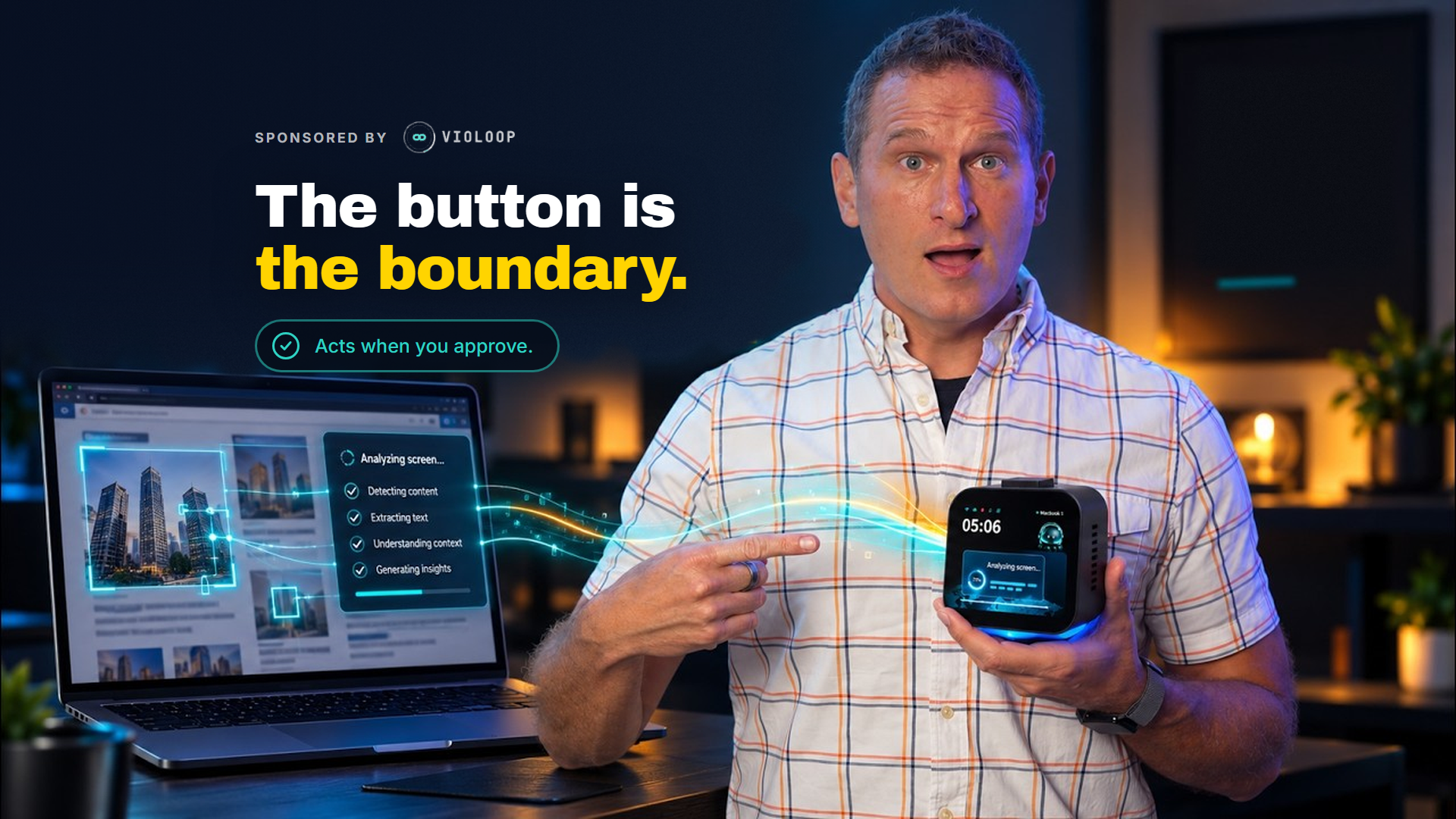
This is a paid, sponsored review of Violoop. They sent the hardware and paid for the review. The opinions, including the parts where their marketing got ahead of my experience, are my own.
Tired of copying and pasting between your AI chatbot and the apps where you actually do your work?
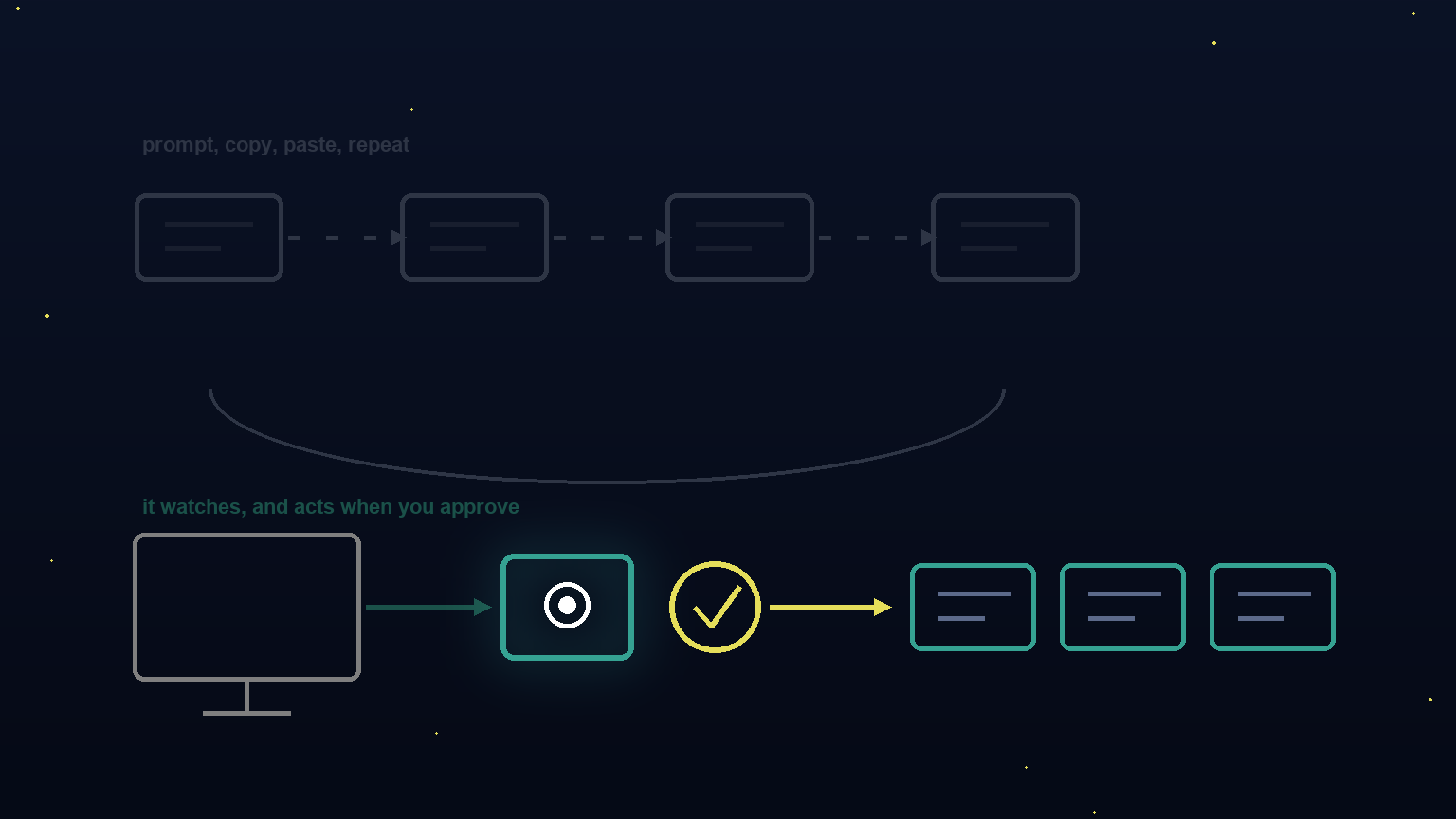
Know that feeling when you spend more time prompting than doing? You write something in ChatGPT, copy it out, paste it somewhere else, go back for another prompt, copy that, paste it into a different app. Rinse and repeat until you wonder if AI is saving you time or just reorganizing where you waste it.
I've felt that friction constantly. And I've been running my entire business on AI for the last couple years. Built and exited an eight-figure agency, spent 20+ years in digital marketing, tried pretty much every AI tool that's come across my desk.
So when a physical device showed up claiming it could watch my screen and do the work across my actual apps? I had to test it myself.
That's where Violoop comes in.
It's a palm-sized hardware box that plugs into your computer, reads what's on your screen in real time, and works across your applications without needing a separate integration for each one.
I've been testing an early pre-release version. And I want to give you my honest take: what actually worked, where the marketing got ahead of my experience, and whether this is worth your attention if you're serious about AI for marketers and solo operators.
Watch the Full Breakdown
What You'll Learn in This Post
- Violoop is hardware that reads your screen via HDMI, not a browser-based chatbot you type into
- It repurposed my latest YouTube video into 4 LinkedIn post variations without me copying anything
- A physical approval button means nothing happens without your permission
- “Local” means local-first, not local-only. Screen reading stays on-device, heavy reasoning uses cloud APIs you provide
Table of Contents
- What Violoop actually is (not a chatbot)
- Demo 1: content repurposing that matched my voice
- Demo 2: AI workflow automation for my Downloads folder
- Demo 3: proactive suggestions, with a caveat
- The honest part: where marketing met reality
- Who this is actually for
- The verdict
What Violoop Actually Is (Not a Chatbot)
Here's the thing most people will miss on first glance: this is not another AI tool sitting in a browser tab.
Every AI tool I use right now, ChatGPT, Claude, whatever, waits for me to type something into it. I write a prompt, it responds, I copy the output somewhere, I do the next step myself.
Violoop is physically different.
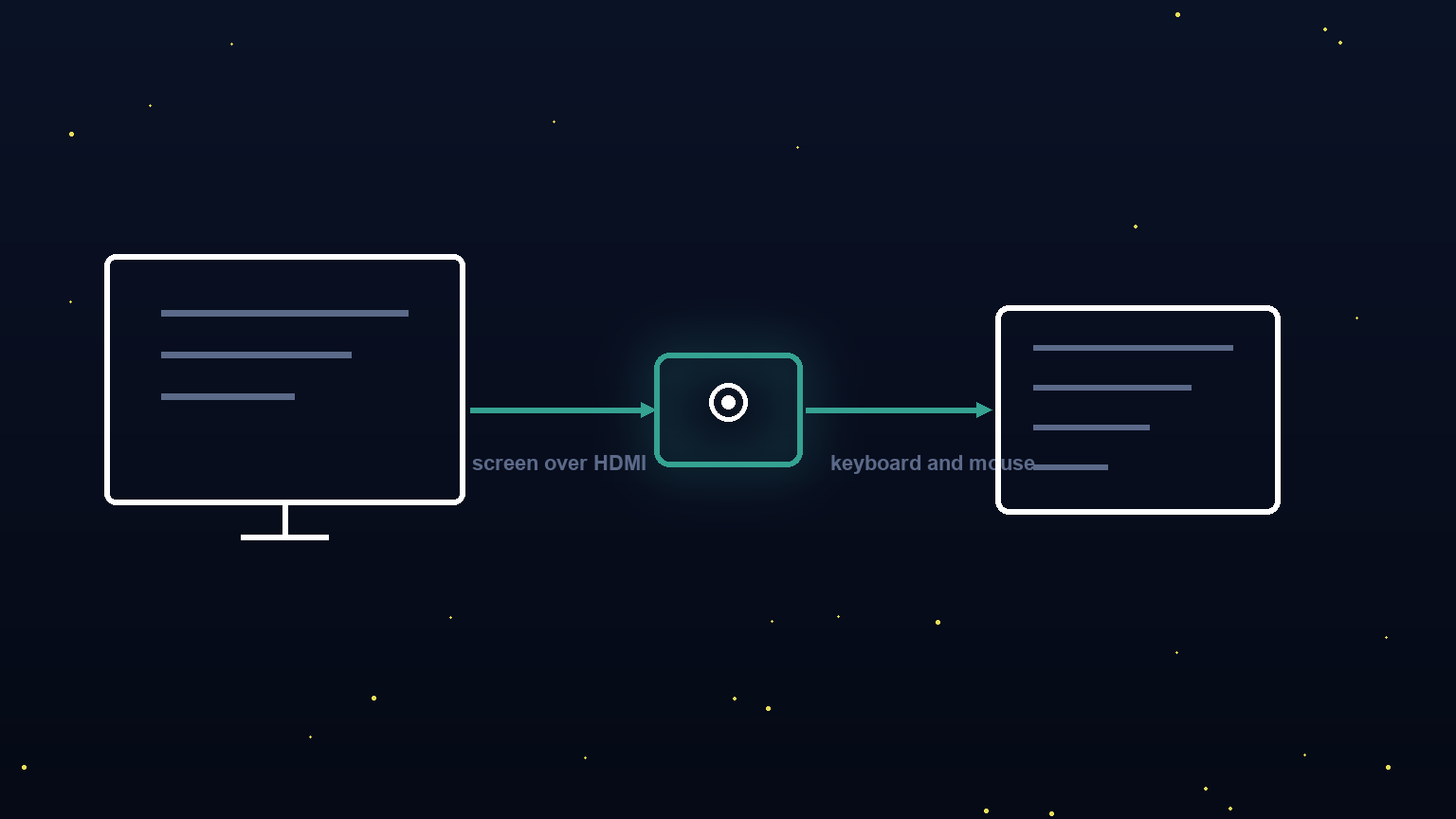
It's a palm-sized box that plugs into your computer. It receives your display output over HDMI, so it sees everything on your screen in real time. It connects via USB and registers as a standard keyboard and mouse, with no drivers to install. It has its own power supply and works alongside a companion desktop app.
The brand calls this “Personal Agentic Computing,” which in plain terms means instead of a chatbot you type into, this personal AI agent watches what's on your screen and works across your actual applications.
Why does this matter? Because it doesn't need a separate plugin for every app. It reads your screen the same way you do, visually. You still sign into and set up your apps the normal way. It just sees what you see.
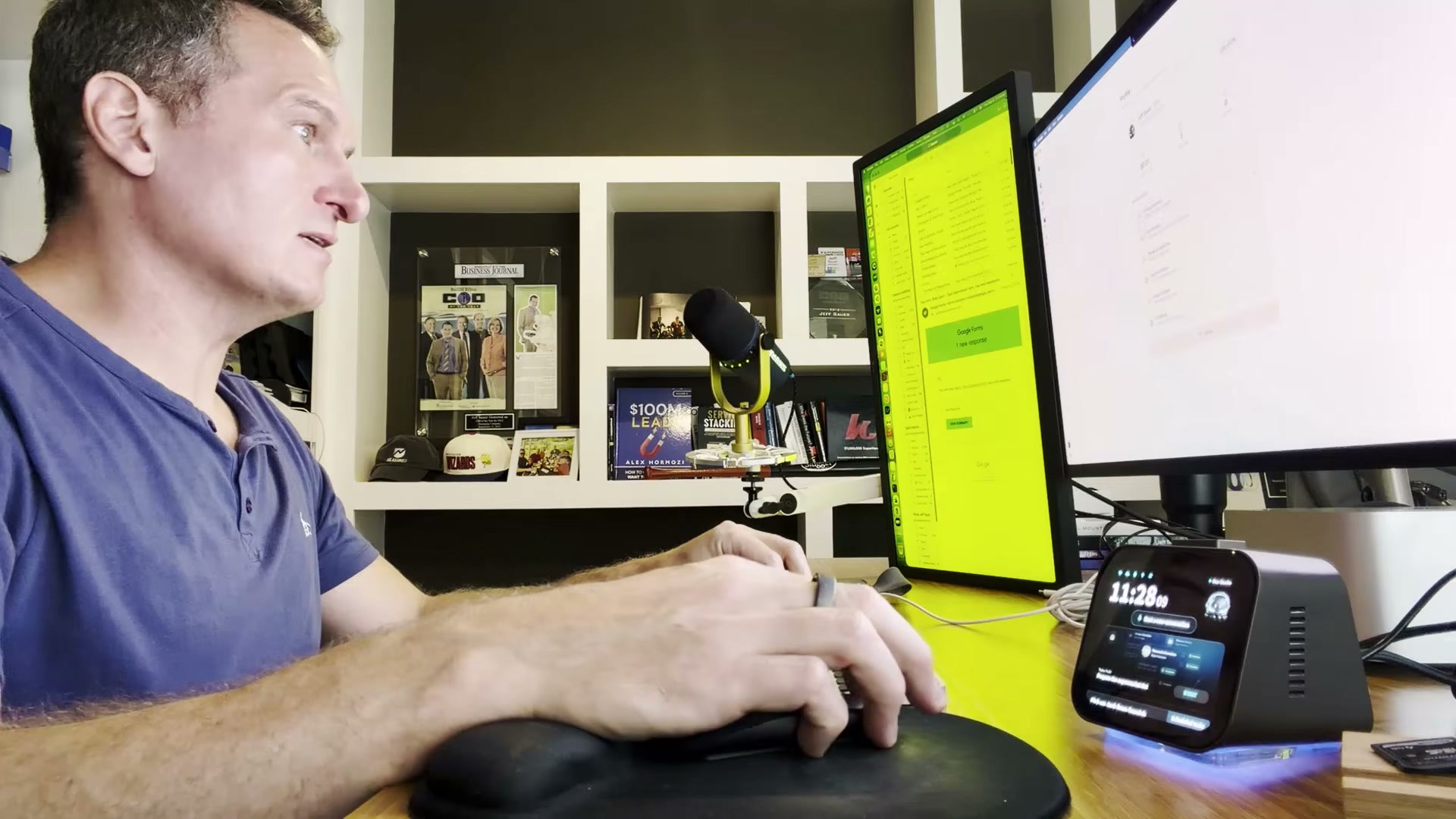
That's genuinely different from anything I've used before. And it's what's worth paying attention to here.
Demo 1: Content Repurposing That Matched My Voice
The first thing I wanted to confirm was whether it was actually reading my screen or just making educated guesses based on context.
So I asked it directly. And it showed me, describing exactly what I was working on, correctly.
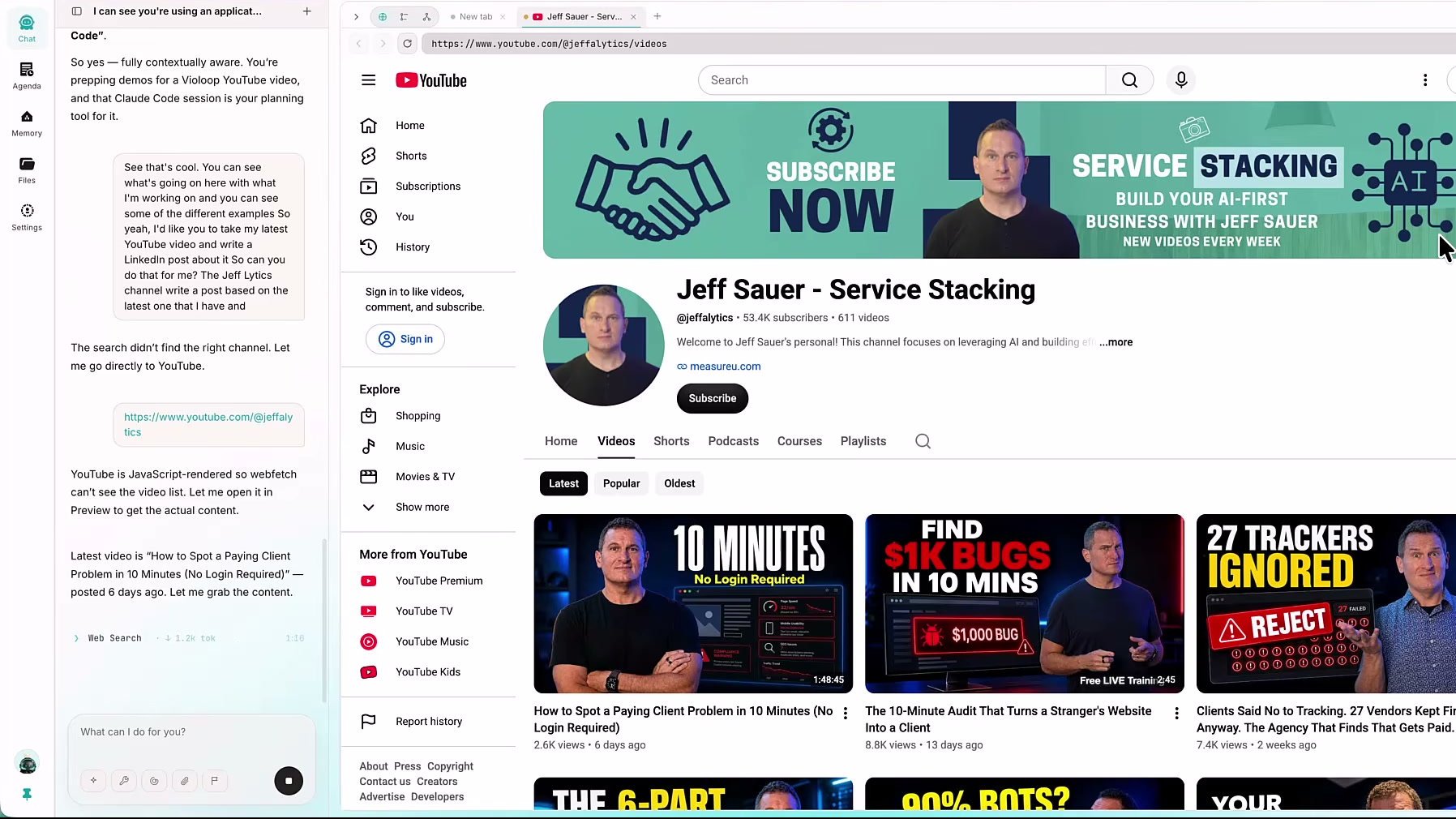
Once I confirmed it could see what was going on, I gave it a real task: take my latest YouTube video and write a LinkedIn post about it.
Here's what happened:
It opened its own built-in browser, found my video “How to Spot a Paying Client Problem in 10 Minutes,” pulled the matching blog post I had written alongside it, and started writing.
But it didn't just write one post.
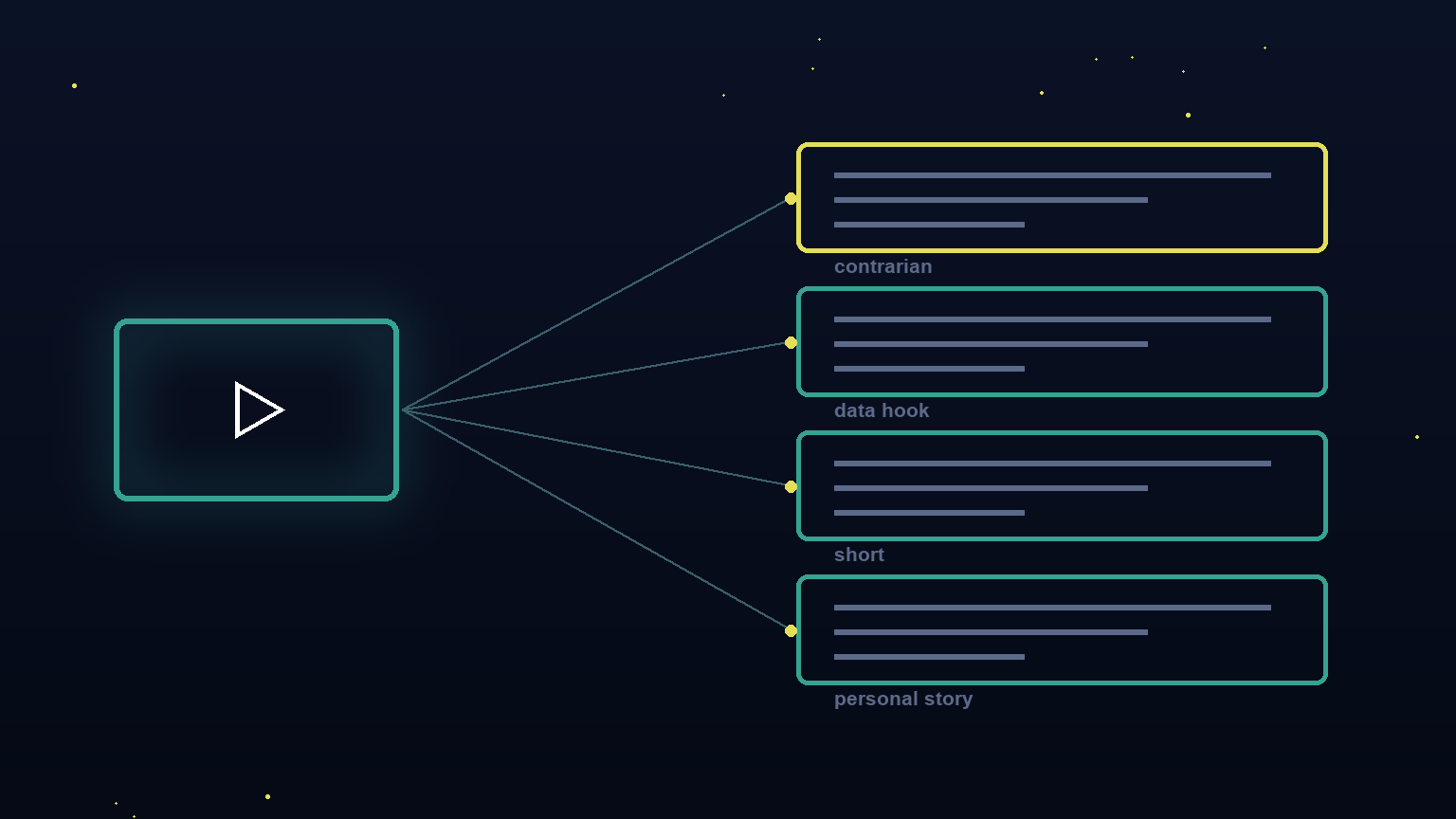
It wrote the post, then four variations to test:
- A contrarian opening
- A data-hook opening
- A short punchy version
- A personal-story version
I also asked it to make a cover image for the posts, and it gave me a prompt I can feed into any AI image generation model and get a result in seconds.
My honest read when I looked at those four variations? They're all based on things I've written before. They share my genuine opinions and takes with a structure geared for social media.
I would be fine posting any of them.
It matched how I actually write, which I didn't expect. That's digital marketing automation that actually sounds like me, not generic LinkedIn-speak that screams “AI wrote this.”
Demo 2: AI Workflow Automation for My Downloads Folder
The second task was something I genuinely never do myself: organizing my Downloads folder.
Let's be honest, that folder is chaos. Files from six months ago mixed with stuff I downloaded yesterday. Screenshots, PDFs, random installers I'll never use again.
I asked Violoop to clean it up and propose a structure.
It came back with multiple categories based on what it actually saw in the folder:
- Folders for code
- Folders for video
- Folders for apps
Now here's the important part about how AI workflow automation works with this device: before it made any real change, creating folders, moving files, it asked for my approval.
There's a physical approval button on the device itself.
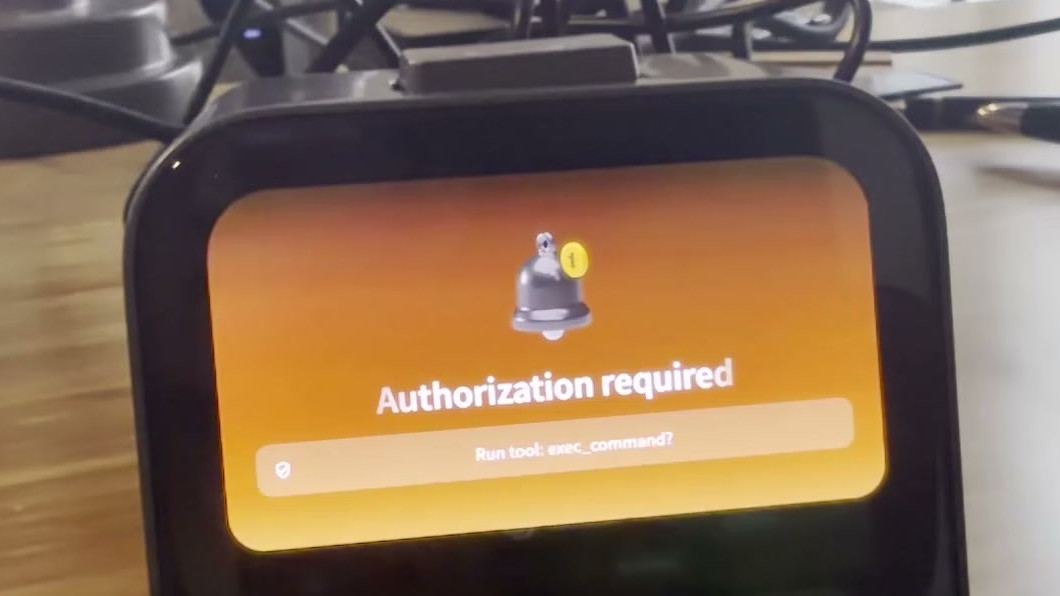
When it reaches an important action, I push that button to authorize it, and only then does it act. You can set how much freedom to give it through different permission levels, so routine actions can run on their own while higher-risk ones still wait for that button.
I kept mine on the tighter setting. I like that the approval boundary is built right into the hardware, not buried in some settings menu.
After I approved, it created the folders and moved the files.
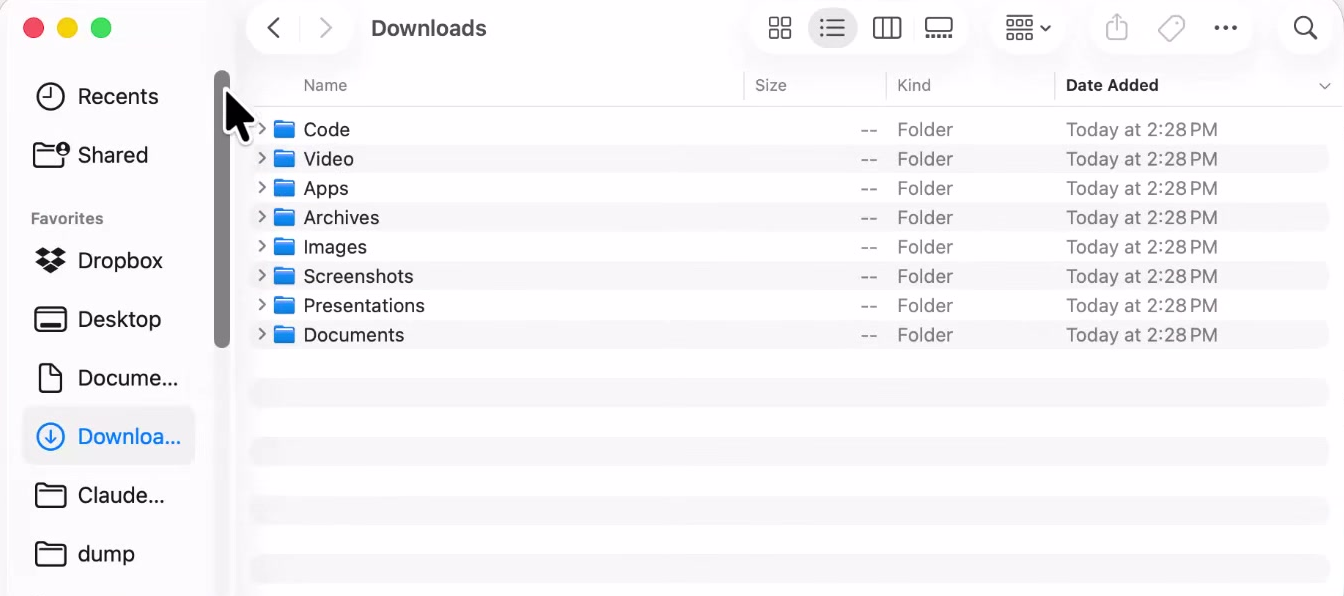
Then I said: put it on a schedule so it does this automatically.
It set the job to run every morning at 9 AM.
This is the kind of task that sits on a to-do list forever because it takes five minutes but feels like it should take thirty seconds. And now it just happens. That's the AI workflow automation I actually wanted: stuff I never get around to, handled without me thinking about it.
Demo 3: Proactive Suggestions, With a Caveat
The third demo was more open-ended. I asked it to look at my screen and tell me what I should be doing based on what it sees.
It read that I was deep in a long working session in another window and that it hadn't been backed up in a while. So when I asked, it offered to save my current session to a file and sync it through Dropbox.
I approved, it saved, it synced.
I want to be accurate about this one though.
The device promises to do this proactively once it gets to know you. But during my demo, I had to ask it to be proactive. It didn't suggest the backup on its own. And also, it thought I would lose my work without backing up, but it was actually something already backed up to the cloud.
But that's OK. The device learns with you. Once you give it context, it won't make the same suggestions again.
So I'm not going to oversell that moment as a miracle. But I will say this: the moment I asked, it understood exactly what was on my screen and gave me a real answer. That's the part that matters. Not that it saved me from losing work, but that it read the situation correctly the first time.
The Honest Part: Where Marketing Met Reality
Remember, I'm using an early pre-release version of this device. The crowdfunding campaign is just launching, and backers will get a further upgraded version. So I'm grading the setup friction and rough edges on that pre-release-beta curve.
Even so, there are two places where the marketing framing was ahead of my experience. And I think walking through both of them actually makes the product more interesting, not less.
The Word “Proactive”
The way it's marketed, you might expect this device to interrupt you and say “hey, you should probably do this.”
In my hands-on testing? That's not what happened.
I had to prompt the device to be proactive, and then it immediately read the situation well. From my experience, it's proactive when you ask it to be. You can also configure it to run routine tasks in the background while you keep working, so the two of you work in parallel.
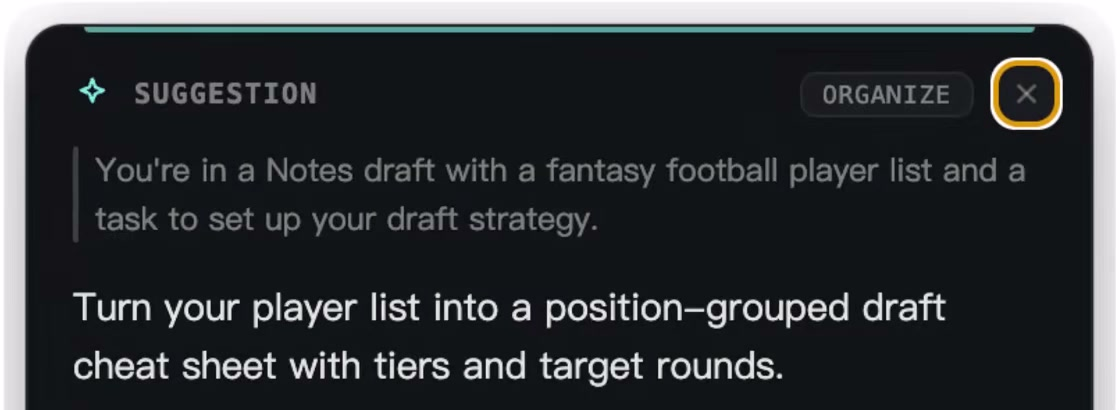
I ran mine hands-on and approved as I went, but that background mode is there if you want it.
And honestly? That's fine.
Because I decide how much it can do on its own, and the actions that matter still wait for my approval. What's genuinely new here isn't autonomy. It's hardware that watches your screen and works across your real apps instead of a chatbot you copy-paste into.
The Word “Local”
Most people who see “local processing” on a hardware device are going to assume that nothing leaves their machine.
The accurate version is more nuanced.
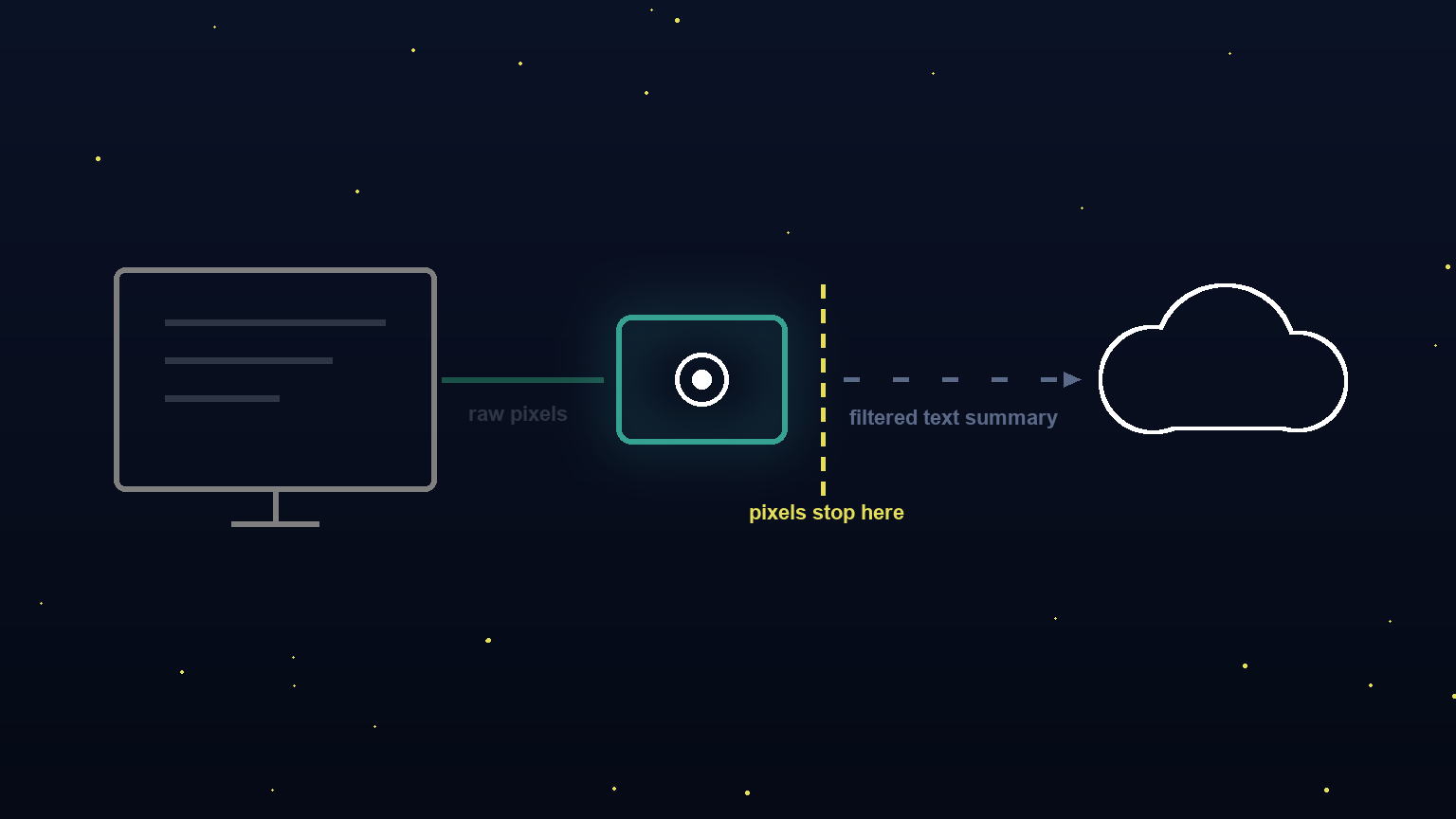
The raw video feed of your screen, the actual pixels, never leaves the device. The vision pass, the screen-reading, your learned patterns, all of that runs on the on-device chip.
But for heavy reasoning, for the thinking part, it sends a filtered text summary of the relevant context to a large language model using an API key you supply and pay for. It defaults to Anthropic, which is what I used for my demo.
So: local for seeing, cloud for thinking.
The makers call it “local-first, not local-only,” and that's a fair way to put it. The pixels stay on the box. The only thing that leaves your machine is a filtered summary of what matters, optimized to save you tokens.
That's meaningfully different from a standard chatbot where your full conversation goes to someone else's server. But it's also not “nothing leaves,” which I originally assumed would happen with a hardware device.
Both of those are true at the same time.
I think knowing that going in makes you a better buyer, not a worse one.
Who This Is Actually For
Good fit if you're:
- A solo operator or small-agency builder already deep in AI every day
- Someone who wants something that works across your actual screen without a dedicated integration for every app
- Comfortable bringing your own API key
- Looking to minimize token costs from frontier models and keep your AI bills down
The content repurpose alone saved me real time. And the Downloads scheduler is running on my machine daily right now.
Not for you if you're:
- Expecting a plug-and-play appliance with zero configuration
- Assuming “local” means no cloud contact at all
Set those expectations correctly before you buy, and you won't be disappointed.
The Verdict
Where I think this category is going? A hardware assistant that keeps your screen and your learned patterns on the device, giving you your own AI co-pilot for a fraction of the price.
The shift from “I type a prompt and wait” to “it watches my screen and acts when I ask it to” is a bigger change than it sounds. And I think the next few years will make that very obvious.
For AI for marketers and business operators who are already using AI daily, and who feel that friction of copying between your chatbot and your actual apps, this is worth your serious attention.
Even as a pre-release beta, the hardware is genuinely impressive.
Ready to check it out yourself?
Take a look at Violoop and make your own call.
And if you want the wider system this fits into, rather than one device, take a look at MeasureU Pro, where we build AI marketing operations with a small group of operators.